WATCH HERE:
Our Equip Expo AI Session is Now On-Demand!
There’s a newer version of this video. This one stays up for reference, and it no longer shows on product pages or in the library.
Watch the newest versionA free inspection on every work order finds the work that’s already there.
Alex Clementi, Flyntlok’s Senior Pre-Sales Consultant, builds a walk-around inspection into every work order as a default job. Techs fill it out on their phone, and failed checks can call for the repair lines needed.

Plays right here. No form to fill out.
This clip opens Flyntlok Unlocked, Ep. 3, which aired in June 2026. Host Jenny Moebius talks with Alex Clementi, Flyntlok’s Senior Pre-Sales Consultant, who spent a decade working with service departments, including as a solutions engineer at Decisiv.
Jenny frames service profit as something that starts long before a technician turns a wrench. Alex then shows the simplest way he’s seen shops find more work: a walk-around inspection built into every work order, filled out on the tech’s phone, and done at no charge.


Every update below shipped after this video was recorded. Each one links to its release notes.
Alex Clementi walked through four ways Flyntlok grows service revenue.
Techs can now complete the full work order checkout from their phone.
AI Review flags fluids, grease and shop supplies mentioned in the notes but missing from the parts list, before invoicing.
Salespeople can create a service request from the Mobile Machine Dashboard while they’re with a customer.
Flyntlok ships a release every two weeks. See every release note
Jenny opens with a point every dealership should hear. Many treat service profitability as a technician problem, but it starts long before a tech turns a wrench: getting customers back into the shop, finding additional work, keeping customers for future maintenance, getting the most from technician time and recovering every labor hour. In a market where equipment sales can swing, service is often the most controllable source of revenue and margin in the dealership.
Alex is Flyntlok’s Senior Pre-Sales Consultant and has been closely involved in rolling this out. Before Flyntlok, he was a solutions engineer at Decisiv, a cloud-based service relationship management platform.
Alex starts with the approach he’s seen work in service department after service department: a simple, standardized walk-around inspection. In Flyntlok, you build it as a job template and wrap a digital inspection form around it, whatever your 10 or 20 point check looks like. The goal is the low-hanging fruit, easy repairs where it doesn’t make sense for the customer to say no because the machine is already at the shop.
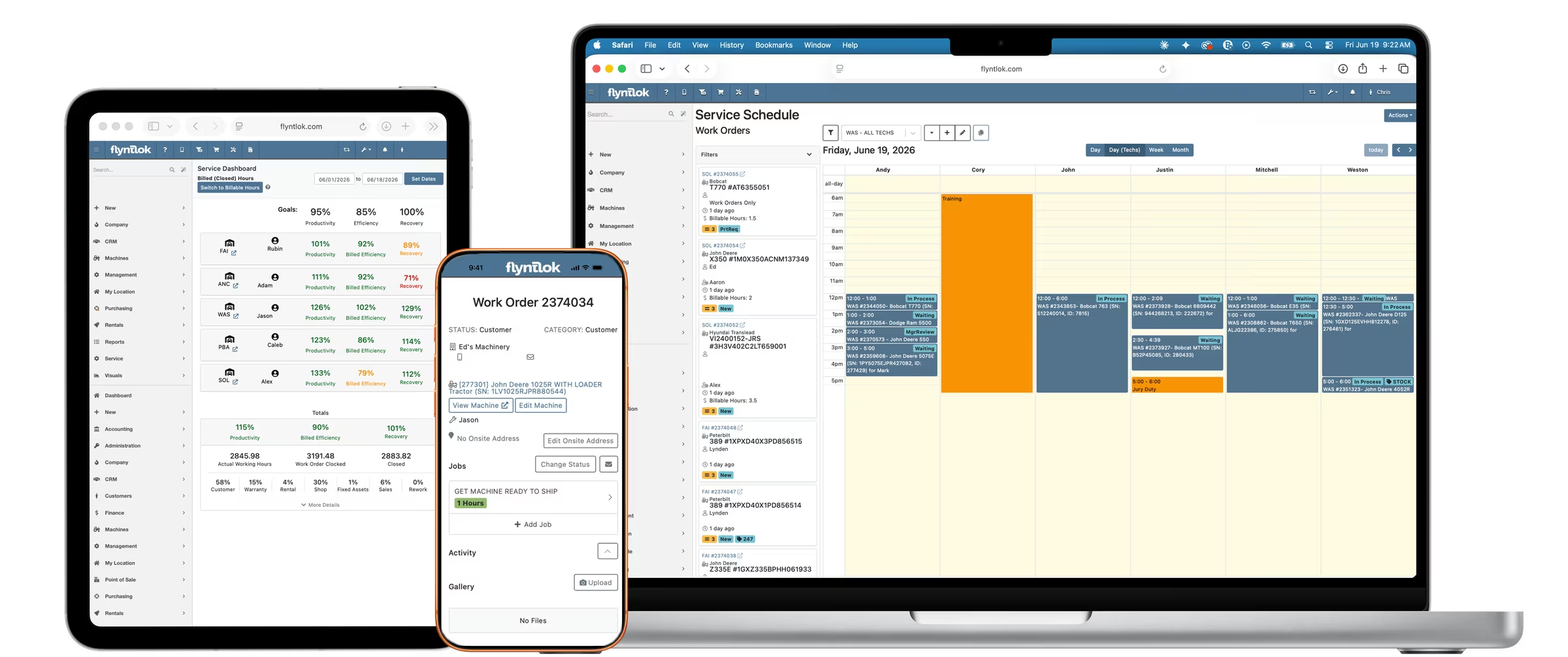
Set the template as a default job and it’s added any time a new work order is written up. From the job, the tech opens the form section on their phone and walks through it.
Text fields take free-form answers, and voice to text works well there. Outcome fields track a pass or different levels of failure, and each one can call for the repair lines needed. You can build logic into the inspection, so the form creates the call to action for any additional work.
The way Alex has seen it work best is a $0 walk-around. Your investment is a few minutes, and anything it turns up is profit. Jenny’s takeaway: this isn’t just better documentation, it’s service revenue you might have missed. Some customers will still say they’ll do it themselves, but it doesn’t hurt to ask.
If you run a tech incentive program, Flyntlok can track repair work that came from an upsell, so you can credit the technicians who found it and won it, and report on it.
Digital inspection forms run on every work order from a tech’s phone, and a failed check can call for the repair line.
A quick 10 to 20 point check of a customer’s machine while it’s in for service. In Flyntlok it’s a digital form techs fill out on their phone, and a failed check can call for the repair lines needed.
Build it as a job template with a digital inspection form and set it as a default job. It’s added to every new work order, and techs open the form from the job on their phone.
Yes. Repair work found during an inspection can be tracked and reported in Flyntlok, so you can credit the techs who wrote it up and won it in an incentive program.