NEW!
Meet Flyntlok at Equip Expo 2026:
Flyntlok sends AGCO your inventory and 25 months of sales history every night, so AGCO can recommend what to stock. Any AGCO parts PO turns into an order file you can upload to AGCO.
















The MDI feed and the PO export are live today. One keeps AGCO current on your parts, the other turns AGCO parts POs into files ready to upload. Direct PO submission is next.
Every night, Flyntlok sends AGCO your inventory position and 25 months of sales history by SFTP, so AGCO can recommend stocking orders back to you.
Generate a fixed-width order file from any AGCO parts PO, then upload it to AGCO. It's built into the Parts PO for every user, with nothing to set up.
Submit a parts PO to AGCO from its Actions menu: set the order type, confirm the dealer order reference and shipping address, and send. Ask us about timing in your demo.
The PO export sits on the Parts Purchase Order your team already uses, and Submit To AGCO (in development) joins it in the same Actions menu. The MDI feed has no screen at all: once it's set up, it runs every night on its own.
See it in a demo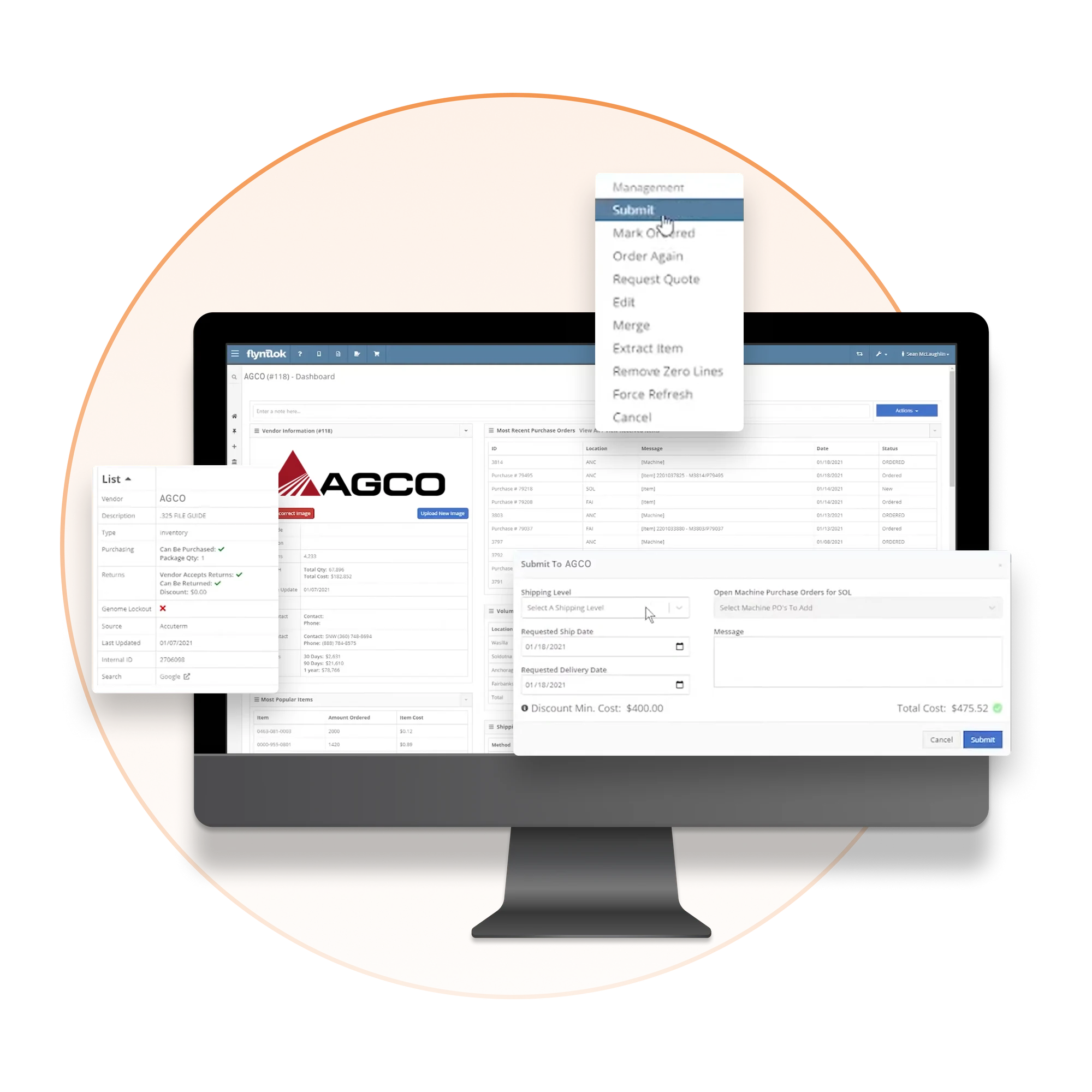
There's no MDI screen in Flyntlok and nothing to export or upload by hand. The feed runs every night, and AGCO turns it into stocking recommendations for your dealership.
A Flyntlok consultant configures the MDI feed for your dealership and maps your store locations to AGCO.
Every night, Flyntlok sends AGCO your inventory position and 25 months of sales history by SFTP.
AGCO uses your stock levels, reorder points, and demand to recommend stocking orders back to your dealership.
AGCO gets the inventory data it needs every night, and your team builds AGCO orders on the same PO screen as every other vendor. The same platform runs the rest of your store, from the parts counter to the rental yard.




Flyntlok was founded by a former equipment dealer and built around how stores really run: the counter, the shop, the lot, and the rental yard.

Carry more than AGCO? Run parts, pricing, and customer data for every brand you sell in one platform.

Run the counter, the shop, and the office from any browser. No server closet, no installs.

Voice-to-text tech notes, invoice checks at receiving, and customer lists pulled from your own data.
The MDI feed, PO exports, and pricing in one connected platform, next to every other line you carry.
See it in a demoBook time with our team. We'll walk through parts, service, sales, and rentals the way your stores run them, including the MDI feed and AGCO PO exports.
Two things today. The MDI feed sends AGCO your inventory position and 25 months of sales history every night, so AGCO can recommend stocking orders. The PO export turns any AGCO parts purchase order into a fixed-width file you upload to AGCO. Direct PO submission to AGCO is in development.
MDI is AGCO's nightly dealer-inventory feed. Each night, Flyntlok sends AGCO your inventory position and 25 months of sales history by SFTP. AGCO uses your stock levels, reorder points, and demand to recommend stocking orders back to your dealership.
A Flyntlok consultant sets it up for you, including mapping your store locations to AGCO. Once it's configured, it runs every night with nothing for your team to export or upload.
Build the order on a Flyntlok parts PO like any other. Today, Flyntlok generates a fixed-width AGCO order file from that PO, and you upload it to AGCO yourself. Direct submission from the PO's Actions menu is in development. AGCO purchase order status stays on the PO, and every user has the export with no setup needed.
Yes. Fendt and Massey Ferguson are both owned by AGCO, so their dealers use the same AGCO connections: the nightly MDI feed and the AGCO PO export.
No. The feed runs in the background from your Flyntlok inventory and sales data, so there's nothing new for your team to learn. The PO export lives on the Parts Purchase Order screen your team already uses.



