NEW:
Save Technician Time and Drive More Service Revenue with Voice-to-Text, AI-Powered Tech Notes
Check out the latest updates to the Flyntlok Equipment Dealer Management System.
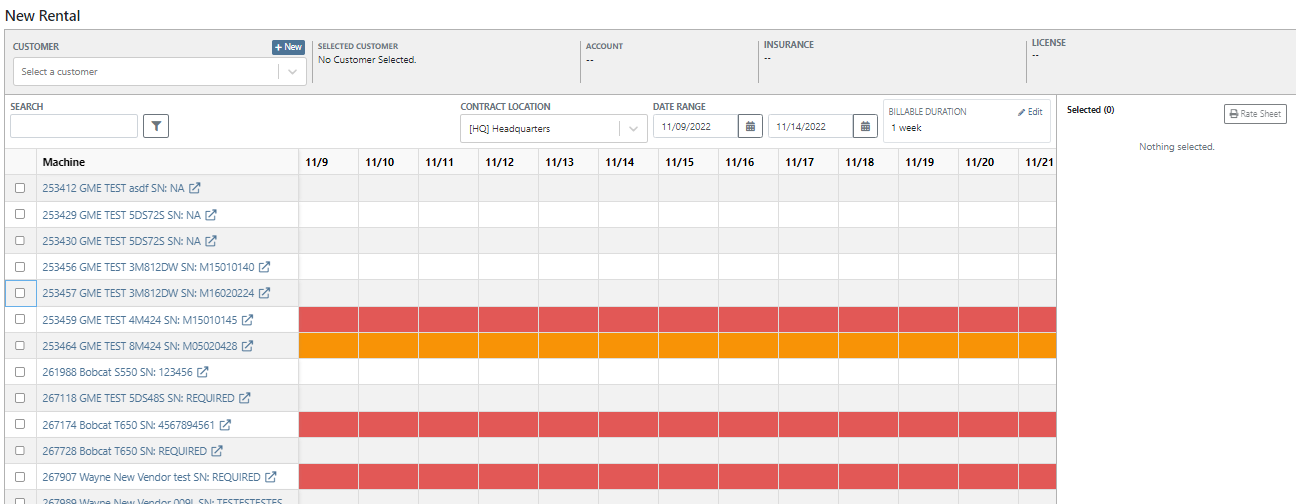
We have added a timeline view of your rental machine reservations. This will provide a visual aid in finding availability for a machine or class of machines.
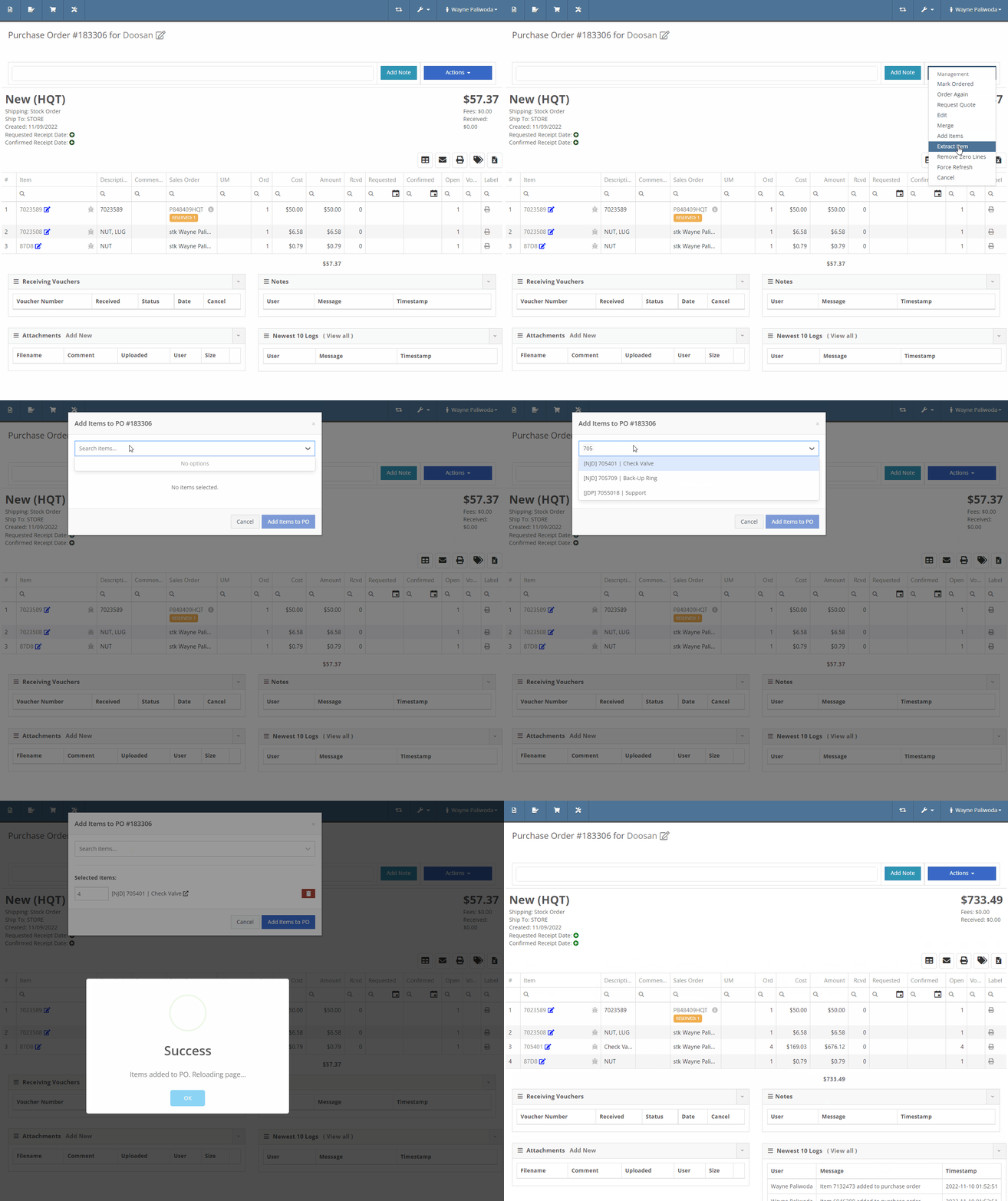
You can now add items to a PO that is in NEW status.
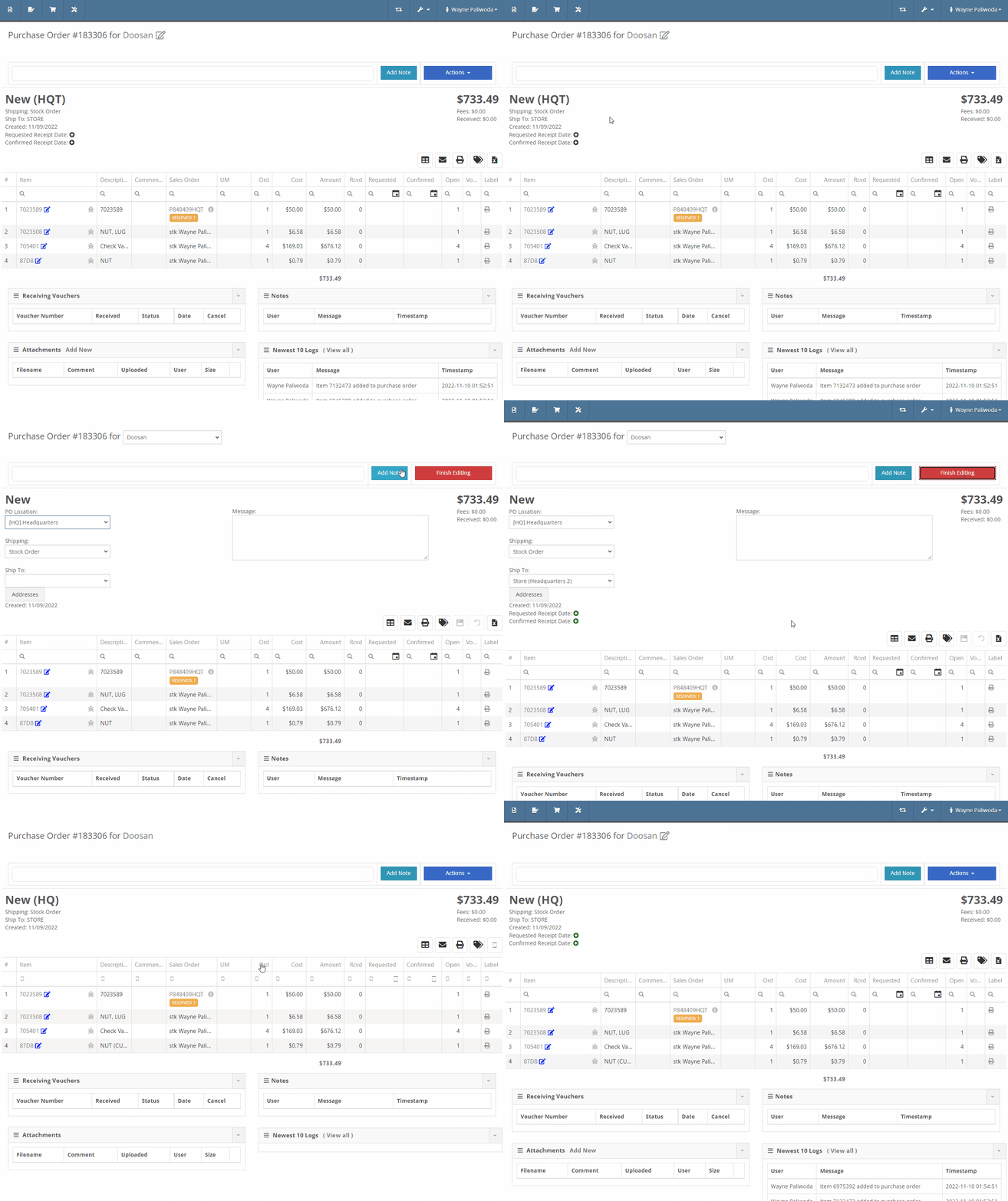
You will now also be able to change the location of an existing Purchase Order. Head to Actions -> Edit on the purchase order. From there, you will see a location selector under the status of the purchase order.
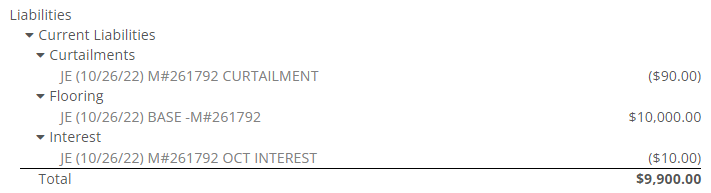
We have added a liabilities section to the machine balance sheet on the machine dashboard. Flooring, interest, and curtailments entered into the Flyntlok journal entries system will display here.
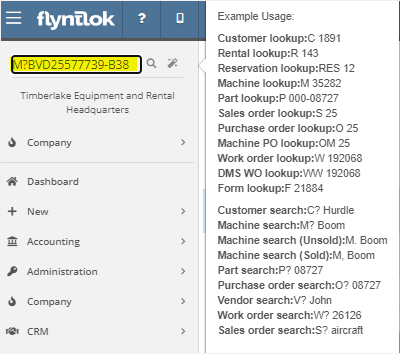
You can now search for machines using the engine serial number.
When adding a new fee/credit line to a machine receiving voucher, Flyntlok will default the line’s allocation to the cost-relative strategy across all the voucher’s machines. You will not need to click the allocate button unless you wish to edit the allocations.

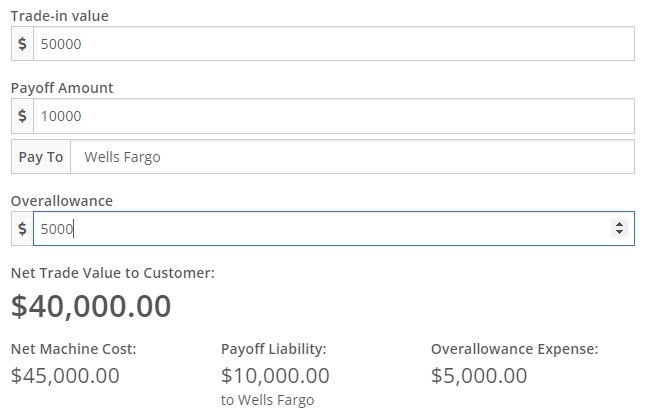
We have updated the Trade-In Payoffs feature with new fields for a user to enter a payoff amount. We have 4 new fields:
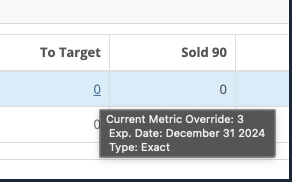
We have updated the “Location and Quantity on Hand” table in item dashboard. Now you will see a new “Metric” column to the right of “To Target”. You will still be able to hover over the value to see the type and expiration date.

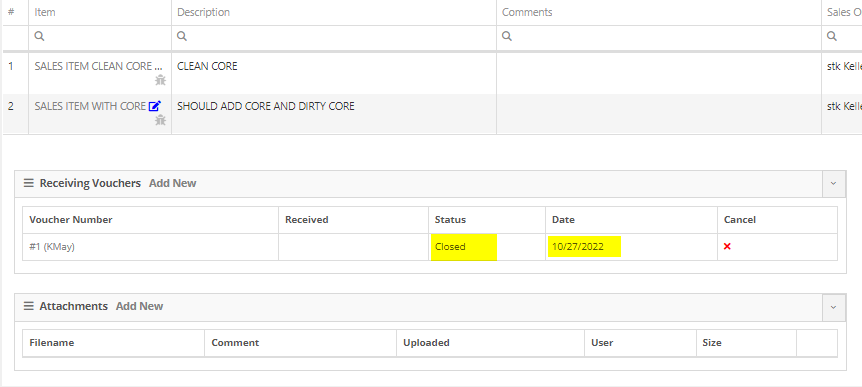
We have added added a new column to the voucher for Closed Date. Flyntlok currently tracks “invoiced date” and “received date” on vouchers.
October 26th, 2022 Release Notes
Learn More at Flyntlok Dealer Management System
Check out our Flyntlok YouTube channel for more highlights of the application!






