NEW:
Save Technician Time and Drive More Service Revenue with Voice-to-Text, AI-Powered Tech Notes
Check out the latest updates to the Flyntlok Equipment Dealer Management System.
Between today, May 5th, 2021, and May 12th, 2021, we want to reduce unnecessary mouse clicks within the application. Submit a support ticket with your idea to reduce clicks. As a team, we will determine the most impactful request, implement the changes, and reward that user with a $25 visa gift card!
Starting today, we will be making weekly updates to reduce the use of your mouse on the Point of Sale. Be on the lookout for new hotkeys and shortcuts!There is now a quantity box to the right of the item searcher on the point of sale.

To use this, click into the item searcher and search your part number. When you've found the part you want, and it is highlighted, hit the Tab button. This will add the item into the item search box and move your cursor into the Qty box. From here, you can input the quantity by using the up/down arrows or entering the number you wish to sell. Once quantity is added, hit the Enter button on your keyboard to add the part at that quantity to the sale. You will also notice that your cursor defaults back into the item searcher box after the part is added to the sale. This allows you to keep searching and adding parts without lifting your hands off the keyboard!
We understand with large commercial customer accounts, there are many points of contact you are interacting with on a day-to-day basis. You can now designate a preferred contact when creating a work order.
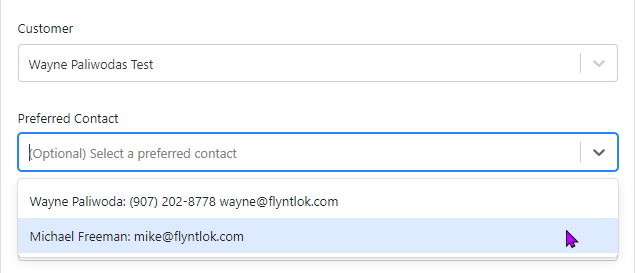
On the work order dashboard, you will see the preferred contact listed under the Basic Information section. Clicking the View all contacts just below the preferred contact information will bring up the form to edit, delete, and add new contacts.

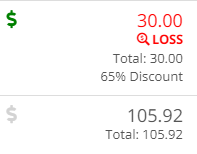
We ran into an issue where a colorblind user was not able to denote that an item was being sold below cost. Now, when an inventory item or machine is being sold below cost, we show an icon with Loss below the item's price. This is also useful when you are applying discounts to an invoice.
Previously, we were not obtaining the cost and time of all linked work orders. We refactored the costing and time information of the work orders to include all sub-work order costs, which allows us to add more information:
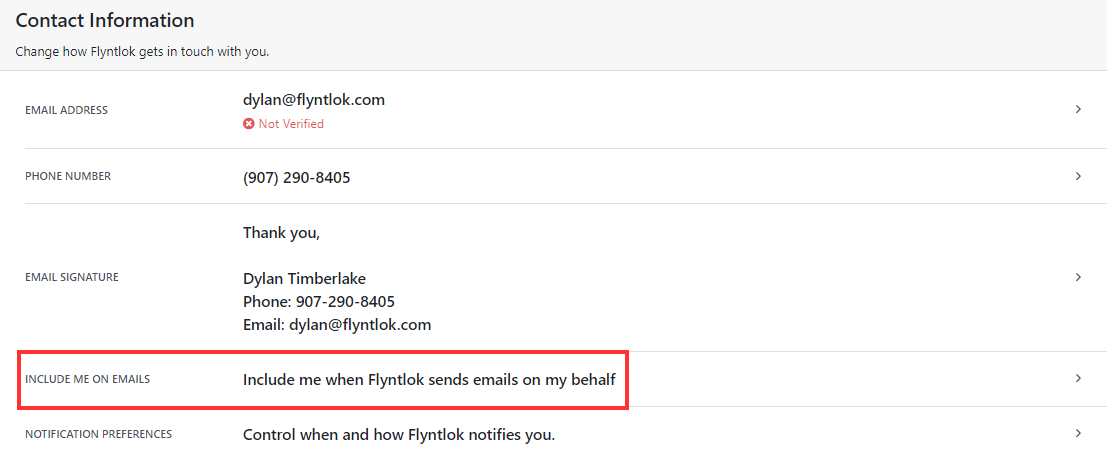
This setting was still working but was inadvertently removed when we updated this page.When editing your user preferences, select View Your Profile, then under the Contact Information section, you will find the Include me on Emails field.
We have added validation to the Customer PO field on the Point of Sale. The limit was always 45 characters, but we did not prevent you from entering more than 45 characters.
We were not preventing you from submitting bills without the appropriate data. Now, to post as a bill, there must be an accounts payable (A/P) account set, and that A/P line must have a vendor set.
We made changes to the algorithm used to calculate the margin on the point of sale. This now accurately accounts for average cost when showing the margin. Please let us know if you run into any weird margins, but it should be more accurate now!
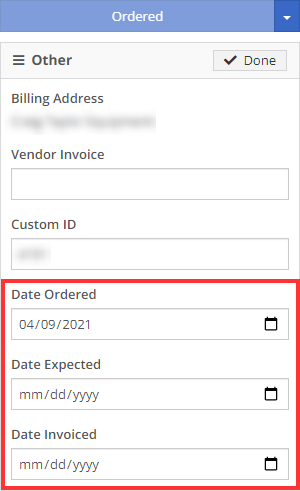
We have run into issues with users unknowingly overwriting data that another user set. When editing a machine purchase order's date ordered, date expected, or date invoiced, we now will not update those dates on the machines associated with the purchase order.
April 28th, 2021 Release Notes
Learn More at Flyntlok Dealer Management System
Check out our Flyntlok YouTube channel for more highlights of the application!






