NEW:
Save Technician Time and Drive More Service Revenue with Voice-to-Text, AI-Powered Tech Notes
Check out the latest updates to the Flyntlok Equipment Dealer Management System
We understand that some of your markets may be pretty competitive. To help, we now let you hide part numbers on quotes. This is a location-based setting that can be adjusted under your location settings. You must have administrative rights to Flyntlok to adjust.
We have changed the link on issue submission from our old FAQ site to the new one. You can check out the new FAQ site here!
You can now use W? to search for work orders. Here is a list of all the things that we will attempt to match with your search input:
We have updated the Flyntlok keyed-in cards system so that we are up to date with the most recent Gravity Payments standards. If you ran into any issues in the past week, it would have been due to this change not being implemented yet.
You can now sort your to-be-ordered board by items that can be merged into in-process purchases. If you are not familiar with this feature, it lets you take special order purchase requests and allocate them to an in-process stock order request.
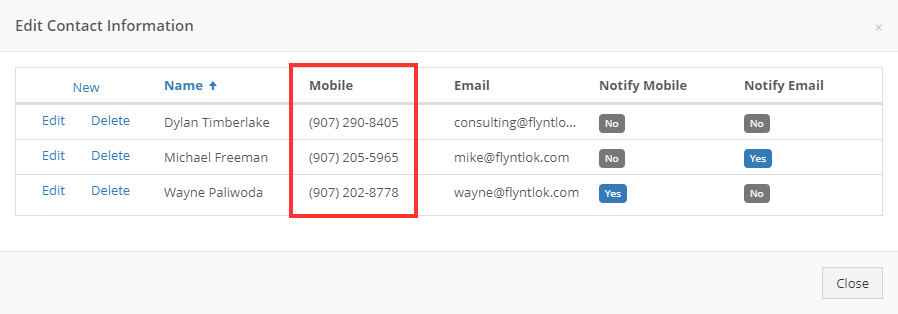
You can now search for customers with the phone numbers of contacts associated with the customer. Before, you could only search for the customer record of the company and contact phone. We will now compare the phone number put into the customer contacts' mobile phone records.
Printing an item label will now show a shortened version of the item's description.
We will now send the line description through to QuickBooks even if the machine ID is not set on the line.
When adding the tracking number to the internal notes of a sales order, we will only show the tracking reminder notification once.
March 10th, 2021 Release Notes
Learn More at Flyntlok Dealer Management System
Check out our Flyntlok YouTube channel for more highlights of the application!






