NEW:
Save Technician Time and Drive More Service Revenue with Voice-to-Text, AI-Powered Tech Notes
Check out the latest updates to the Flyntlok Equipment Dealer Management System.
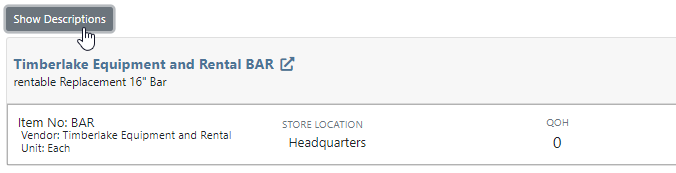
A Show Descriptions button has been added to the top left-hand corner of the new rental screen. After clicking the button, each machine will display its long description. If you are renting equipment with specific model options this will be a big help.
An Estimated Totals section has been added to the Lease Agreement PDF. The lower left-hand corner of the rental dashboard also has a totals section.

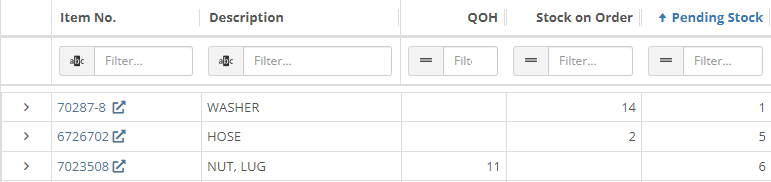
We have added an additional Pending Stock column to the Item Order screen that will show stock order items on the To Be Ordered Board.
When the Submit for Review button is clicked on a machine purchase order voucher, the user that is set as the reviewer on the Flyntlok Details page will be notified.

We have added the PDI Field to Machine Purchase Order Vouchers. This field will capitalize cost to the machine.

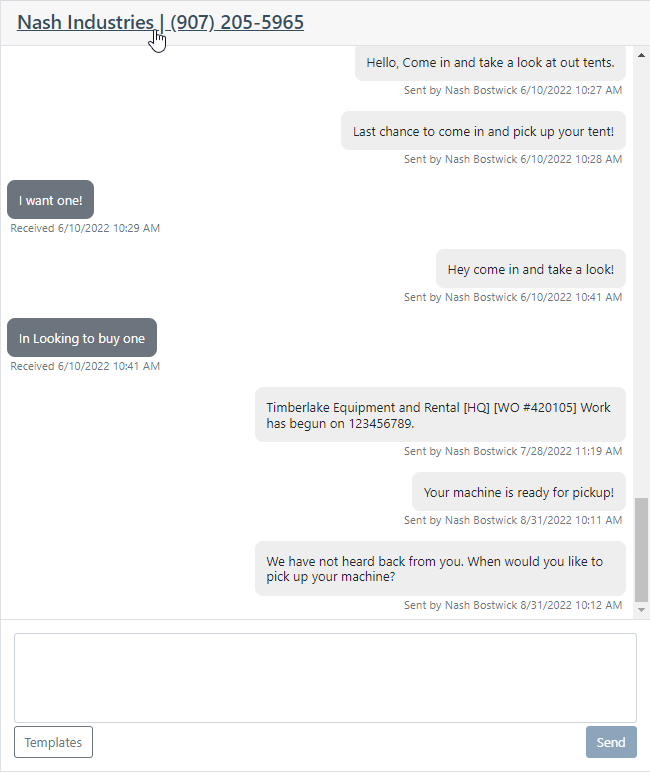
A link to the customer dashboard has been added to the top of the SMS section.
The machines estimated arrival date has been added to the Machine Dashboard.

A link to the vendor has been added to the Machine Dashboard.
The following fields have been added to machine records in Flyntlok:
The first time a customer is contacted they will receive the following message:
Welcome to (Your Company). Feel Free to respond to this message at any time with questions. To stop receiving automated messages, reply STOP.
When a customer has terms, a badge with those terms will be added to the lower right-hand corner of their sales orders.

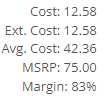
You can view margin on the item level by clicking the Incognito Man.
For easy identification, a deleted icon has been added to the top of canceled work orders.
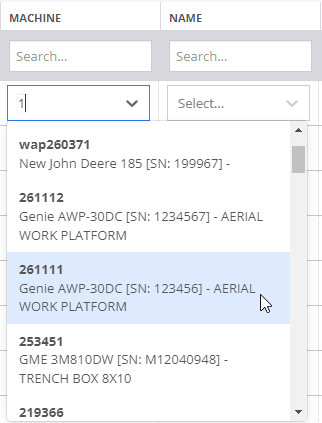
We have updated the machine searching dropdown to include more machine information.
August 17th, 2022 Release Notes
Learn More at Flyntlok Dealer Management System
Check out our Flyntlok YouTube channel for more highlights of the application!






