NEW!
Meet Flyntlok at Equip Expo 2026:
Lorem ipsum dolor sit amet, consectetur adipiscing elit. Suspendisse varius enim in eros elementum tristique. Duis cursus, mi quis viverra ornare, eros dolor interdum nulla, ut commodo diam libero vitae erat. Aenean faucibus nibh et justo cursus id rutrum lorem imperdiet. Nunc ut sem vitae risus tristique posuere.
A task is anything you owe a customer. A callback, a quote to send, a part to chase. Most of the time it never gets written down and it lives in your head, on a sticky note, or on the dashboard of your truck until something reminds you.
When a follow-up is not recorded, it goes cold. The customer ends up chasing you instead of the other way round. A manager cannot see where anything stands without asking. And when someone is out on the road or off for the day, nobody else can pick up their list.
That is not just a service problem, it is a revenue problem. A quote you chase becomes an order and a callback you make becomes a sale. Every promise that quietly expires is money left on the table.
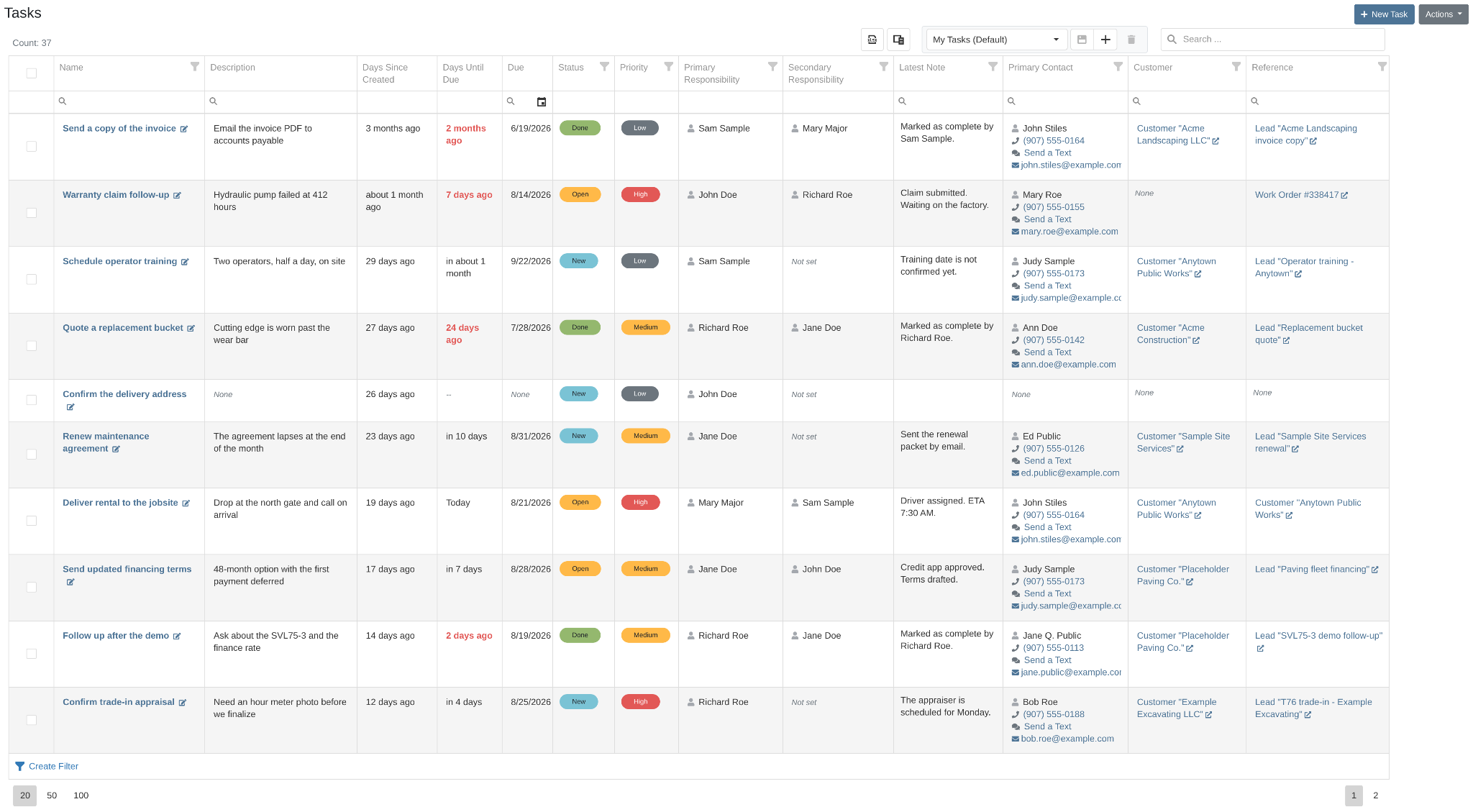
We have rebuilt CRM Tasks around a simple idea: the follow-up should chase you, not the other way round. The revamp has two halves: a task list you can shape to the way you work, and a new Task Details page that holds the whole story of a single task.
Four things carry through both:
The first time you open CRM Tasks, a short guide walks you through the list. You can bring it back at any time with the How Tasks work button above the table. The Task Details page has its own guide behind the question-mark button next to the Task badge in the header.

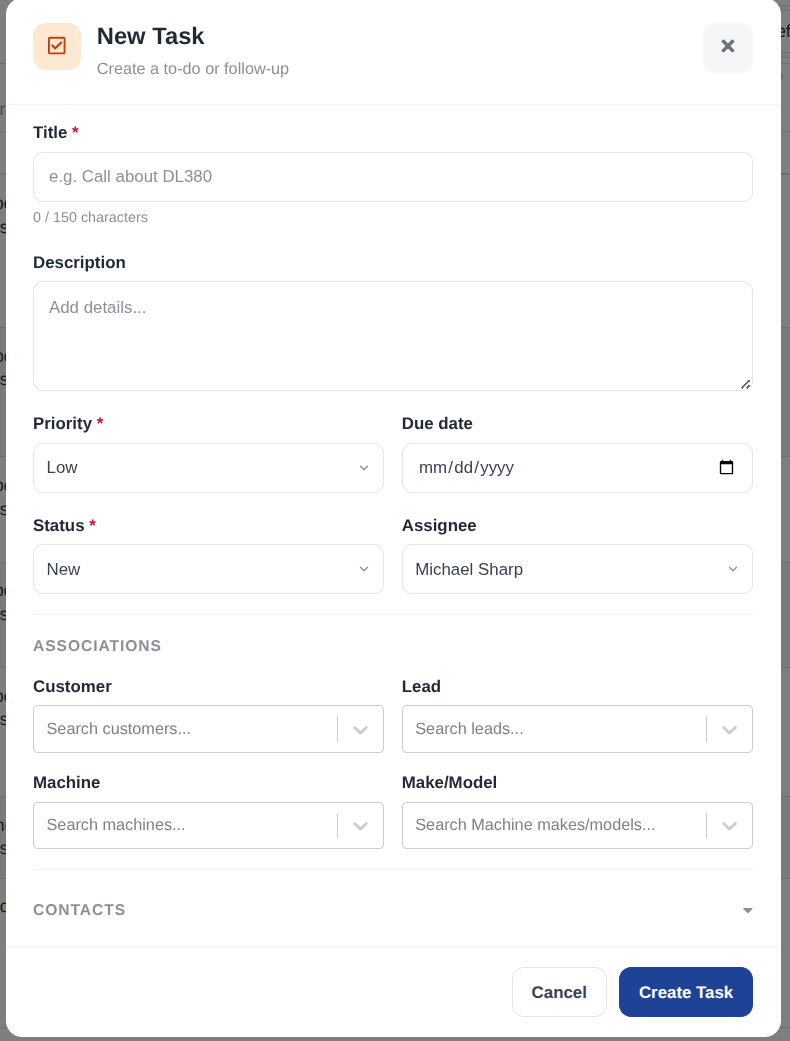
New Task takes a name and nothing else. Everything after that is optional, so a task you log in ten seconds still counts.
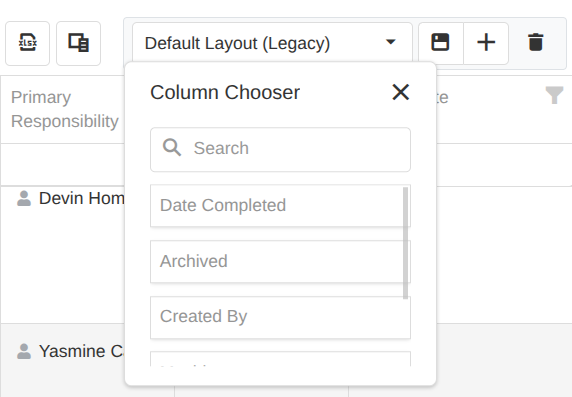
The table is yours to shape. Choose the columns you actually read, arrange them, then save it so the dashboard opens that way every time.
Open a task and you land on the brand new Task Details page. It holds all of it: who it is for, what has been said, and what happens next. None of it lives in your head or in your truck.
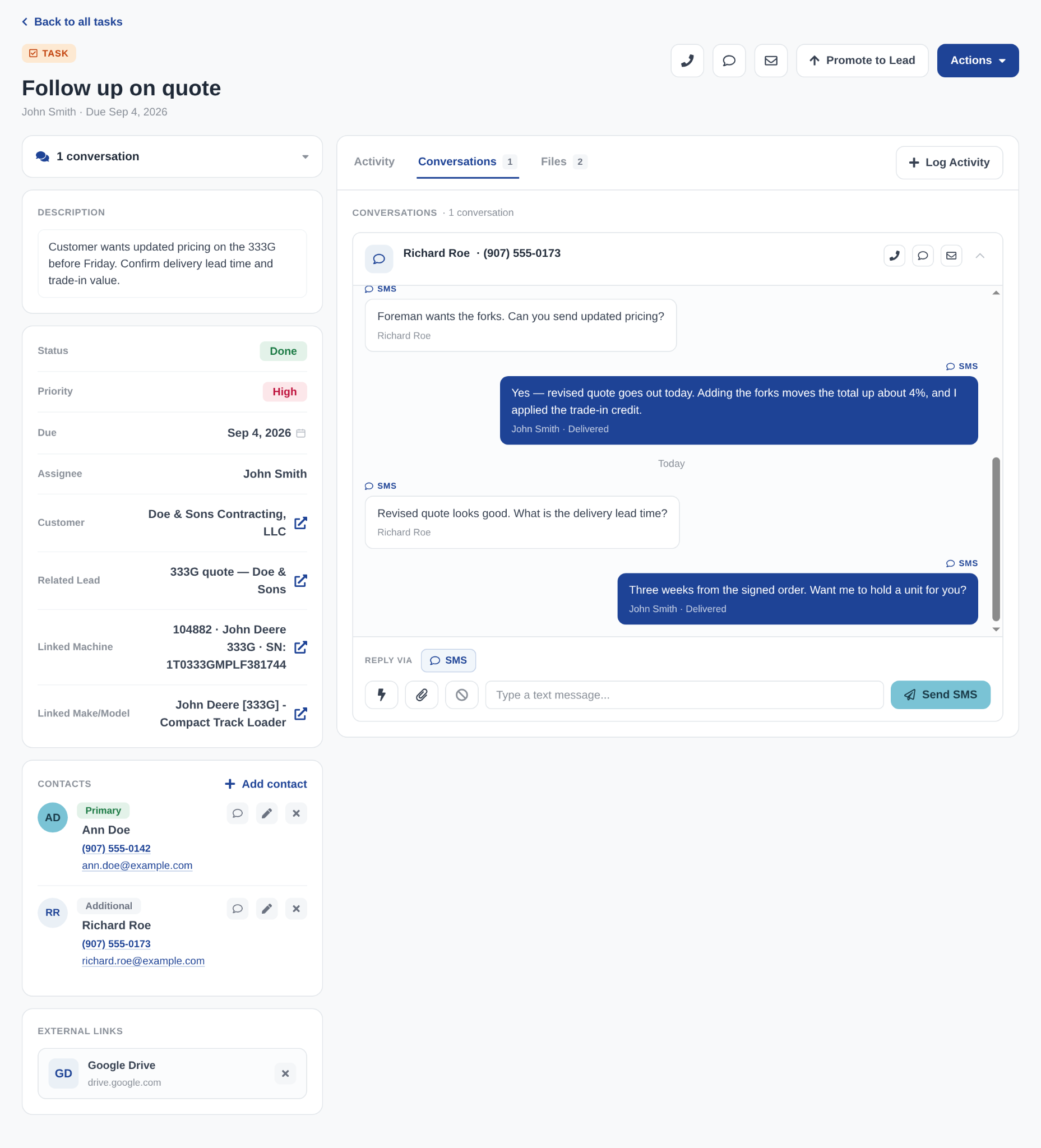
There is no separate edit screen. Click a value on the page, change it, and it saves on its own.
A task that is going somewhere should not stay a task. The controls at the top of the page are how it turns into a deal.
Follow-ups live in a notebook, a call log, and somebody's memory, so the callback that closes the deal is the one that gets missed. Flyntlok's task list keeps every follow-up in one view, tied to the real customer, machine, and contact, with status and priority showing what's urgent at a glance. Calls, texts, notes, and files all log to the task as you work it, and when it turns into a deal, promote the task to a lead and everything comes with it. No sticky notes, no second system.
In this walkthrough: filtering and sorting the task list, creating a task tied to a customer and machine, calling a contact and logging the note it pre-fills, replying by text with quick-response templates, and promoting the task to a lead with the contact, machine, and close date carried over.