NEW:
Save Technician Time and Drive More Service Revenue with Voice-to-Text, AI-Powered Tech Notes
Check out the latest updates to the Flyntlok Equipment Dealer Management System.
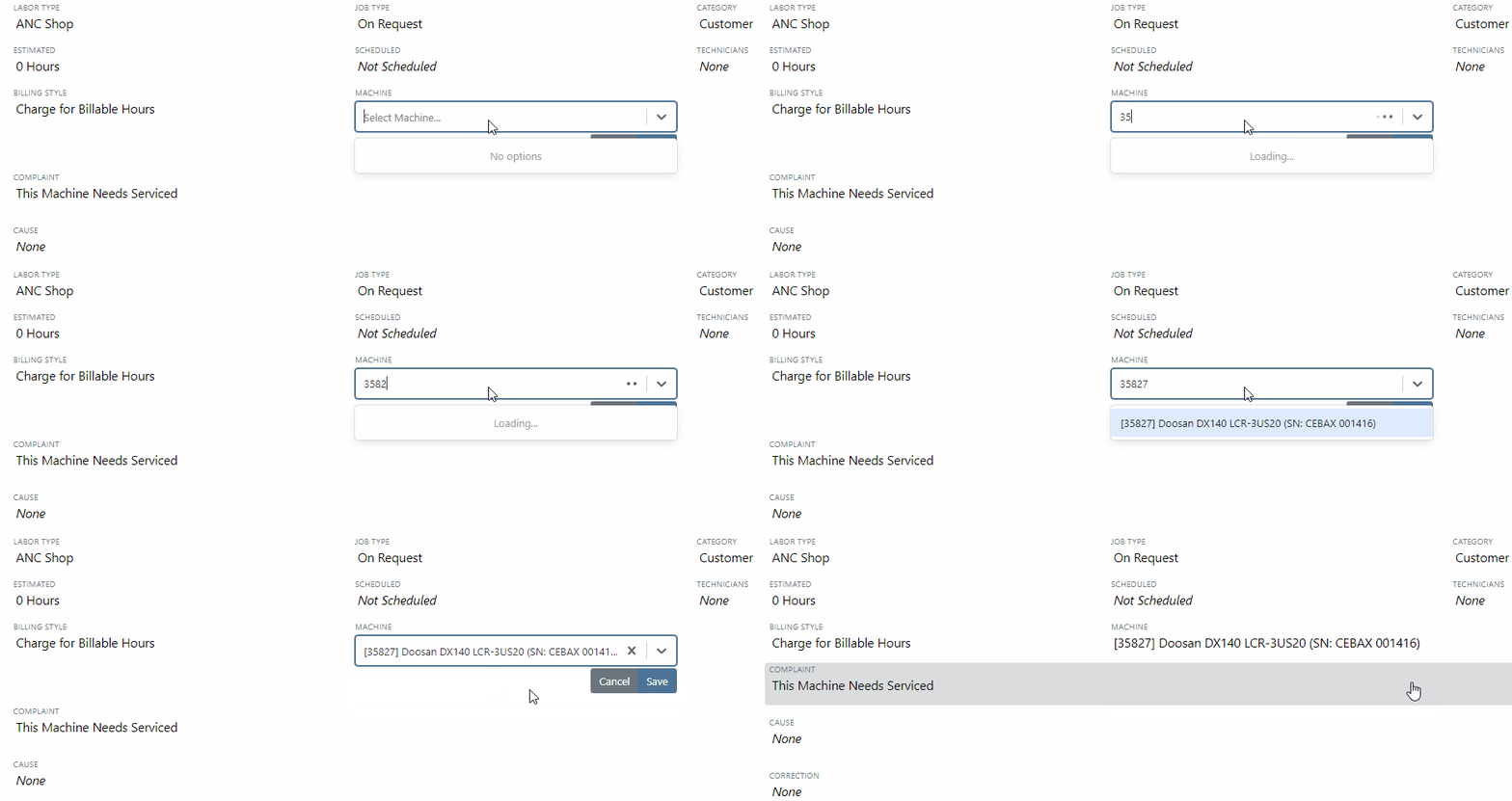
In the past, only one machine was allowed per work order. This worked great until a customer dropped off a chain saw, pole saw, and weed wacker. Now you can add multiple machines to a work order. To do this, click "Multiple" on the work order creation screen. Then add machines to each job.

Then, you will be able to add a machine to each individual job.
Click the Info Tab to see a list of people that are clocked into a work order.

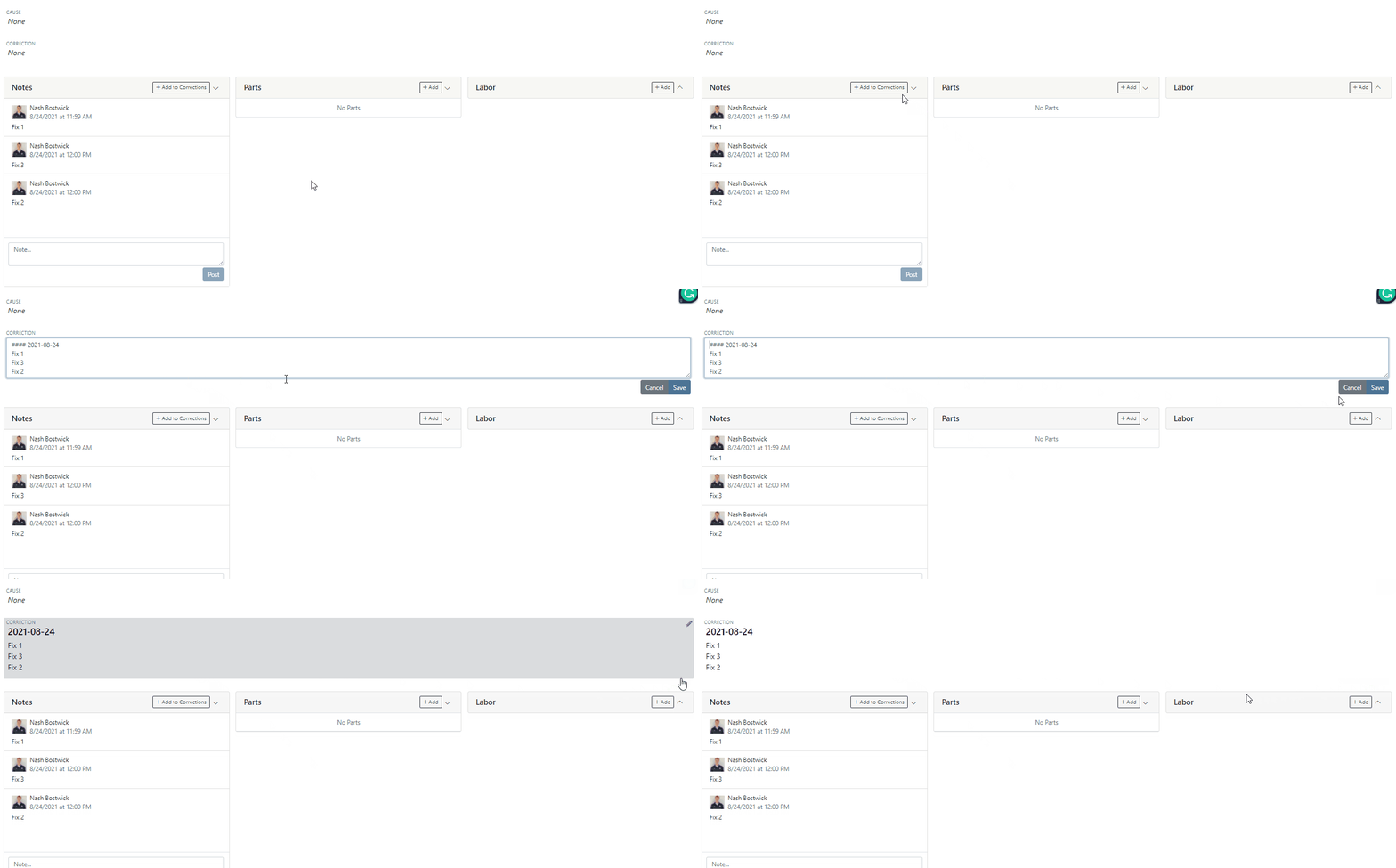
The customer will not see any notes that are added in the "Notes" section. However, after the notes have been reviewed, you can add them to the correction section by clicking the "Add to Corrections" button.
When you minimize a section on the info tab of the work order page, it will remain closed until you open it again.
Parts invoices can be transferred between jobs. The jobs can even be on different work orders. Click the transfer button on the management tab to preform transfers.

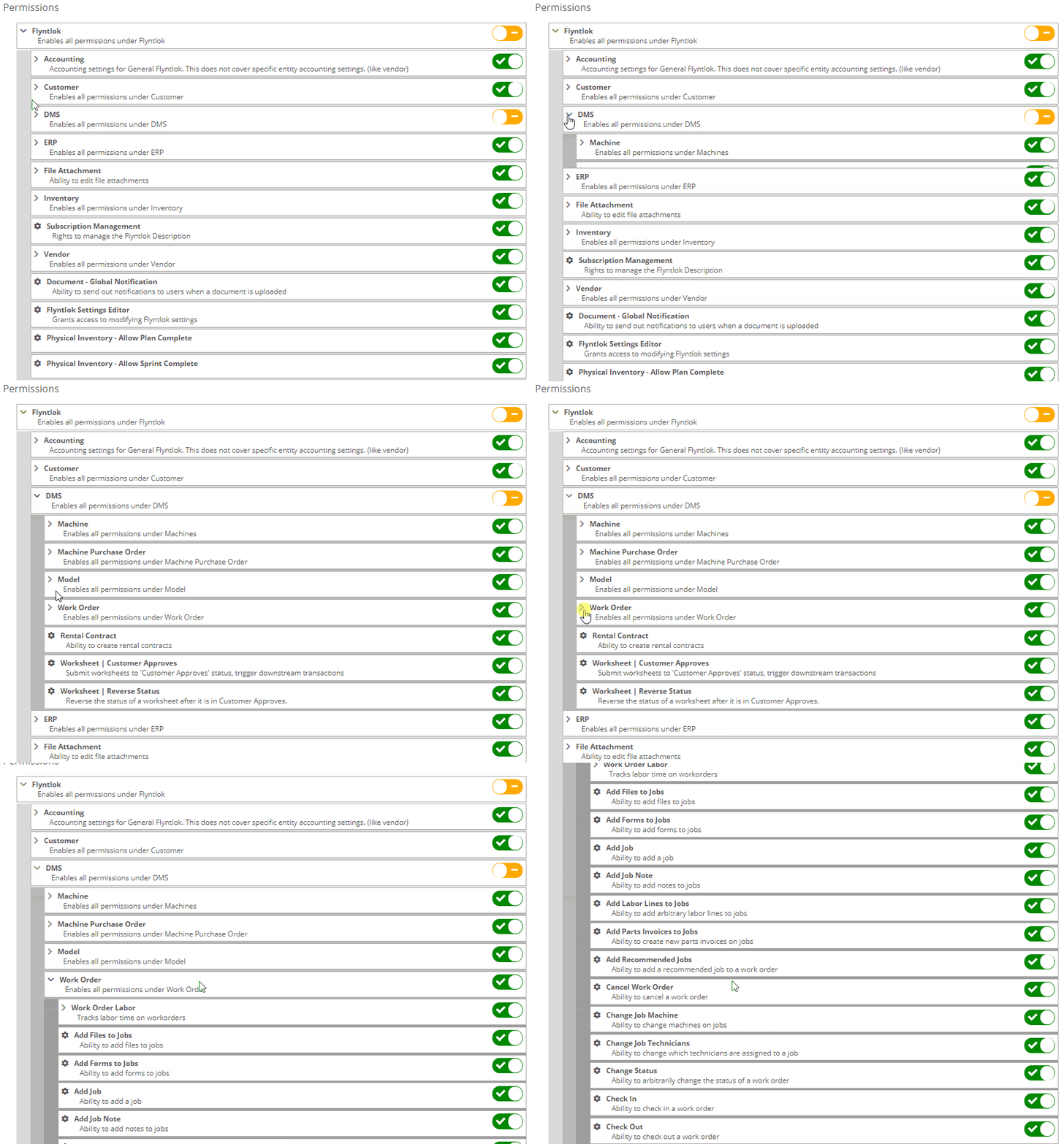
Certain work order actions only need to be available to select users. Below is a list of actions that can be limited. The limits can be set on the Authorized Users tab by your company Flyntlok administrator.
If you are interested in upgrading to the new rental system, please reach out to consulting@flyntlok.com.
From a rental contract, select "Request Signature" from the actions dropdown.

Then input the customers' email on the pop-up.

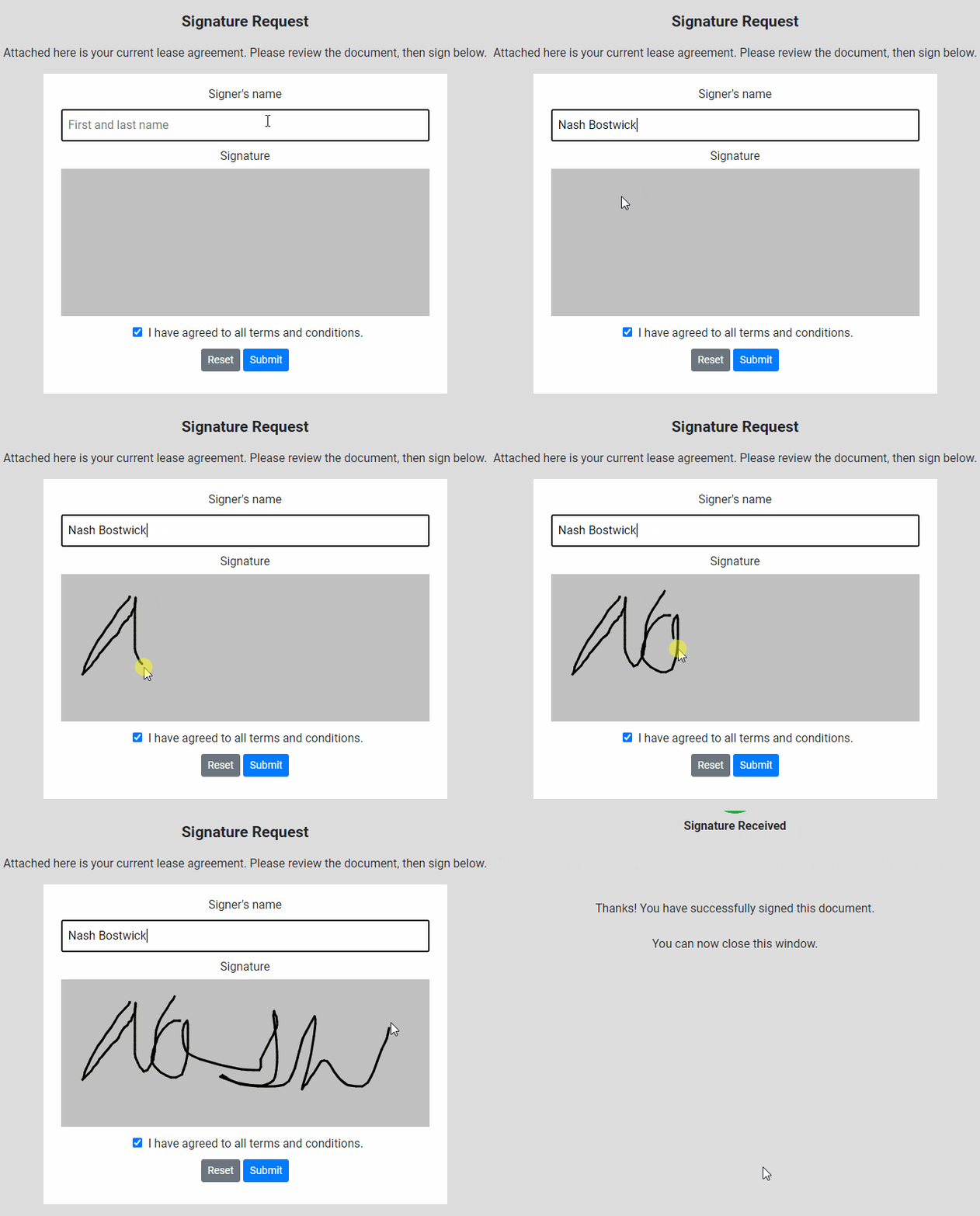
The customer will receive an email prompting them to e-sign the contract.

Then, the customer can sign the contract.
Beta users can configure Kits from the Models page. To create a Kit from scratch, first, create a Model. Then edit the model and scroll down to the recommended items section.
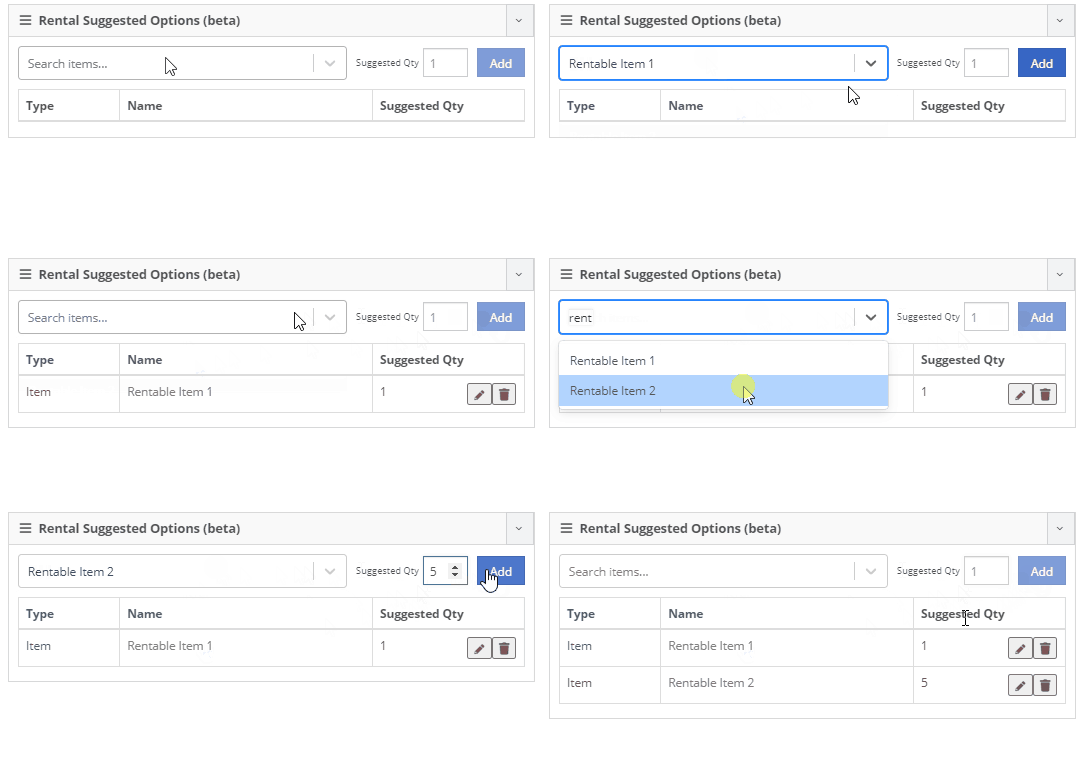
Remember, only items that are marked rentable will show in the searcher.

If you leave the box blank, the rental delivery fee will show TBD instead of $0. This allows you to bill the customer after the delivery has occurred. In this case, we recommend having your rates listed in the terms of the contract.


You can now associate more than one salesperson to a Customer. This can be helpful if a customer has a salesperson and a PSSR.
You can now see the last time a customer was surveyed on the customer's dashboard.

We have updated vendor searching from the search bar. It should be faster and show better results than before!
Learn More at Flyntlok Dealer Management System
Check out our Flyntlok YouTube channel for more highlights of the application!






