NEW!
Meet Flyntlok at Equip Expo 2026:
July 6, 2026
DMS integration works when data moves between systems accurately, on a schedule that matches the workflow, with someone accountable for fixing it when it breaks. That is the honest answer, and it is more useful than any vendor's "seamless" claim. The deciding factor is not which tool has the flashiest connector page, but whether you can name the data owner, the sync direction, and the exception path for every workflow you connect.
A dealer management system holds the operational records that everything else depends on: customers, units, repair orders, invoices, and parts inventory. Integration is the practice of connecting other tools to that system so information does not have to be typed twice. What makes an integration "seamless" in practical terms is five things: accurate data flow between systems, clear ownership of which system controls which field, timing that matches the workflow's real urgency, visibility into exceptions when something fails to sync, and minimal duplicate work for the people using it every day. This article works through those five factors as a decision framework, not a vendor ranking, so a dealer principal can sit down with a controller, an operations lead, and a service manager and actually decide what to connect first.
The practical goal of DMS integration is connecting departments without letting a satellite tool create its own disconnected version of the truth. When a CRM, an AP automation platform, or a parts catalog syncs with the DMS, the point is not to add software for its own sake. It is to remove a manual step where someone re-types a customer name, an invoice total, or a part number that already exists somewhere else in the system.
Consider an outdoor power equipment dealer heading into spring, when homeowners and landscape contractors all need service, parts, and new units at the same time. Flyntlok's product pages describe that exact seasonal pressure as the reason OPE dealer workflows need parts tracking, service scheduling, and rental billing to run off the same data rather than three separate spreadsheets or systems. A heavy equipment dealer has a different pressure point: a single unit can represent six or seven figures, so knowing where that machine is, what it is worth, and what it needs across every branch matters more than speed of counter transactions. Both dealer types need the same underlying discipline, connect the workflow that creates the most rekeying and the most risk, and leave the rest inside the DMS until there is a specific reason to extend it.
The DMS should anchor the core operational records of the dealership, sales, service, parts, rentals, and the customer file, while adjacent tools extend specific capabilities the DMS does not natively provide. This is an evaluation principle, not a universal architecture rule, because DMS platforms vary in how much they build in-house versus how much they expect to connect externally.
Flyntlok's own accounting approach illustrates the boundary clearly. The platform does not include a built-in general ledger; instead its accounting integration page states that Flyntlok integrates with QuickBooks Online and Sage Intacct for real-time, two-way accounting and payroll sync, with every Flyntlok transaction creating a corresponding entry in the connected accounting system. That is a deliberate choice to keep the DMS as the operational record for sales, service, parts, and rentals, while treating the general ledger as a specialized function best handled by dedicated accounting software. When you are evaluating any DMS, ask the same question: which records live here, and which are intentionally pushed elsewhere?
Data freshness should match the workflow, not the marketing claim. Some data has to be current to the minute; other data is fine on a schedule. Confusing the two creates either unnecessary engineering cost or unnecessary risk.
Active inventory availability, service status updates, and customer-facing quotes usually need to be current, because a customer or technician acting on stale data creates an immediate problem, such as quoting a part that already sold or promising a repair slot that is booked. Month-end accounting close, standard reporting rollups, or OEM catalog updates can often run on a scheduled sync without harming the workflow. Flyntlok's Sage Intacct integration, for example, supports both automatic and manually triggered sync, specifically so a controller can add a review step before financial data posts, according to Flyntlok's integrations page. That is a governance choice, not a technical limitation, and it is worth asking every vendor whether their sync timing is a fixed default or something you can control.
The tools most dealerships connect to a DMS fall into a small number of categories, and thinking in categories rather than brand names keeps the evaluation focused on fit. The list below is meant as a map for what to expect, not a ranking of which specific product to buy.
Each category carries its own integration tradeoffs, which the following sections walk through using real workflow examples.
Accounting integration typically covers invoice capture, matching against purchase orders, approval routing, payment execution, and posting back to the ledger. CloudX's guide to AP automation and DMS integration describes this sequence directly: invoices are captured and imported, matched against corresponding purchase orders and contracts in real time, then moved to approval and payment once matched, with payments tracked back in the DMS. That sequencing matters because a break at any step, an invoice that never matches, an approval that stalls, creates exactly the kind of manual workaround the integration was supposed to eliminate.
Flyntlok's accounting integration scope is a useful, bounded example of what "accounting integration" can mean for an equipment dealer. Its integrations overview describes real-time, two-way sync with QuickBooks Online for general ledger, accounts payable, accounts receivable, and payroll, plus a bidirectional Sage Intacct integration built for dealers with more complex ownership structures or more than roughly ten locations. This is evidence of what one DMS's accounting integration looks like in practice, not proof that any given accounting tool will integrate the same way with a different DMS. Confirm the equivalent scope directly with your own DMS provider and accounting vendor before assuming compatibility.
CRM integration is meant to give sales, service, and parts staff one view of a customer instead of three partial ones. Done poorly, it does the opposite, creating duplicate customer records that quietly diverge over time. Demand Local's guide to dealer management systems notes that CRM and DMS integration is intended to enable unified customer profiles across sales, service, and parts departments, which is the correct goal even when the execution varies by vendor.
Flyntlok's approach, per its CRM features page, is to build the CRM into the DMS rather than connect it as a separate system, so lead tracking, service history, and quotes pull directly from the same real-time inventory and equipment records used elsewhere in the platform. The tradeoff worth naming honestly: a built-in CRM avoids the duplicate-record risk that comes with syncing an external CRM to a DMS, but it also means you inherit whatever CRM capability the DMS provider has built, rather than choosing a specialized best-of-breed CRM. Either path can work. The decision point is whether your dealership's CRM needs are general (lead pipeline, follow-up reminders) or specialized enough to justify managing a separate integration and its duplicate-record risk.
Service, parts, and rental integrations affect the people doing the work, not just the back office, so failures here are visible immediately on the shop floor. A technician who cannot see whether a part is in stock, or a rental coordinator whose return does not trigger an inspection, feels the integration gap the same day it happens.
Flyntlok's feature pages describe this connectivity as ordering parts from within an open work order, technicians clocking in and out per work order, and a rental return automatically creating an inspection, generating a work order, pulling the needed parts, and posting the transaction to the general ledger, according to Flyntlok's rental management and OPE solution pages. Parts availability is tied to Flyntlok's Item Genome, which the company describes as its own parts engine surfacing quick picks by make, model, and customer history across covered OEM vendors. For a multi-brand equipment dealer, the practical question is whether inventory, work orders, and rental billing already talk to each other inside one system, or whether that connectivity depends on a separate integration project between three different tools.
Payments, reporting, OEM feeds, and middleware sit one layer above the core operational workflows, extending what the DMS can do without becoming the system of record themselves. Payment tools execute transactions and write confirmations back to the ledger; reporting layers pull data for dashboards; OEM integrations keep parts catalogs and pricing current; middleware coordinates all of the above when point-to-point connections get too complex to manage individually.
Flyntlok's integrations overview lists OEM connections including John Deere, Stihl, Bobcat, Volvo CE, Hitachi, AGCO, and PACCAR for Peterbilt dealers, covering parts ordering, pricing, and catalog sync, plus an open API that the company says adds new connections weekly. The John Deere integration, specifically, is described as covering all of Deere's available API interfaces for purchase orders, parts availability, warranty data, and equipment specifications. These are useful examples of what an OEM-integrated parts workflow can look like, and readers evaluating any DMS should verify the equivalent scope, and the actual fields covered, directly with the provider rather than assuming a listed brand name means full functional coverage.
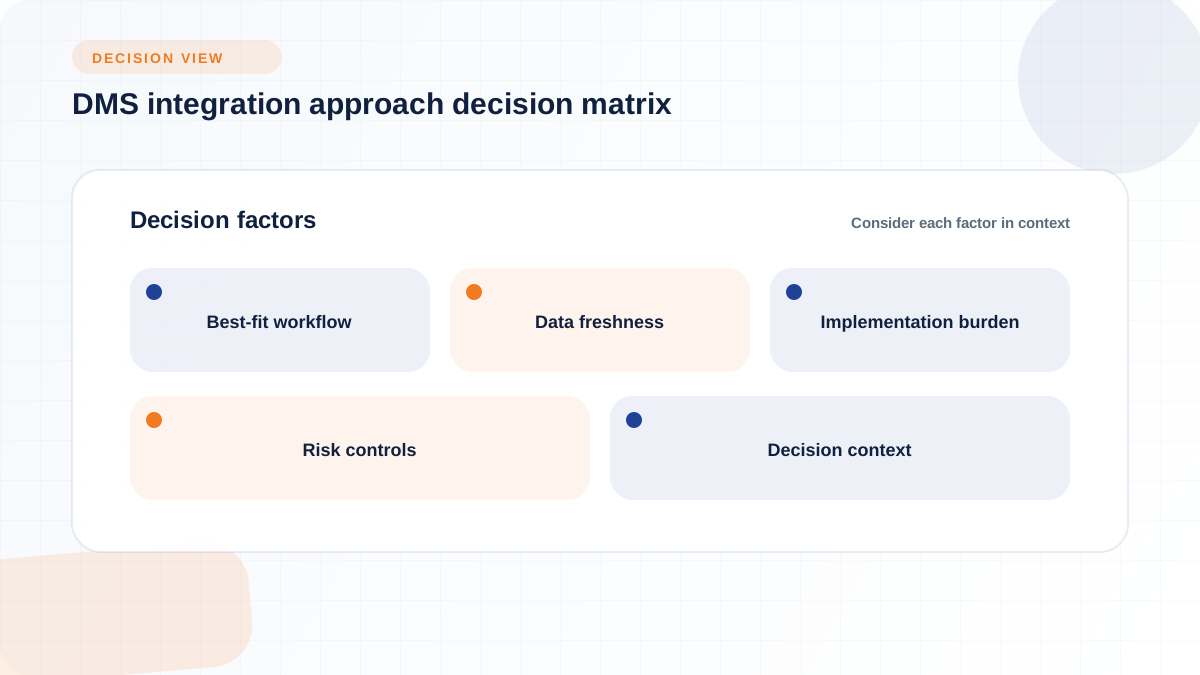
Every DMS integration ultimately uses one of a handful of technical approaches, and the right choice depends on the workflow's urgency, your DMS's architecture, and how much ongoing maintenance your team can absorb. The table below compares the main approaches on the dimensions that matter for a dealership decision: which workflows fit best, how fresh the data can realistically be, how much work implementation takes, and what risk controls each approach needs.
A native or certified partner connector is a packaged integration built and maintained by the DMS provider or an approved partner, and it can reduce the custom engineering work a dealership would otherwise need to do. Flyntlok's certified reseller relationship with Intuit for QuickBooks Online is one example of this pattern, giving dealers a maintained connection plus a discounted subscription rather than a self-built link. The caveat is that "certified" does not automatically mean "complete." Ask specifically which fields the connector covers, which direction data flows, whether it writes back into operational records, and who is responsible for support when the connector breaks.
An API is a controlled way for two systems to talk to each other directly, and it is the right choice when a workflow needs both timely data exchange and the ability to write information back into the DMS, not just read it. Flyntlok describes its John Deere connection as using all of Deere's available API interfaces for purchase orders, parts availability, and warranty data, which is the kind of depth an API integration can reach when both sides support it fully.
The tradeoff is ongoing maintenance. APIs require field mapping up front, permission configuration to control what each side can read or write, and a plan for what happens when either system changes its API version. Flyntlok's integrations page notes an open API model where new connections are added weekly, which points to a practical reality: API integrations are never fully "done," they need continued attention as tools and dealership needs evolve.
File-based or scheduled integrations move data on a set cadence rather than instantly, and they remain a practical option for workflows where some latency is acceptable or where a legacy DMS architecture does not support a modern API. Corpay's explainer on dealer management systems notes that integration commonly works through API connections, SFTP file transfers, or direct database access, depending on what the DMS vendor's architecture actually supports, and that the goal is minimal disruption to the accounting team's existing workflow rather than a wholesale system change.
Batch sync is often the right fit for reporting, reconciliation, and other back-office processes where a controller wants a review step before data posts, rather than instant automation. The tradeoff is straightforward: less real-time visibility in exchange for a simpler, more predictable integration that is easier to validate and less prone to mid-transaction failures.
Middleware acts as a capability layer between multiple tools, reducing the number of direct point-to-point connections a dealership has to manage and maintain. Rework's guide on DMS integration best practices describes third-party middleware platforms as offering pre-built connectors to major DMS platforms, configuration without custom coding, data mapping tools, and error monitoring with alerts, which is the core value proposition of this approach.
Middleware tends to make the most sense for multi-location dealer groups running several tools against one or more DMS instances, where managing five or six separate direct integrations becomes harder to monitor than managing one middleware layer with visibility into all of them. The tradeoff is that middleware adds its own vendor relationship, its own support dependency, and its own point of failure, so it should be adopted because point-to-point complexity has become genuinely unmanageable, not by default.
Start with the workflows where manual rekeying creates the most measurable operational risk, not the workflows that are easiest to integrate. That means looking at where duplicate entry, financial exposure, or customer-facing errors are already happening, and prioritizing those before moving to lower-risk, lower-friction workflows.
Accounting, AP, payments, parts inventory, service work orders, and customer records are the workflows where duplicate entry most often creates downstream errors. A missed invoice match, a parts count that does not reflect what was actually sold at the counter, or a customer record duplicated between a CRM and the DMS can each generate hours of reconciliation work later, even without a specific dollar figure attached to the risk. Dealer Pay's description of automatic reconciliation, matching every transaction against DMS records and flagging unmatched items in a daily exception report, is a useful illustration of the kind of control a well-built integration should offer for exactly this reason.
Rather than integrating every workflow at once, identify which one currently generates the most manual cleanup work each week, whether that is AP matching, parts counts, or duplicate customer entries, and connect that one first. The goal is not full automation everywhere. It is removing rekeying from the highest-friction point before tackling the next one.
Lead status, inventory availability, and service updates typically need different timing than month-end reporting or payment confirmation. A customer waiting on a quote or a service appointment needs current information immediately; a controller reviewing month-end numbers can tolerate a scheduled batch update with a review step built in.
Rework's integration guidance frames this distinction directly, describing real-time sync for use cases like preventing a vehicle (or in an equipment dealer's case, a unit) from being sold twice, versus batch sync running on a 15-minute, hourly, or nightly cadence for less urgent data. Treating every workflow as if it needs real-time sync adds engineering cost and failure points without adding real value; treating urgent, customer-facing data as if batch sync is good enough creates the opposite problem, frustrated customers and confused staff working from stale information.
A single-store dealership can often standardize on one DMS instance and one set of integration rules without much coordination overhead. A multi-rooftop group faces added complexity: different locations may run inconsistent workflows, different permission needs, and in some cases different DMS instances entirely, which multiplies the number of integration decisions rather than simplifying them.
Flyntlok's heavy equipment solutions page addresses this directly, noting that cloud-native architecture allows every branch to run on the same live data, with consolidated reporting and per-location profit-and-loss visibility through its Sage Intacct integration, and that adding a location means adding a login rather than adding a server. That is a meaningful structural advantage for multi-location groups specifically because it removes one layer of integration complexity, keeping all locations on one data source rather than reconciling separate instances after the fact. Whatever DMS or integration approach you choose, confirm explicitly whether it supports one unified data source across locations or requires separate configuration and reconciliation per rooftop.
"Do you integrate with our DMS?" is not a useful question on its own, because the honest answer is almost always some version of yes, with caveats the vendor may not volunteer. The more useful questions get specific about scope, direction, timing, and accountability.
These questions apply to every category, from accounting to CRM to parts catalogs, and asking them before signing a contract is far cheaper than discovering the gaps after go-live.
Buyers should verify which customer, unit, repair order, invoice, payment, parts, rental, accounting, and status fields actually move between systems, and under what conditions. A vendor claiming "full integration" may mean only a handful of core fields sync, while dozens of secondary fields, discount codes, custom notes, warranty flags, still require manual entry. Field-level mapping documentation, not a marketing page, is the artifact that answers this question honestly.
A tool can read data out of the DMS without ever updating the DMS's own records, and that distinction matters enormously for day-to-day accuracy. Reading data is generally lower risk; writing data back into operational records, updating a customer's contact information, closing a repair order, or posting a payment confirmation, requires stricter governance, tested permissions, and a clear line of accountability if a writeback overwrites something incorrectly. Ask directly whether a proposed integration writes back to the DMS, and if so, exactly which fields it is allowed to change.
Before go-live, know exactly who diagnoses a failure when the sync stops working: the DMS vendor, the tool vendor, a middleware provider, or an internal administrator. Corpay's guidance on AP automation and DMS integration frames the goal as minimal disruption to the accounting team's existing workflow, which is only achievable if support ownership is clear from the start rather than discovered during a live outage. A dealership that skips this step often finds itself stuck between two vendors, each pointing at the other, while a repair order or an invoice sits unresolved.
A workflow-by-workflow rollout, tested before it goes live and monitored after, is far more reliable than flipping on every integration at once and hoping the mapping holds. The checklist below breaks implementation into three phases: what to settle before you start, what to test during a pilot, and what to monitor after go-live.
Most DMS integration problems are not dramatic system outages. They are quiet accumulation of small mismatches that eventually surface as a reconciliation headache, a frustrated customer, or a technician working from the wrong information. Naming these failure modes in advance makes them easier to catch early.
When a CRM, a marketing tool, a service system, and the DMS each update customer information separately, records can drift apart until nobody is sure which version is current. Demand Local's guide describes the intended benefit of CRM-DMS integration as unified customer profiles across sales, service, and parts, which is precisely the outcome that breaks down without a clear data-ownership rule. The practical fix is not a complex technical solution; it is a simple governance rule stating which system is authoritative for customer records, and a defined process for merging duplicates when they appear.
Stale inventory counts, outdated parts availability, or delayed service status updates can cause real confusion on the floor, a counter employee promising a part that already sold, or a service advisor quoting a completion time that has already changed. This is why matching sync timing to workflow urgency matters more than defaulting every integration to "as fast as possible" or "whatever the vendor ships by default." A delay that is harmless for month-end reporting can be actively disruptive for a same-day parts sale.
Payments, invoices, credits, and refunds all create reconciliation work if the integration rules connecting them to the DMS are weak or inconsistent. Dealer Pay's description of automated reconciliation and a daily exception report for unmatched items reflects the kind of control that prevents small mismatches from snowballing into a large month-end cleanup project. Without that kind of exception visibility, a dealership often does not discover a mismatch until the books are already closed, which is the most expensive time to find it.
The subscription fee for a DMS-integrated tool is rarely the full cost, and treating it as the full cost leads to budget surprises during implementation. A more complete framework separates costs into categories, without inventing specific dollar figures the evidence does not support, and pairs those costs with measurable outcomes that show whether the integration is actually working.
Flyntlok's pricing approach offers one useful data point for this framework, though it should be read as a single example rather than an industry norm. Flyntlok uses per-user pricing, with current pricing available on request during a demo. That model illustrates why buyers should ask any vendor how pricing changes as headcount changes seasonally.
Rather than relying on a vague sense that things feel more efficient, track specific, observable outcomes:
None of these metrics require an invented benchmark to be useful. Track your own dealership's baseline before the integration goes live, then compare it after a defined period, so the comparison is grounded in your own operation rather than an industry average that may not apply to your workflow mix.
The decision of whether to rely on built-in DMS features, add a third-party point solution, or introduce middleware comes down to workflow fit, governance capacity, and how much complexity your team can realistically support. None of these three paths is universally correct; each fits a different set of circumstances.
Built-in functionality reduces integration burden when the workflow is already supported well enough for your team to operate comfortably inside one system. Flyntlok's CRM features page makes this argument directly for customer management, noting that a CRM built into the DMS pulls quotes from real-time inventory and connects to full equipment and service history natively, without a separate integration project or per-user licensing. The tradeoff is that you inherit whatever depth the built-in feature has, so this path works best when your needs are close to what most dealers in your category require, not highly specialized.
A point solution can make sense when the DMS genuinely lacks a needed capability, the workflow has clear, demonstrated pain, and the integration can be properly governed, supported, and measured using the framework covered above. This is not a decision to make lightly, since every added tool becomes another system to monitor, another support relationship to manage, and another potential point of data drift. The justification should be a specific gap, not a general preference for more features.
Middleware becomes the more defensible choice when multiple tools, multiple rooftops, or multiple systems make direct point-to-point integrations genuinely hard to manage individually. Rework's guidance on middleware platforms notes their value in pre-built connectors, data mapping, and centralized error monitoring, which matters most once a dealer group has outgrown the ability to track four or five separate integrations by hand. For a single-store dealer with one or two integrated tools, middleware is often more overhead than the problem it solves; for a multi-location group juggling several systems, it can be the difference between visibility and chaos.
Choosing DMS-integrated tools well means evaluating workflow fit, verified data flow, clear governance, implementation readiness, and measurable outcomes, not accepting a vendor's claim of being "seamless" at face value. Start with the workflow generating the most manual rekeying and risk, match the integration method to that workflow's real urgency, and confirm field-level mapping, writeback behavior, and support ownership before signing anything. Multi-location dealer groups carry extra complexity worth planning for early, since inconsistent workflows or separate DMS instances across rooftops multiply every integration decision made at a single store.
Flyntlok's approach as a cloud-native DMS for equipment dealers, built by a founder with hands-on dealership experience according to the company's own site, reflects this workflow-first philosophy: a built-in CRM, built-in AI that turns dealership data into recommendations and follow-up actions, and rental management reduce unnecessary duplication, while real-time accounting integrations to QuickBooks Online and Sage Intacct and OEM connections to manufacturers including John Deere, Stihl, Bobcat, and Volvo CE extend the platform where it genuinely needs extending. Readers evaluating their DMS integration strategy can review Flyntlok's feature and integration pages as one concrete example of how a workflow-first approach looks in practice.