WATCH HERE:
Our Equip Expo AI Session is Now On-Demand!
July 10, 2026
Heavy truck dealerships run on more moving parts than most software categories were built to handle: high-dollar unit sales, fleet contracts, multi-bay service operations, and parts catalogs that span several OEMs. This guide is written for dealer principals, general managers, and department leaders who are past the "what is a DMS" stage and are actually trying to decide whether to replace or modernize their dealer management software. It focuses on the workflows, comparisons, costs, and implementation risks that matter specifically to a heavy truck or mixed commercial vehicle dealership, not a generic list of software features.
Heavy truck dealer management software is the operational system that connects sales, service, parts, accounting, and fleet account workflows for a commercial truck dealership, so a single unit or repair order can be tracked from intake through invoice without re-entering data in multiple places. The core decision most dealer principals face is not whether to use software at all, but whether their current system, or a patchwork of disconnected systems, can still support the way the dealership actually operates today. This guide walks through what the software does, what to require from it by department, how it compares to adjacent categories like ERP and CRM, what integrations matter, how to think about cost and ROI without invented price tags, and how to plan a lower-risk implementation if you are replacing a legacy platform.
The reader this guide serves is usually facing a specific trigger: an ownership change, a merger or acquisition, a legacy system that has not kept pace with multi-location growth, or a slow realization that fleet billing, parts backorders, and service scheduling are being held together by spreadsheets and tribal knowledge. Corpay's overview of dealer management systems notes that most dealerships run "a patchwork of connected tools, with the DMS at the center but significant manual work happening at the seams" (Corpay, 2026), which is exactly the condition this guide is meant to help you diagnose and plan around.
At its core, heavy truck dealer management software acts as the operational hub that ties together sales, inventory, service, parts, accounting, CRM, and reporting so that a transaction in one department is visible to the others without a manual handoff. Corpay describes the core modules of a DMS as sales and F&I (deal structuring, financing, compliance documentation), fixed operations (service scheduling, repair order management, technician tracking, parts inventory), accounting and GL (floorplan financing, deal accounting, manufacturer reporting), and inventory management (days-in-stock tracking, reconditioning costs, photo management) (Corpay, 2026). No single platform eliminates the need for every adjacent tool. A DMS is the system most dealers build around, but accounting platforms, CRM tools, and even work-management software often continue to play a role alongside it.
That matters for a heavy truck dealer because the workflows are heavier and more specialized than retail automotive: a single Class 8 unit can carry a six or seven-figure value, fleet customers negotiate rates across dozens of units, and parts catalogs span multiple truck OEMs with supersessions and cores. Flyntlok's heavy equipment solution page makes a similar point about high-value inventory: "when a single unit is worth six or seven figures, you need to know where every machine is, what it's worth, what it needs, and who's asking about it, in real time, across every location" (Flyntlok). The same logic applies directly to Class 6 through 8 truck inventory, where one mispriced trade-in or one unit sitting on the lot too long costs more than a year of software.
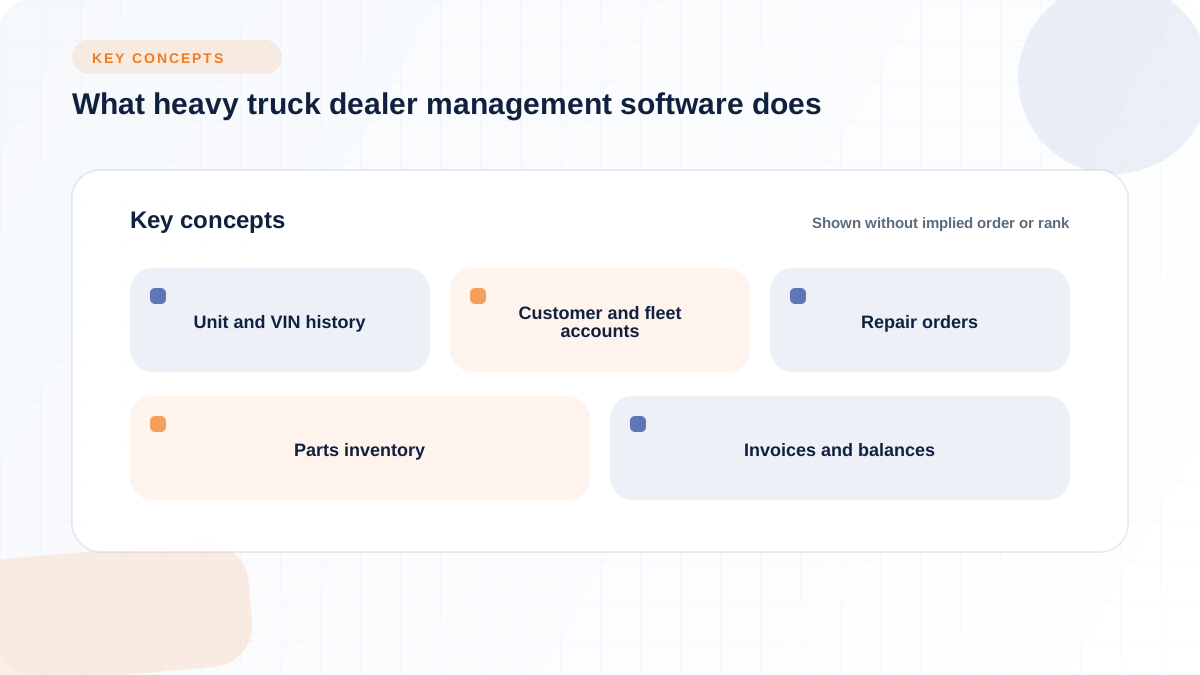
Every heavy truck dealership needs clarity on which system is the system of record for a handful of core records: units (with VIN-level history), customers, repair orders, parts inventory, fleet accounts, invoices, and financial balances. When that ownership is unclear, dealerships end up with duplicate VIN records, service history that lives in two places, or accounts receivable that has to be reconciled by hand at month end.
A useful test is to ask, for each record type, "if this changes in one system, does it update everywhere it needs to automatically, and who is accountable if it does not." The records worth mapping explicitly include:
Once these records are mapped, the decision about which software owns each one becomes a design question rather than a default setting inherited from whatever system happens to be running.
Disconnected systems do not usually fail outright. They create small manual steps at every seam, and those steps add up to hours of hidden work every week. The most common seams are duplicate customer or VIN entry, manually maintained fleet pricing spreadsheets, repair orders that stay open longer than necessary because closing them requires a second system update, and accounting entries that have to be re-keyed because an export format does not match.
Consider a mid-size dealership running three disconnected systems: a legacy DMS for repair orders, a spreadsheet for fleet account pricing, and a standalone accounting package for invoicing. A fleet customer brings in three Class 8 trucks for scheduled preventive maintenance plus one unscheduled brake job. The service writer opens four repair orders in the DMS, but the negotiated fleet labor rate lives in a spreadsheet that has to be checked manually for each RO, adding time per order and creating real risk of billing the wrong rate. The brake job needs a caliper that is on backorder, and the parts counter tracks backorders in a separate system that does not talk to the RO, so the technician's callback and the customer's expected completion date get chased down by phone instead of updating automatically. When all four ROs close, the accounting clerk re-keys line items into the accounting package because the DMS export does not map cleanly to the fleet customer's consolidated monthly invoice, adding a manual reconciliation step before the invoice can go out. The fix in this scenario is not a faster typist. It is deciding which system owns the fleet rate, the backorder status, and the invoice, and connecting those records so a status change in one place updates the others automatically.
Software requirements look different depending on which department is using the system every day, and a checklist built around executive priorities alone tends to miss the workflow details that make or break daily adoption. The sections below break requirements out by function so you can build an evaluation scorecard that reflects how sales, service, parts, accounting, and fleet accounts actually work, rather than a generic feature list.
Truck sales workflows need to track leads and quotes, but they also need to manage the full lifecycle of used inventory, from trade-in appraisal through reconditioning to resale. Advectus's Heavy Truck DMS lists features such as an equipment configurator, NADA Commercial Truck Guides valuation data, and mobile inspection tools for acquisition, plus "multiple deal comparison" for sales (Advectus), which reflects how differently truck deals are structured compared with a single retail vehicle sale. Dealership Drive, a cloud platform built for heavy equipment, commercial truck, and trailer dealers, similarly emphasizes inventory management "from any location and any device" and automatic commission calculations tied to deal management (Dealership Drive).
For a truck-specific evaluation, look for the ability to:
These capabilities matter most when a dealership carries both new and used inventory across multiple locations, since inconsistent data entry at the point of acquisition is what breaks downstream reporting later.
Service is usually the highest-frequency workflow in a truck dealership, and it is where disconnected systems create the most hidden work. A well-built repair order flow should move a unit from intake through estimate, technician assignment, parts pull, and invoice without re-entry, while also capturing warranty claims, recall or campaign flags, and preventive maintenance schedules tied to unit history. Flyntlok's feature pages describe this pattern for equipment service as "scheduling, check-in, estimate, work order, billing, all connected," with technicians clocking in and out per work order and ordering parts from within the work order itself (Flyntlok).
Mobile and field service capability deserves specific attention for truck dealers, since a technician working on-site or on a customer's lot needs the same visibility a shop-based technician has. CDK's heavy truck DMS overview emphasizes monitoring "operations from a single interface" and automating tasks across the shop (CDK Global Heavy Truck), which is the standard worth holding any platform to, whether the work happens in a bay or on the road. Evaluate warranty and recall workflow carefully here too. A system that can flag an open campaign against a VIN at intake reduces the risk of a truck leaving the shop with an unresolved recall.
Truck parts operations are more complex than they look from the outside. A dealer may carry OEM catalogs for multiple truck brands, manage core returns, track supersessions as parts numbers change, and need real-time visibility into what is on hand across every branch location. Flyntlok's integrations overview lists specific OEM parts connections including PACCAR and Peterbilt, describing the integration as covering "parts and pricing for Peterbilt truck dealers" (Flyntlok), which illustrates the kind of catalog-level connection a truck-focused parts department needs rather than a generic inventory count.
Requirements worth confirming during evaluation include:
Without this level of detail, a parts department ends up maintaining a shadow system, usually a spreadsheet, to track what the DMS cannot.
Accounting is where operational data and financial reporting either reconcile cleanly or require manual cleanup every month. A heavy truck dealer needs inventory valuation, floorplan or unit-cost visibility, work-in-process tracking on open repair orders, and accounts receivable that reflects consolidated fleet billing accurately. Flyntlok's accounting integration is built around QuickBooks Online and Sage Intacct rather than a built-in general ledger, syncing "in real-time visibility across sales, service, parts, and rentals" (Flyntlok), and Flyntlok positions Sage Intacct specifically for dealerships with ten or more locations, multiple entities, or multi-currency operations. That distinction is a useful evaluation lens for any DMS: does the accounting integration scale with the number of locations and legal entities you actually run, or does it assume a single-store structure. Reconciliation risk shows up most often in WIP that does not close cleanly and inventory valuation that drifts from what the accounting system reports, so this is worth testing directly with a vendor rather than taking on faith.
Fleet and commercial customers operate differently from retail buyers, and a DMS that only handles single-unit retail transactions well will struggle with the account-level complexity fleets require. Fleet accounts typically need negotiated pricing that applies automatically across every unit and repair order tied to that account, credit limits and terms that differ from retail customers, multi-unit service history visible at the account level, and consolidated billing that rolls up multiple repair orders into a single invoice cycle. Advectus's contract management module for heavy truck dealers includes "multiple frequency billing" (Advectus), which reflects the reality that fleet billing cycles rarely match a simple per-transaction invoice model. When evaluating a system for fleet capability, confirm that a service advisor can see a fleet customer's full unit list and recent history in one place, rather than searching for each VIN individually.
Choosing the right software category starts with recognizing that "DMS," "ERP," "CRM," and "accounting software" solve overlapping but distinct problems, and a heavy truck dealer often needs more than one of them working together rather than a single system that replaces all the others. Corpay's comparison of DMS, general accounting, and AP automation notes that a DMS is the primary function for "managing dealership ops (sales, service, parts, accounting)" while accounting software handles "general bookkeeping and financial reporting" and AP automation focuses on "executing payments and optimizing cash flow" (Corpay, 2026). The table below extends that logic to the categories a heavy truck dealer principal is most likely comparing.
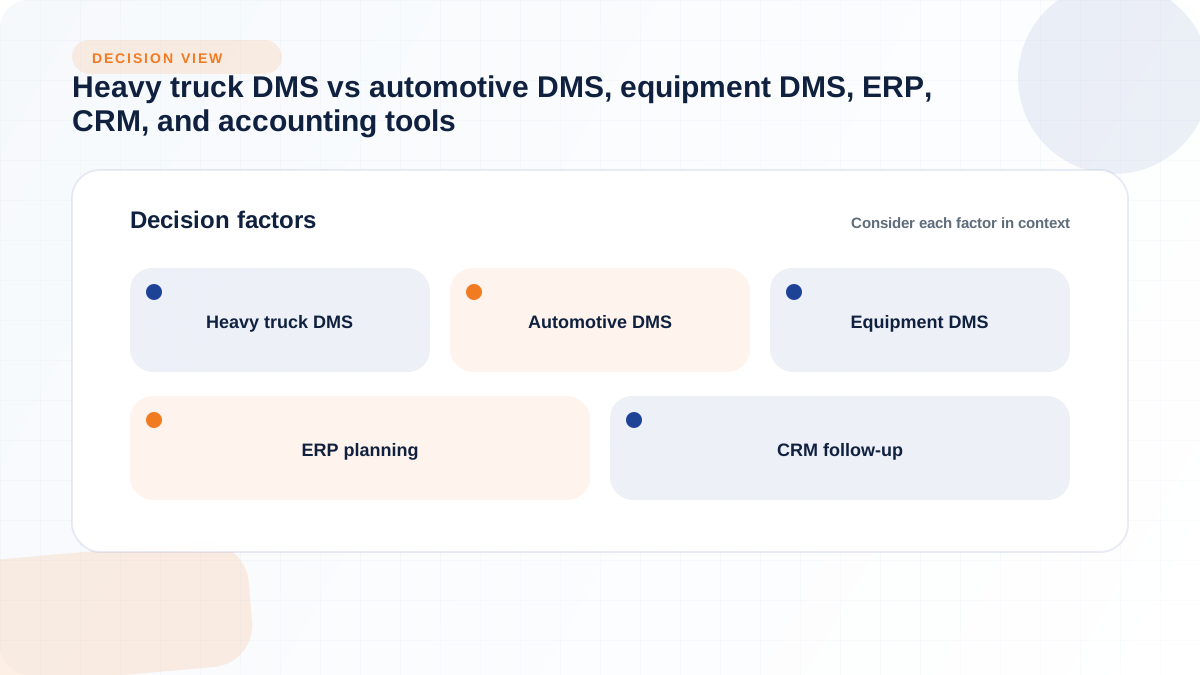
A specialized heavy truck or commercial vehicle DMS earns its place when the dealership's complexity is concentrated in parts catalogs, service scheduling, fleet accounts, and unit history that a general-purpose tool was not designed to model. Advectus, for example, describes its Heavy Truck DMS as built around an equipment configurator, NADA Commercial Truck Guides, and fleet management with KPIs and capitalization control (Advectus), which is the kind of depth that shows up only in software designed specifically for truck and equipment inventory. If your dealership runs multiple locations, carries both new and used truck inventory, and services a meaningful base of fleet accounts, the case for a purpose-built platform over a retrofitted retail automotive DMS gets stronger.
Even with a strong DMS at the center, most dealerships continue to run additional tools alongside it, and that is not necessarily a sign of a bad software decision. Corpay's framing is direct on this point: "the solution isn't replacing your DMS. It's extending it with purpose-built tools that handle what dealer software wasn't designed to do" (Corpay, 2026), citing AP automation as one example that connects to an existing DMS rather than replacing it. Some public rankings score general work-management and CRM platforms for dealer use cases as well; one comparison scored ClickUp at 9.0 out of 10, Zoho CRM at 8.8, and Freshsales at 8.5, using a weighted composite of roughly 40 percent features, 30 percent ease of use, and 30 percent value (Worldmetrics, 2026). That kind of scoring reflects how some dealerships extend a DMS with task-tracking or CRM layers for cross-location coordination, rather than proof that any one tool is the right fit for every truck dealer's operations.
Integration planning should be organized around the business workflows an integration supports, not around a list of vendor names, since the same integration category can matter a great deal to one dealership and very little to another. For a heavy truck dealer, the integration categories worth prioritizing are accounting, OEM parts and warranty systems, telematics, payment processing, CRM, and reporting.
OEM integrations are often the most consequential because they touch parts pricing, catalog access, and warranty claim submission every day. Flyntlok's integrations page lists direct connections for truck-relevant OEMs including PACCAR and Peterbilt, alongside equipment brands like John Deere, Bobcat, Volvo, Hitachi, AGCO, and Develon, and describes an open API so additional systems "can still connect to Flyntlok, just tell us what you run" (Flyntlok). That open-API approach is worth asking about with any vendor, since a dealership's tool stack rarely stays static for more than a year or two.
An integration that exists on paper is not the same as an integration that removes manual work. Corpay's guide notes that OEM certification "means the DMS vendor has built and tested specific interfaces for warranty claim submission, incentive reporting, parts ordering, vehicle inventory feeds, and monthly financial statement submission" (Corpay, 2026), which is a useful bar to hold any vendor to rather than accepting a logo on a slide as proof of functionality. When evaluating integration depth, ask about:
These questions turn a vendor's integration list into a practical measure of how much manual reconciliation your team will still be doing after go-live.
Cost planning for heavy truck dealer management software is less about finding a published price list, since most vendors quote based on dealership size and configuration, and more about understanding the cost drivers you can control and the business case inputs that justify the investment. This guide does not quote specific price ranges because the evidence available does not support them; instead, it lays out the categories a dealer principal should ask every vendor to itemize.
Pricing structure varies by vendor in ways that matter operationally as well as financially. Flyntlok uses per-user pricing, with current pricing available directly from the company. A heavy truck dealer should model expected staff count, locations, modules, implementation, integrations, training, and support against each quote instead of comparing only the opening price.
Before comparing vendor quotes, build a checklist of the cost categories that typically drive total spend so you are comparing like for like. Common drivers include:
Treat this list as the basis for an apples-to-apples vendor comparison rather than a single "total cost" number, since the categories that matter most will differ by dealership size and complexity.
A DMS business case is stronger when it is tied to operational measures the dealership can already track or start tracking, rather than a single ROI percentage pulled from marketing material. Useful KPI categories to include in a business case are:
Present these as categories to track before and after implementation rather than as guaranteed improvement percentages, since the amount of improvement will depend on your starting point, staff adoption, and how disciplined the data entry is at each department.
Replacing a legacy DMS is a change-management project as much as a software project, and the biggest risks usually show up at the seams between departments rather than inside any single module. The roadmap below is a planning model, not a guaranteed timeline, since implementation length depends heavily on the number of locations, the size of the parts catalog, and how clean the existing data already is.
Before selecting or configuring software, map the handoffs that currently move across sales, service, parts, accounting, fleet billing, and management reporting. Write down where a customer or unit record currently gets re-entered, where a status update depends on a phone call or a spreadsheet, and where reporting requires a manual export. This map becomes the requirements document you compare vendors against, and it is far more useful than a generic feature checklist because it reflects your dealership's actual handoffs rather than an industry average.
Data migration is usually the single biggest source of implementation delay, because legacy systems accumulate incomplete or duplicated records over years of use. Plan specifically for unit records, customer records, parts inventory counts, open repair orders, service history, accounting balances, user permissions, custom fields, and existing reports. Flyntlok's heavy equipment implementation description notes that its team migrates "parts, customers, equipment history, rental fleet, open transactions" while the dealership's team validates the data before go-live (Flyntlok), which reflects a reasonable division of labor: the vendor handles the technical migration, and your team confirms the migrated records are accurate before they go live. Open repair orders deserve particular attention, since a truck still in the shop on cutover day cannot afford to have its history or parts status lost in the transition.
Adoption planning should include every department that touches the system daily, not just management. That means training sessions built specifically for service writers and technicians, parts counter staff, salespeople, and accounting, each focused on the workflows they actually use rather than a single generic walkthrough. A pilot launch at one location or one department, followed by a defined cutover date, reduces the risk of disrupting the whole dealership at once. After go-live, schedule a post-launch review against the operational measures identified in your business case, such as days to invoice or repair order cycle time, so you can catch adoption gaps early rather than months later.
Key steps in this phase typically include:
A generic feature demo rarely surfaces the details that determine whether a system will work for your dealership day to day. The question banks below are organized by audience so both executive priorities and front-line workflow needs get covered during evaluation.
The most common mistake dealer principals make is evaluating software against a generic checklist rather than the workflow map built during discovery, which means the final decision reflects a vendor's feature list instead of the dealership's actual seams. A related mistake is underestimating implementation effort, particularly data migration and training time, which leads to rushed cutovers during a busy season instead of a planned pilot.
Other frequent mistakes include leaving the system-of-record question unresolved until after go-live, which causes duplicate VIN or customer records to reappear in the new system; under-testing integrations before signing a contract, rather than confirming sync frequency and exception handling directly; and excluding front-line staff such as technicians, parts counter employees, and service writers from the evaluation process, which tends to create adoption problems after launch even when the software itself is capable. A final mistake worth naming is treating reporting as an afterthought. If custom reports require a developer or a support ticket every time, that ongoing cost should be part of the evaluation, not a surprise discovered six months after signing.
What features should heavy truck dealer management software include?
At minimum, look for connected sales, service, parts, accounting, and fleet account modules that share unit and customer records without manual re-entry. Beyond that baseline, prioritize the features that match your dealership's specific mix of new and used truck sales, fleet contracts, and multi-location parts inventory rather than a maximalist feature list.
How is heavy truck dealer management software different from automotive dealer management software?
Heavy truck DMS platforms are generally built around fleet contracts, VIN-level unit history, and OEM parts catalogs for commercial vehicles, while automotive DMS platforms are typically optimized for high-volume retail F&I and desking workflows. Advectus, for example, builds its heavy truck edition around features like NADA Commercial Truck Guides and multiple frequency billing for fleet contracts (Advectus), which reflects that truck-specific emphasis.
Should a heavy truck dealer choose a dedicated DMS, ERP, CRM, accounting system, or connected tool stack?
Most dealerships use a DMS as the operational center and add other tools around it rather than replacing it entirely. Corpay's guidance is that extending a DMS with purpose-built tools, rather than replacing it outright, is usually the better path when a gap shows up in a specific function like accounts payable (Corpay, 2026).
How much does heavy truck dealer management software cost?
Published price lists are uncommon in this category, and most vendors quote based on locations, users, and modules selected. Instead of a fixed number, build your comparison around cost drivers such as user or location count, module scope, integration setup, data migration, training, and support tier, and request itemized quotes from each vendor you evaluate.
How do you calculate ROI for a heavy truck dealership DMS?
Tie the business case to operational measures you can track before and after implementation, such as days to invoice, repair order cycle time, technician utilization, parts fill rate, and quote-to-close rate. Present these as categories to monitor rather than guaranteed percentage improvements, since results depend on your starting baseline and staff adoption.
What integrations should a heavy truck DMS support?
Prioritize accounting integrations (such as QuickBooks Online or Sage Intacct), OEM parts and warranty systems for the truck brands you carry, and any telematics or fleet management systems your commercial customers rely on. Flyntlok's integration list, for instance, includes PACCAR and Peterbilt for parts and pricing alongside Sage Intacct and QuickBooks for accounting sync (Flyntlok), which illustrates the kind of OEM-plus-accounting combination worth confirming with any vendor.
How long does it take to implement dealer management software at a truck dealership?
Implementation length depends on the number of locations, the size of the parts catalog, and how much data cleanup is required before migration. Treat any vendor's timeline as an estimate tied to your specific complexity rather than a fixed number, and plan your cutover date outside your busiest season.
How should a dealer migrate data from a legacy heavy truck DMS?
Plan migration around specific record types, including unit and VIN history, customer records, parts inventory, open repair orders, service history, and accounting balances, and build in a validation step where your team confirms migrated data before go-live rather than assuming an automated migration is complete.
Can a heavy truck DMS manage parts, service, sales, fleet accounts, and accounting in one system?
Many modern platforms connect these functions in one system, though accounting is often handled through integration with a dedicated accounting platform rather than a built-in general ledger. Flyntlok, for example, connects sales, service, parts, and rentals in one platform while syncing financial data to QuickBooks Online or Sage Intacct rather than building its own GL (Flyntlok).
Should a truck dealer choose cloud-based or on-premise dealer management software?
The choice depends on your priorities around IT overhead, update cadence, and multi-location access. Cloud-native platforms are generally accessed through a browser without on-site servers and receive updates automatically, which some vendors argue reduces IT burden and downtime risk compared with maintaining on-premise hardware.
How does dealer management software help with fleet customer accounts and consolidated billing?
A DMS built for fleet accounts should apply negotiated pricing automatically across every unit tied to that account, show multi-unit service history at the account level, and support billing cycles that consolidate multiple repair orders into a single invoice rather than billing each one separately. Advectus's contract management module, for example, is built to handle "multiple frequency billing" for these kinds of commercial arrangements (Advectus).
What are the biggest risks when switching heavy truck DMS platforms?
The largest risks tend to cluster around data migration accuracy, unresolved system-of-record decisions, under-tested integrations, and staff adoption if front-line users are excluded from evaluation and training. Planning a pilot rollout, a defined cutover window outside your busy season, and a post-launch KPI review helps surface these risks before they affect the whole dealership.