NEW!
Meet Flyntlok at Equip Expo 2026:
July 17, 2026
The right choice depends on your operating model. If your needs stop at maintenance, compare CMMS options; if they span parts, service, sales, and rental, include a connected platform in the comparison.
That distinction matters because "heavy equipment software" covers products designed around different workflows. Buyers who skip the category question can end up comparing products that solve different problems, then discovering the gap after the contract is signed.
This guide works through that decision in order: what the software typically covers, how the categories differ, how to match your use case to a system type, and what to check on implementation, cost, and vendor terms before you book demos.
The evaluation method is simple: classify each system by the operational record at its center, then test the workflows, data controls, implementation requirements, and total-cost drivers that matter to your operation. Product capabilities are framed as questions to demonstrate rather than assumptions based on a feature list.
Evidence basis. This guide triangulates category labels across three market guides, then uses AEMP, NIST, and U.S. Bureau of Labor Statistics sources for the specific telematics, security, and workforce claims made later. Vendor material is used only for attributed workflow examples; unverified capabilities and pricing remain demo questions.
The differences between products are mostly about which jobs sit at the center and which are add-ons. The useful question is not which platform has the longest feature list, but which one can support the records and handoffs your operation relies on.
Annata's analysis of heavy equipment field service observes that field service often starts with incomplete service history and that disconnected service processes can create delays before work begins. During a demo, ask the vendor to show how repairs, inspections, and parts lines attach to a specific machine.
Be careful with the word "predictive." Most operations get value from basic preventive maintenance triggered by calendar dates or hour meters long before they have the sensor data and history needed for condition-based or predictive approaches. A reasonable vendor question is: what data do we need to feed the system before your predictive features produce anything useful?
Tracking features answer where a machine is, how many hours it has run, how much of that time was idle, and whether it moved when it should not have. Buyers commonly evaluate these tools for location visibility, utilization reporting, geofence alerts, and hour-meter data; require the vendor to demonstrate each use case with your mix of equipment.
The practical limitation is data quality on mixed and legacy fleets. The Association of Equipment Management Professionals identifies ISO 15143-3 as a mixed-fleet telematics standard for transferring mobile-machinery status data from a provider to third-party applications. Ask each vendor which fields and equipment brands it supports under that standard, then test how the system represents assets that do not provide telematics data.
Equipment does not run in isolation from the counter and the office. Parts availability determines whether a work order closes today or next week, rental planning depends on knowing which units are serviceable, and accounting needs the same transactions the shop generated. When those workflows live in separate systems, someone re-keys data, and re-keyed data is where billing errors and month-end surprises come from.
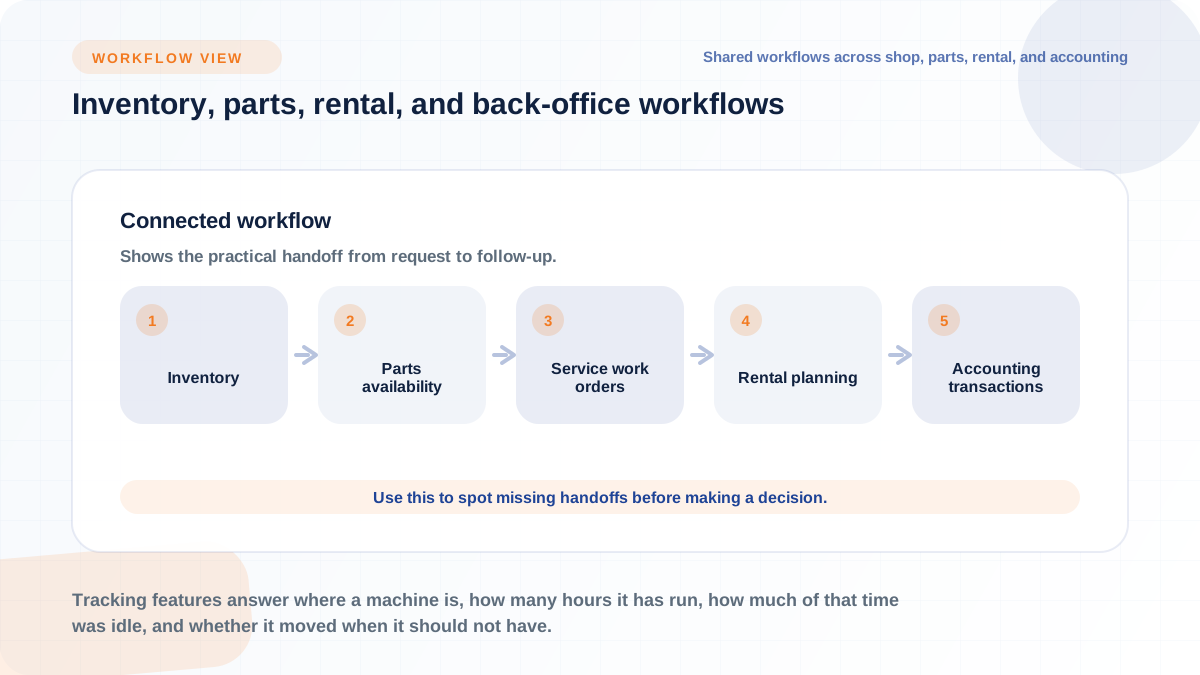
This is where platform scope starts to matter for dealerships specifically. Flyntlok includes a built-in CRM. Whatever platform you evaluate, the question is the same: does customer, machine, parts, and financial data live in one record set, or does it get stitched together after the fact?
Current market guides apply adjacent versions of the term to different scopes: Tenna ranks construction equipment management software, SafetyCulture lists heavy equipment management software, and Heavy Vehicle Inspection ranks heavy equipment maintenance software. Treat those as different starting points—not interchangeable products—then decide which primary record your operation needs.
Full equipment management platforms try to combine several of these. Decide which record your business actually runs on before you compare features.
A CMMS (computerized maintenance management system) fits when your core pain is keeping machines serviced: preventive maintenance scheduling, work orders, inspections, and service history. During a CMMS demo, test whether the system can turn those records into a usable schedule and support technicians when connectivity is limited.
A CMMS is a strong choice for a maintenance department inside a larger operation, or for a contractor whose main problem is unplanned downtime. It is usually the wrong sole system for a business that also needs to sell, rent, and invoice equipment, because those transactions live outside its data model.
Tracking-first tools fit when the core pain is visibility: where machines are, whether they are being used, whether they are idling, and whether they left the yard without authorization. They shine for theft deterrence and recovery, utilization reporting across jobsites, and billing disputes that hinge on machine hours.
Their limits are the mirror image of their strengths. They tell you what the machine is doing, but they may not natively manage the work order, the parts pick, the rental contract, or the invoice. Many buyers end up using telematics as a data feed into a broader system rather than as the system itself.
Connected platforms fit when the pain is not one department but the handoffs between departments. Annata's field service analysis makes the general point well: connected systems give technicians access to the same live operational data used by workshop teams, parts departments, and back-office staff, per Annata. For a dealership, test one cross-department workflow end to end: can service see sales history, can a rental return open an inspection, and can a parts sale reach accounting without re-entry?
This category can require broader scoping and implementation than a standalone tool, so it earns its place only when disconnected systems are actually causing errors, delays, or blind spots. For multi-location dealers, the additional test is consolidated reporting: can an owner see sales, service, parts, and rental performance across every store without exporting spreadsheets?
The fastest way to narrow the field is to name your dominant use case first and let it dictate the software category. A vendor demo is persuasive by design, so walking in with a category decision already made keeps the conversation on your workflows instead of their feature list.
Use this mapping as a starting point:
The comparison is between scope and coordination: focused tools cover fewer workflows, while connected platforms aim to close more handoffs and therefore need broader implementation planning. Neither is universally better. The right answer is the one matched to where your operation actually loses money and time today.
If your pain is genuinely narrow, buy narrow. A yard focused on location visibility may only need trackers and geofence alerts. Before buying a broader platform, identify which additional workflows you will implement, who will own them, and what configuration and training they require.
The honest test is whether your problem stays inside one team. If the maintenance fix does not depend on parts, billing, or another location's data, a standalone tool is a defensible choice, and you can integrate or replace it later.
The calculus flips when the pain lives in handoffs. If service can't see what sales promised, if rental sends out machines that maintenance flagged, if the controller reconciles three systems at month end, then a fourth standalone tool adds to the problem rather than solving it. This is especially true for multi-location dealerships and for owners preparing for succession or acquisition, where a buyer or next-generation operator needs unified visibility rather than tribal knowledge spread across systems and people's heads.
A connected platform may also fit when customer-facing workflows depend on several departments. During a demo, trace one request from availability or inventory lookup through the customer record, service or rental workflow, and final transaction. Any manual re-entry is a scope gap to price and plan for.
Feature lists all look similar on vendor websites, so the useful work is deciding which capabilities are non-negotiable for your workflows and which are noise. Three areas separate systems that work in daily operation from systems that demo well: field usability, data flow between systems, and control over your own data.
Anchor every feature discussion to a specific person and moment in your operation. Not "does it have mobile inspections" but "can our technician close a work order from the machine, with photos, before driving to the next call." Vendors answer generic questions generically; they answer workflow questions specifically or not at all.
Ask what happens when a technician completes an inspection with no signal: does it queue and sync, or does it fail silently? Time a technician updating a work order, logging an inspection, and opening equipment history during the demo rather than relying on an abstract usability claim.
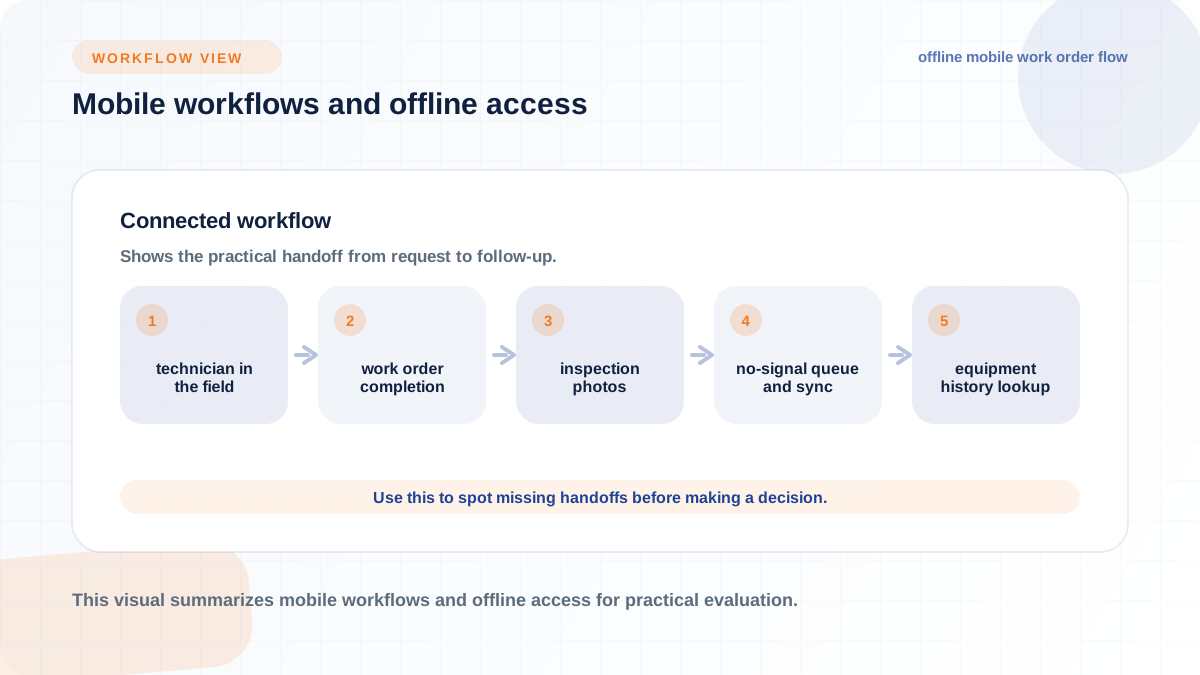
Speed matters because adoption matters. If the mobile flow is slower than the paper form it replaces, technicians may revert to paper and leave gaps in your data.
Map the data flows before you evaluate connectors. The common ones: work orders and parts transactions to accounting or ERP for job costing and financials, customer and quote data between CRM and service, hour meters and fault codes from OEM telematics into maintenance scheduling, parts orders to suppliers, and everything into whatever reporting or BI layer ownership uses. For dealerships, add rental contracts and unit sales into the same financial flow.
For each flow, ask three questions: what fields move, in which direction, and how often. "We integrate with QuickBooks" can mean anything from a nightly journal summary to line-level two-way sync, and the difference determines how much manual reconciliation your controller still does.
Procurement risk gets less attention than features and causes more regret. Before contract signature, confirm the answers to a short set of control questions:
NIST's small-business guidance says organizations should enforce, or at least offer, phishing-resistant authenticators for applications that protect sensitive information or for users with elevated privileges. Use those controls as a baseline, then treat weak answers on permissions, exports, and termination as unresolved contract risks. A system with poor export options can make a later ownership change or migration harder.
Rollout can undermine an otherwise suitable system. The system that wins the demo can still lose the shop floor if the data going in is dirty, the first workflows chosen are the wrong ones, or nobody owns adoption after go-live. Budget as much attention for implementation planning as for vendor selection.
This is also where legacy-system replacements differ from first-time purchases. Moving off a DMS or maintenance system you have run for fifteen years means moving fifteen years of records, habits, and workarounds, and each of those needs a decision: migrate it, archive it, or deliberately leave it behind.
Every migration inherits the quality of the data behind it. Before any import, reconcile the asset list against physical reality: serial numbers, current locations, hour meters, ownership status (owned, rented, on consignment, sold but not delivered), and which attachments belong to which machines. Do the same for customer records, open work orders, and parts inventory, where duplicate part numbers and phantom stock are the classic problems.
Incomplete service history deserves special attention. Decide explicitly how much history to bring over, in what format, who will validate it, and which older records will remain in a read-only archive. Do that work before go-live rather than making cleanup an undefined post-launch task.
Pilot where the pain is, not where the demo was smoothest. Good candidates are technician work order updates from the field, rental check-in inspections, parts requests against open jobs, and, for multi-location operations, a cross-store report that ownership actually uses. A pilot that only tests easy workflows tells you nothing about whether the system survives a Monday morning rush at the service counter.
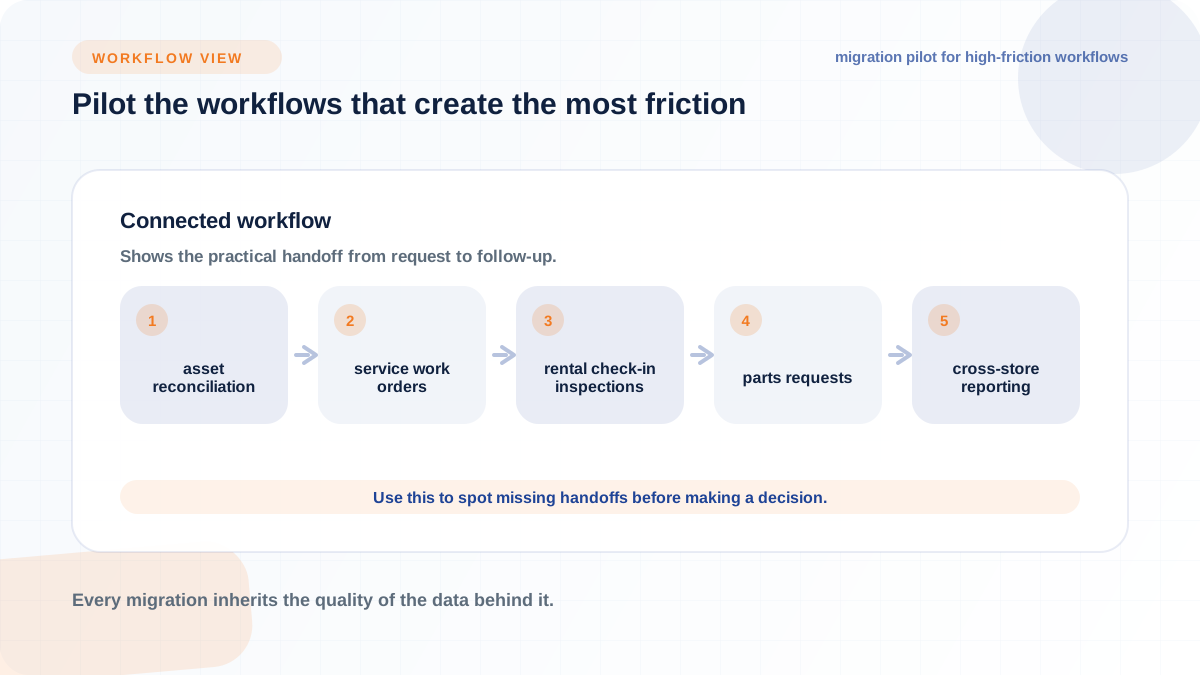
Set the pilot up to fail informatively: real users, real machines, real customers, and a defined end date with go/no-go criteria. Two or three workflows done honestly beat ten done on test data.
Training teaches people the buttons; adoption is whether they still press them in month four. Expect skepticism from experienced technicians and counter staff who have watched software projects come and go, and expect the system to feel slower for the first few weeks while habits reset. The counterweights are visible manager follow-through (managers using the system's data in daily decisions), quick removal of friction points, and pairing veteran staff with the rollout so their tribal knowledge lands in the system instead of retiring with them.
Workforce continuity is a practical reason to preserve service history. The U.S. Bureau of Labor Statistics notes that many projected openings for heavy vehicle and mobile equipment service technicians are expected as workers transfer occupations or leave the labor force, including retirement. Captured service history and documented workflows reduce how much operational knowledge depends on any one employee.
Rather than anchoring on a monthly unit price, build a total-cost picture that includes hardware, implementation, integration, training, and renewal terms.
A general price range is not useful without knowing your asset count, user count, locations, and integration needs. What you can do is force every cost driver into the open before you compare proposals.
Put each of these on your vendor question list and get answers in writing:
Compare proposals using the full cost picture.
Skip vendor ROI calculators and build the estimate from your own numbers, because the inputs only mean something if they come from your operation. The categories worth quantifying: downtime hours on revenue-producing machines times your revenue or rental rate per hour, emergency repair premiums versus planned service cost, rental spend on outside machines that idle owned units could have covered, technician and admin hours spent on paperwork and re-entry, missed inspections that created rework or compliance exposure, and losses from theft or unbilled hours.
For each category, the formula is the same shape: current annual cost of the problem, times a defensible improvement assumption, minus the software's total annual cost. Keep the improvement assumptions conservative and get them validated by the people who live the workflow, your service manager or controller, not the vendor. An ROI case built on your own downtime log survives scrutiny; one built on a vendor's average customer does not.
Walk into demos with a fixed question set so you can compare vendors on the same axes rather than on demo polish. Use your highest-friction workflows as the script and make the vendor drive them live.
Score the answers, not the impressions. A vendor who answers the data-ownership and migration questions plainly is telling you something about how they will behave in year three, which is when the relationship actually gets tested.
For evaluation purposes, use "heavy equipment software" as the umbrella term and "heavy equipment management software" for systems centered on tracking, maintenance, and operating coordination. Then identify the product category you need: maintenance, tracking, inspection, rental, dealership, or connected platform. Match the category to your dominant pain before comparing products.
No. A CMMS is one category within it, centered on maintenance: work orders, preventive maintenance schedules, inspections, and service history. Heavy equipment software as a whole can also include GPS and telematics, rental management, parts inventory, sales, CRM, accounting integration, and fleet operations, depending on the platform. If your only problem is maintenance, a CMMS may be exactly right. If your operation also sells, rents, and invoices equipment, a CMMS alone leaves those transactions in other systems, and the gaps between systems become the next problem.
Start from the handoffs, because that is where multi-location dealerships lose money: service that can't see sales history, rental that can't see maintenance status, stores that can't see each other's parts stock, and ownership that can't see one consolidated report. Evaluate platforms on shared customer and machine records across parts, service, sales, and rental, accounting integration that eliminates re-entry, location-scoped permissions, and reporting an owner can read without exporting spreadsheets. Flyntlok, for example, includes a built-in CRM. Then weight migration readiness heavily, since moving a multi-store dealership off legacy software is a data and adoption project as much as a purchase. If a succession, sale, or acquisition is anywhere on the horizon, add one more criterion: whether the system produces the clean, exportable, unified records a buyer or next-generation operator would need on day one.