NEW!
Meet Flyntlok at Equip Expo 2026:
September 4, 2026
Heavy equipment management software is a category of platforms that track machines, schedule maintenance, coordinate utilization, and connect field or shop workflows to the rest of the business. The right fit depends on whether your main gap is knowing where equipment is, keeping it serviced, billing for its use, or running an entire operation around it. This guide compares the categories that sit under the "heavy equipment management software" umbrella rather than ranking specific vendors, so you can figure out which type of tool actually matches your operation before you start booking demos.
The phrase gets used loosely. Some vendors mean a maintenance tool built around work orders and preventive schedules. Others mean a GPS and telematics dashboard. Still others mean a full operating system that also handles parts, rentals, sales, and accounting. Contractors, fleet managers, and equipment dealers all search this term, and each group tends to need a different slice of the same general capability set.
This guide treats the term broadly, because that is how it is searched, and spends most of its time on the questions that matter once you have picked a category: where each category stops, what implementation takes, what drives cost, and how fleet operations and dealership operations overlap. Where a dealer-specific example helps, it uses Flyntlok.
At its core, heavy equipment management software is any platform built to track the location, condition, maintenance status, and usage of heavy machinery, and to connect that information to the people who need to act on it, whether that is a foreman, a service manager, or an accounting team. The word "management" is doing real work in that definition: a spreadsheet or a GPS map can tell you where a machine is, but management implies scheduling, assigning, servicing, billing, and reporting on it as part of an ongoing operation.
Consider a short worked example. A civil contractor owns 18 pieces of equipment: six excavators, four wheel loaders, three compactors, two generators, and a handful of attachments. Three excavators are on a highway job 40 miles out, two loaders are idle at the yard, and one compactor is at a dealer's shop for a hydraulic repair. Without shared software, the yard foreman doesn't know the compactor is out for service, so he tells a project manager it's available. The crew schedules work around it and the job loses half a day waiting for a machine that was never coming. With heavy equipment management software, the compactor's status would show "in service, ETA Thursday" the moment the shop opened a work order against it, and the scheduler would see that status before assigning the machine. That single status field, shared across departments, is the practical difference between managing equipment and merely locating it.
"Construction equipment management software" is the more common term, and it typically frames the problem around contractors, jobsites, and project-based fleets. Tenna's guide to construction equipment management software, for instance, frames the category around asset tracking, utilization monitoring, and equipment maintenance for contractors trying to stay competitive and profitable. That framing fits a general contractor moving machines between projects, but it says less about a rental house billing by the day, a dealer managing customer-owned units in the shop, or a multi-branch dealership reconciling parts against a work order.
Heavy equipment management software is the broader term. It covers the same tracking and maintenance jobs that construction equipment management software covers, but it also extends to operations where the equipment isn't tied to a single contractor's project list: dealer inventory, rental fleets, service-only shops, and mixed operations where some units are owned, some are rented in, and some belong to a customer sitting in a bay. If your operation is closer to "we run projects and need to keep our own fleet running," construction equipment management software framing will usually get you close enough. If your operation includes selling, renting, or servicing equipment you don't own, you need to look at the broader category.
These four terms get used almost interchangeably in vendor marketing, but they describe different scopes of functionality, and confusing them is a common reason buyers end up with a tool that solves only part of their problem.
None of these four is wrong for every situation. The mismatch happens when a team buys a telematics subscription expecting it to also manage work orders, or buys a CMMS expecting it to also handle equipment sales and rental billing.
Whatever category you land on, a handful of underlying jobs recur across nearly every heavy equipment operation, whether it's a contractor's fleet, a rental house, or a multi-location dealership. Skipping any one of these jobs tends to be where the value of the software erodes, because the missing piece gets patched with a side spreadsheet or a phone call, and the side channel is exactly where information goes stale.
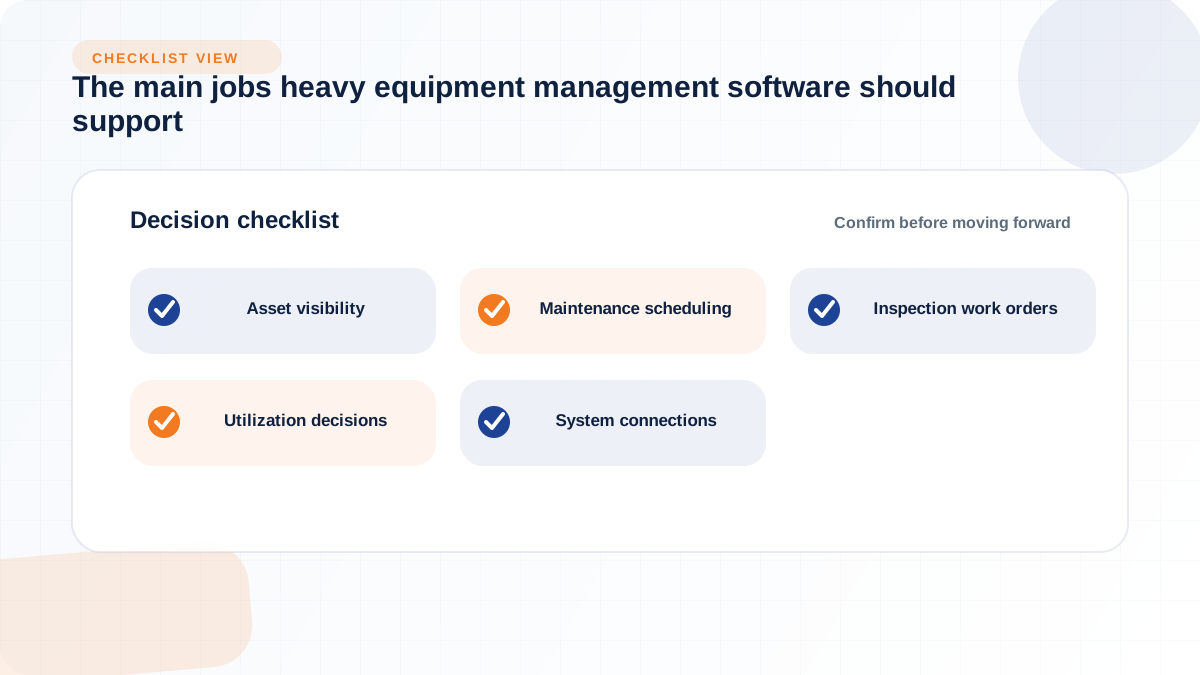
The immediate cost of poor visibility isn't abstract: it's a machine promised to two jobs at once, a rental unit billed after it was already returned, or a customer-owned unit sitting in a bay that nobody logged as received. Visibility means knowing not just where a machine is, but its ownership context (owned, rented in, rented out, or customer-owned for service) and its current status (available, deployed, in service, awaiting parts). CMiC's writeup on construction equipment and inventory management makes the same basic point: real-time tracking of where assets are and how long they run is what turns cost control from a guess into a measurement. For a mixed fleet with owned excavators, in-and-out rental units, attachments, and small tools, that visibility has to hold across every yard, jobsite, and branch, not just one location's records.
Heavy equipment runs on engine hours far more than calendar time, and software that schedules maintenance by date alone will either service machines too early (wasting shop capacity) or too late (risking failure on a high-hour unit that happens to be low-mileage). Fleetio's product framing for construction fleets specifically calls out automatic engine-hour tracking as the basis for precise maintenance scheduling, which is the more defensible standard for equipment that sits stationary for long stretches between heavy use. The other half of this job is connecting inspection findings to work orders automatically. A pre-shift inspection that flags a hydraulic leak should generate a work order without a supervisor having to remember to type it up later; a cosmetic scratch on a bucket shouldn't trigger the same urgency. Software that keeps inspections, meter readings, and work orders in separate systems tends to lose exactly this kind of finding.
Knowing that a loader has been idle for six weeks is only useful if that fact reaches someone who can act on it: reassign it to a different job, offer it for rental, or start a repair-versus-replace conversation. CMiC's guidance frames this directly, noting that accurate utilization data (rather than estimates) supports reallocating underused equipment, reducing idle time, and identifying assets that no longer justify ownership. That's a fair description of what the data should enable, but it's worth being clear-eyed about the limits: usage data surfaces a candidate for a decision, it doesn't make the decision. A machine that sits idle for a month at the end of a slow season is a different situation than one that's chronically underused across every job it touches, and software that doesn't distinguish the two will just generate noise that gets ignored.
For an equipment dealer, "heavy equipment management" is rarely just about the machines on the lot. It's about whether a service department, parts counter, rental desk, and accounting team are working from the same record or from five disconnected ones. Flyntlok handles this directly: when a rental unit is returned, the platform triggers an inspection, generates a work order, pulls the needed parts, and posts the transaction to the general ledger automatically, rather than requiring someone to manually re-key the same information into four separate systems. A single unit in heavy equipment can be worth six or seven figures, which is part of why a missed trade-in, a mispriced unit, or iron that sits on the lot for months can cost more than a year of software, worth keeping in mind when comparing a fleet-only tool against a connected dealership platform. This is the workflow layer that pure fleet or maintenance tools generally don't reach, and it's the layer that matters most if your business sells, rents, and services equipment rather than only operating it.
Before comparing vendors inside a category, it helps to confirm which category you're actually shopping in. The table below is a simplified decision matrix, not an exhaustive feature comparison, and it's meant to narrow your search rather than replace a deeper evaluation.
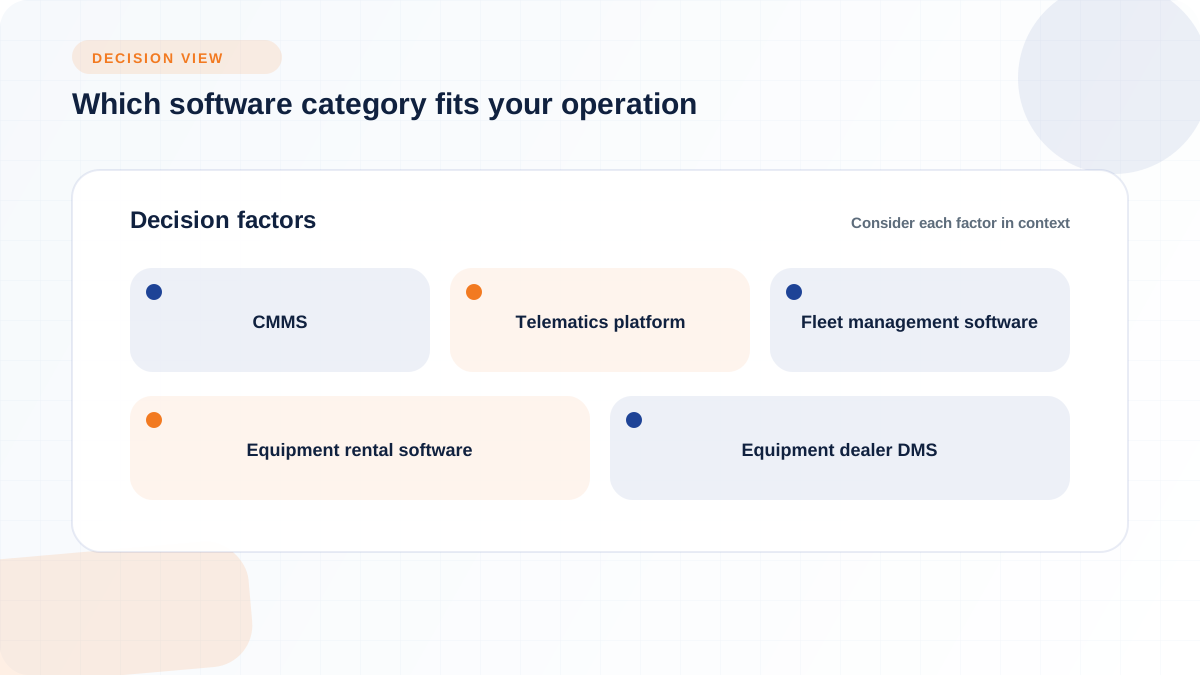
If your organization's actual pain point is missed preventive maintenance, lost repair history, or inspections that never turn into action, a standalone CMMS may solve the problem without the cost or complexity of a broader platform. This fits maintenance-heavy shops or contractors whose equipment doesn't move between ownership states (no rentals in or out, no dealer parts counter, no resale activity). The tradeoff is that a CMMS generally stops at the maintenance boundary. It won't help you track a rental contract, bill a customer, or reconcile a sale, so if any of those workflows exist in your business today, plan on a second system or a category upgrade later.
GPS location and engine-hour data are genuinely useful, and OEM telematics integrations like the Caterpillar VisionLink and John Deere Operations Center connections referenced in Fleetio's construction fleet page show how deeply this data can be tied into scheduling. But the r/Construction discussion referenced above makes a fair point from actual operators: GPS providers like Samsara and Motive supply good tracking and diagnostics, but they are not built to generate work orders, manage heavy equipment preventive maintenance, or handle time cards. If your team is drowning in raw location and hour data with no clear path from "the machine flagged a fault code" to "a work order got opened and parts got pulled," telematics alone is not the fix. It's an input to a maintenance and operations workflow, not a substitute for one.
A fleet management tool answers "where is this machine and when does it need service." A dealership management system answers a wider question: who sold it, who's renting it, who's servicing it, what parts does that service need, and how does all of that hit the books. Flyntlok delivers this as consolidated reporting and per-location profit-and-loss visibility running on the same live data across branches, so that adding a location means adding a login rather than standing up a new server. If your operation includes a sales floor, a parts counter, a rental fleet, and a service bay all touching the same units, a fleet-only or telematics-only tool will leave real gaps at the exact points where revenue and cost actually happen: the sale, the rental contract, and the parts transaction tied to a work order.
Feature lists are easy to pad and hard to compare, so it's worth narrowing evaluation to the features that actually determine whether the software fits your daily operation rather than just its marketing page.
Every asset needs a consistent identifier (asset ID, serial number, or barcode) that survives ownership changes, branch transfers, and attachment swaps. Look for support for GPS or OEM telematics feeds alongside manual identification methods, since not every machine in a mixed fleet will have factory telematics, especially older units. Attachments and small tools are often the weak point here: a bucket or auger that moves between machines needs its own tracking record, not just a note in the parent machine's file, or its maintenance and location history quietly disappears.
The core question is whether preventive maintenance schedules, inspection forms, meter readings, and work orders live in one connected record or in separate tools that require manual reconciliation. Flyntlok's service management runs work orders and service workflows from intake through completion, which is the kind of end-to-end connection worth testing for in any platform, not just a dealer-specific one. For dealers specifically, ask whether the system can track service history and parts usage on customer-owned units the same way it does on owned inventory, since that split is where a lot of dealer-side systems fall short.
Integration depth is one of the more concrete, checkable features rather than a vague promise. Flyntlok has direct connections to OEMs including John Deere, AGCO, Bobcat, Volvo CE, Hitachi, and Peterbilt/PACCAR, alongside accounting integrations with Sage Intacct and QuickBooks Online, and an open API with new connections added on an ongoing basis for tools not already on the list. Whatever platform you evaluate, ask the same specific questions: which OEM telematics and parts portals connect natively, which accounting systems sync in real time versus batch, and whether the API is open enough to connect tools you already use rather than forcing a replacement. Also ask about data ownership, export options, user permission levels, and audit trails, since these determine how much control you retain if you ever need to migrate off the platform.
A mobile app that only works with strong signal and clean hands is a poor fit for a technician standing in mud with gloves on. Ask how the software behaves offline, how much typing a field entry actually requires, and whether the workflow was designed around technicians and operators or just adapted from an office dashboard. Flyntlok's mobile access is built for a technician working 90 miles from the shop, covering clocking, parts ordering, and documentation from a mobile device rather than requiring a VPN connection back to a desktop terminal. That's a reasonable standard to hold any vendor to: does the mobile experience actually work in the field, or does it assume office conditions.
New software fails most often not because the features were wrong, but because the rollout left old habits (paper inspections, side spreadsheets, verbal updates) running in parallel with the new system. The following sequence reduces that risk:
1. Audit and clean up asset records first, including serial numbers, current location, ownership status, and meter history, before any data goes live in the new system.
2. Standardize asset IDs and naming conventions across branches so the same numbering scheme is used everywhere, not just at the location that built the spreadsheet first.
3. Connect telematics and OEM data feeds where available, and decide in advance how conflicts between manual and automated meter readings will be resolved.
4. Configure preventive maintenance schedules around engine hours where the asset class calls for it, not just calendar dates.
5. Set rules for which inspection findings automatically generate work orders and which are logged for later review.
6. Train on one workflow at a time rather than launching every department simultaneously.
7. Set a short list of KPIs to check within the first few weeks of go-live, so problems surface early rather than after a quarter of drift.
Old asset lists tend to carry errors that predate the software: duplicate entries, retired units still marked active, serial numbers that were never recorded consistently, and meter history that stopped updating whenever the person who tracked it left. Migrating that mess into a new system without cleanup just gives the errors a nicer interface. Flyntlok's onboarding for heavy equipment dealers migrates parts, customers, equipment history, rental fleet records, and open transactions, and the dealer's team validates the data before go-live. That validation step, wherever you implement it, is the difference between a clean launch and a system that inherits every old mistake.
Manual meter entries and telematics feeds will disagree eventually, whether from a sensor fault, a transposed digit, or a machine that changed hands without a handoff note. Decide in advance which source wins by default, and whether a large discrepancy should flag for manual review rather than silently overwrite the existing value. The same discipline applies to inspections: a hydraulic leak or a cracked frame member should generate a work order that can't be dismissed without a supervisor sign-off, while a scuffed panel or worn decal can go into a lower-priority queue. Without that distinction, either safety-relevant findings get lost in a pile of minor issues, or the shop gets buried in low-value tickets and starts ignoring the queue altogether.
Trying to launch asset tracking, maintenance scheduling, rental billing, and parts integration all in the same week usually means every department is learning a new system at once, with no one fully trained on any of it. A narrower pilot, such as PM scheduling for one equipment class, or inspection-to-work-order conversion in a single shop, lets you find configuration mistakes and training gaps before they touch the whole business. Flyntlok schedules go-live before the busy season rather than during it, and most OPE dealers are operational within weeks; the same logic of sequencing rollout around your slow season, rather than your busiest one, applies to any heavy equipment implementation.
Pricing pages that only say "custom pricing" or "contact us" aren't hiding anything unusual; heavy equipment software is genuinely priced around variables that differ by buyer, including asset count, user count, and integration depth. What matters is knowing which cost buckets to ask about so a quote doesn't arrive with surprises attached later.
Pricing structure is worth asking about directly because it changes the cost curve as an operation grows. Flyntlok uses per-user pricing, with current pricing available directly from the company. Whatever vendor you are evaluating, ask how users, locations, modules, assets, implementation, integrations, and support affect the total bill.
Software claims are easier to evaluate against a short, specific list of numbers than against a general sense that things feel better. Track utilization rate, idle time, downtime hours, cost per operating hour, preventive-maintenance compliance, repair turnaround time, work-order aging, parts availability, and rental utilization. Set the baseline before implementation and measure the same KPIs after a full maintenance cycle. Document the source system, owner, and calculation for each metric so improvements are auditable instead of dependent on vendor-published benchmarks.
Consider a mid-size fleet that rolls out new equipment management software but only converts part of its workflow. Inspections stay on paper because the shop foreman prefers his clipboard. Meter readings get entered manually into the new system once a week, while the telematics feed updates hourly, and nobody decided which source takes precedence when they disagree. Work orders opened in the shop don't automatically notify the parts counter, so a technician discovers mid-repair that the part isn't in stock. Accounting still receives rental invoices as a separate monthly export rather than a live feed.
Six months in, the fleet manager pulls a utilization report and finds three machines showing conflicting status: the telematics feed says one excavator has been idle for three weeks, the shop's whiteboard says it's mid-repair, and the rental log shows it billed out to a customer the week before. None of those three records is necessarily wrong on its own; they're just disconnected, and disconnected records don't reconcile themselves. The fix isn't more software, it's fewer parallel systems: digitize the inspection form so findings post directly to the work order, set a clear rule for meter-reading precedence, and connect the rental and accounting feeds so a return automatically closes the billing cycle. Partial adoption doesn't just fail to add value, it can actively create false confidence, since a dashboard showing clean numbers doesn't mean the underlying records agree with each other.
Not every operation needs the full connected stack described above, and buying more platform than you can staff or maintain is its own kind of failure. A small contractor with five or six owned machines, no rental activity, and no dealer-side sales or parts business may do fine with a well-maintained spreadsheet paired with a basic GPS tracker, provided someone actually keeps both current. A maintenance-heavy shop whose only real gap is missed PM schedules and lost repair history may only need a standalone CMMS rather than a full operations platform. A fleet that already has a strong ERP with an equipment module may only need to fill specific gaps, such as mobile inspections, rather than replace the whole system.
The decision hinges less on fleet size alone and more on workflow complexity: how many departments touch the same asset record, how many ownership states exist (owned, rented in, rented out, customer-owned), and how much manual reconciliation currently happens between systems. If the answer to all three is "not much," a lighter tool is probably the right call, and a broader platform will likely sit underused.
A short, specific list of questions before a demo tends to surface more useful information than the demo itself, since it forces the vendor to answer in specifics rather than in a scripted walkthrough.
Choosing heavy equipment management software comes down to matching the category to your actual operating model, not chasing the longest feature list. A maintenance-only shop needs different depth than a rental house, and a rental house needs different depth than a multi-location equipment dealer running sales, service, parts, and accounting off the same records. Get clear on your ownership mix, your integration needs, and your implementation capacity first, then use the category distinctions here, CMMS versus telematics versus fleet management versus a full dealer management system, to narrow your search before you start comparing individual vendors.