WATCH HERE:
Our Equip Expo AI Session is Now On-Demand!
July 29, 2026
A DMS platform improves dealership operational efficiency when it removes duplicate data entry, connects departments that used to work from separate records, and gives owners and managers a real-time view of what is actually happening on the floor. The deciding factor is not the feature list. It is whether your team actually uses the connected platform workflow instead of falling back to spreadsheets, phone calls, and tribal knowledge. A DMS that sits half-adopted delivers little of the efficiency it promised on the sales call.
If you run an equipment, agriculture, powersports, or heavy-truck dealership, you already know the pain points this keyword implies: a legacy system that no longer matches how your parts counter, service bays, and accounting office actually work, or a patchwork of disconnected tools that forces someone to re-key the same transaction three times. This article is written for the dealer principal or owner evaluating whether a modern DMS can close that gap, with enough department-level detail for general managers, controllers, service leaders, and parts managers to use during vendor demos.
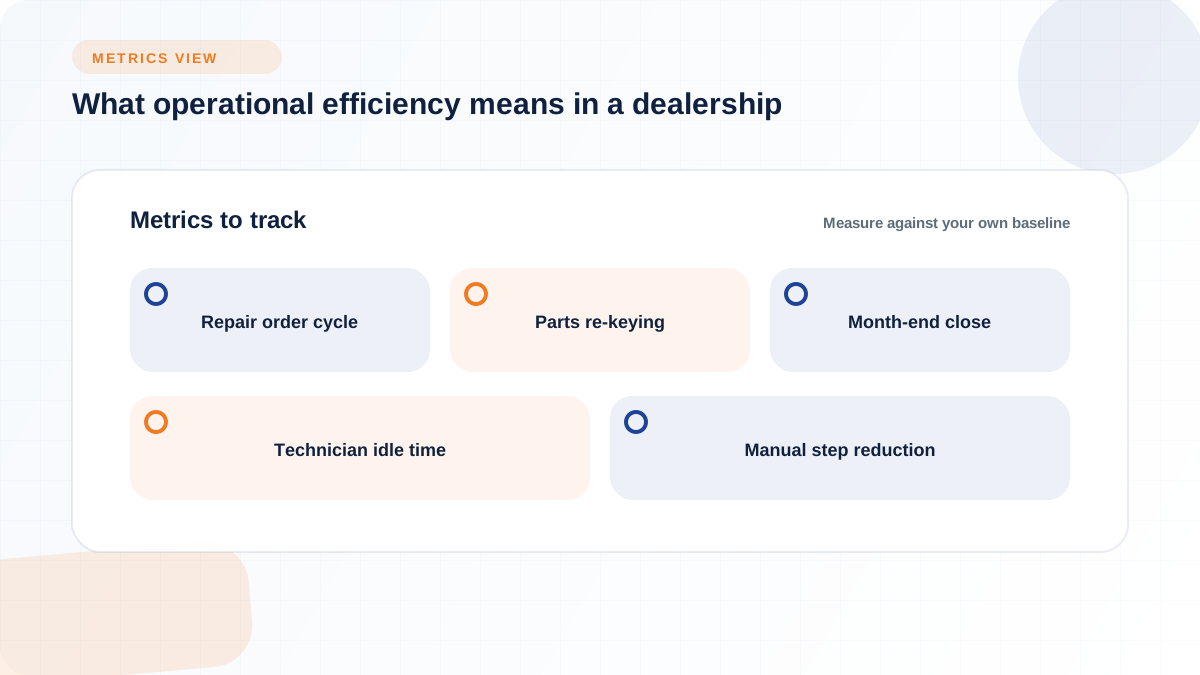
Operational efficiency in a dealership is not a vague feeling that "things run smoother." It shows up as measurable reductions in specific delays: how long a repair order sits between check-in and completion, how many times a parts transaction has to be re-keyed into accounting, how long it takes to close the books at month end, and how often a technician sits idle waiting on a part that should have been ordered automatically. A DMS earns credit for efficiency only when it shortens one of these specific chains, not because it adds a dashboard.
Consider a concrete illustration to see how this reasoning works, not as a universal benchmark but as a framework you can rebuild with your own numbers. Say a mid-size outdoor power equipment dealership handles roughly 40 walk-in service check-ins a week during spring rush, and each one currently requires a counter person to write up the job on paper, a technician to separately check parts availability by calling the counter, and a bookkeeper to manually enter the closed repair order into QuickBooks at the end of the day. If the dealership's service module ties scheduling, check-in, technician work orders, and parts requests into one workflow, so a technician can pull parts and log time directly against the work order, the meaningful outcome to test for is not "faster checkout" in the abstract. It is whether the counter person, technician, and bookkeeper are each doing one fewer manual step per ticket, and whether that saved time shows up as more billable hours or a shorter queue during the exact weeks when walk-in volume spikes. That is the level of specificity to demand from any efficiency claim, including ones on this page.
A DMS that reduces clicks but does not reduce delays, errors, or rework has not improved efficiency in any way that matters to a dealer principal. The useful test is whether a workflow change results in fewer handoffs between people, fewer places where a transaction can get stuck waiting on someone else, and cleaner data that a manager can trust without reconciling it against a second spreadsheet. Corpay's overview of DMS platforms notes that most dealerships still run a patchwork of connected tools with the DMS at the center, but with significant manual work happening at the seams between systems, which is exactly where efficiency claims tend to fall apart in practice (Corpay). Judge a platform on whether it closes those seams for your specific departments, not on how modern the interface looks in a demo.
A DMS should give you visibility into a small set of workflow indicators across departments, not a data warehouse of metrics nobody checks. These are the categories worth tracking, grouped by where the friction usually lives:
None of these categories comes with a universal target number in this article, because a fair target depends on your dealership's size, vertical, and current baseline. What matters is that your DMS surfaces these numbers automatically, rather than requiring someone to build a manual report every week.
A DMS earns its keep department by department, and the honest way to evaluate one is to walk through each department's current bottleneck and ask whether the platform actually removes it, rather than just displaying it on a dashboard. Flyntlok's feature set illustrates the kind of department-level specificity worth looking for, from parts and service through rentals and accounting, because a platform description that stays generic across every vertical is usually a sign the workflows have not been built out for your kind of dealership.
The core efficiency problem in sales is that customer history often lives in someone's head or a separate spreadsheet, so lead follow-up, service reminders, and parts reorders never connect to the same record. Flyntlok's built-in CRM centralizes customer data across sales, service, and parts to drive follow-up from one connected record. Flyntlok's built-in AI can turn that connected dealership data into recommendations, automated follow-up actions, and actionable insights inside the same platform. When evaluating a DMS on this front, ask whether accepted sales quotes, customer activity, service work, and accounting records move between departments without being retyped.
Service is usually where operational efficiency gains are most visible, because a repair order touches scheduling, technician time, parts, and billing in sequence. Flyntlok's service workflow covers scheduling, check-in, estimate, work order, and billing as one connected chain, with technicians clocking in and out per work order and ordering parts from inside that same work order, and a manager view that surfaces backlog, lost time, rework incidents, and technician utilization in real time (Flyntlok, outdoor power equipment dealer software). Corpay's description of DMS-driven service scheduling notes that the system can compare actual clock time against flat-rate labor guide time to calculate efficiency percentages, which is the kind of granular technician tracking that separates a real service module from a simple appointment calendar (Corpay). The evaluation question is whether the technician actually works inside the DMS during the job, or reverts to a paper job card when the system is inconvenient.
Parts efficiency depends on fill rate, counter speed, and whether pricing and substitution data stay current without manual updates. Flyntlok's Item Genome is described as a proprietary parts engine that surfaces quick picks by make, model, and customer history, and for Bobcat specifically, Flyntlok loads pricing and substitution files automatically at no extra cost and has curated images for the 1,000 most common parts, filling gaps that the manufacturer's own dealer tools leave behind (Flyntlok, Bobcat dealer management software). For OEM-heavy dealers running Stihl, Husqvarna, John Deere, and ECHO catalogs that do not talk to each other, the practical question is whether the DMS pulls live pricing, availability, and substitution data directly from each manufacturer, or whether your counter staff is still toggling between separate OEM portals.
Rentals add a layer of operational complexity that pure sales or service DMS modules were not built to handle: an asset's availability status, its service history, and its billing terms all have to stay synchronized as it moves in and out of the fleet. Flyntlok's rental capabilities include flexible contracts, mobile inspections, fleet tracking, and consumables billing, with a return triggering an inspection that creates a work order, pulls the needed parts, and posts to the general ledger automatically (Flyntlok, outdoor power equipment dealer software). The efficiency test here is whether a returned unit's inspection and billing happen inside one workflow, or whether someone has to manually reconcile the rental contract against a separate service ticket and a separate invoice.
Accounting is usually where efficiency gains either compound or quietly disappear, because every upstream department's transaction eventually has to land in the books correctly. Flyntlok integrates in real time with QuickBooks Online and Sage Intacct, with every parts sale, service invoice, rental transaction, and equipment sale creating the corresponding accounting entry automatically rather than through manual journal entries (Flyntlok, equipment dealer accounting software). Flyntlok's Sage Intacct integration, launched in August 2023, maintains a bidirectional sync of reference data, financial transactions, and account balances, and is positioned as the better fit for dealerships with ten or more locations, multiple entities, or multi-currency operations, while QuickBooks Online sync covers general ledger, accounts payable, accounts receivable, and payroll for smaller or single-location dealers (Flyntlok integrations overview). When you evaluate this piece, ask specifically how many manual journal entries your controller will still need to make each week, because that number tells you more about real efficiency than any integration logo on a slide.
The fastest way to keep a DMS evaluation grounded in real bottlenecks, instead of a generic feature checklist, is to map each department's actual pain point to the capability that should resolve it and the question you should ask a vendor to prove it. The table below is built around common dealership friction points rather than a specific product's feature list, so you can use it against any DMS you are evaluating, including Flyntlok's.
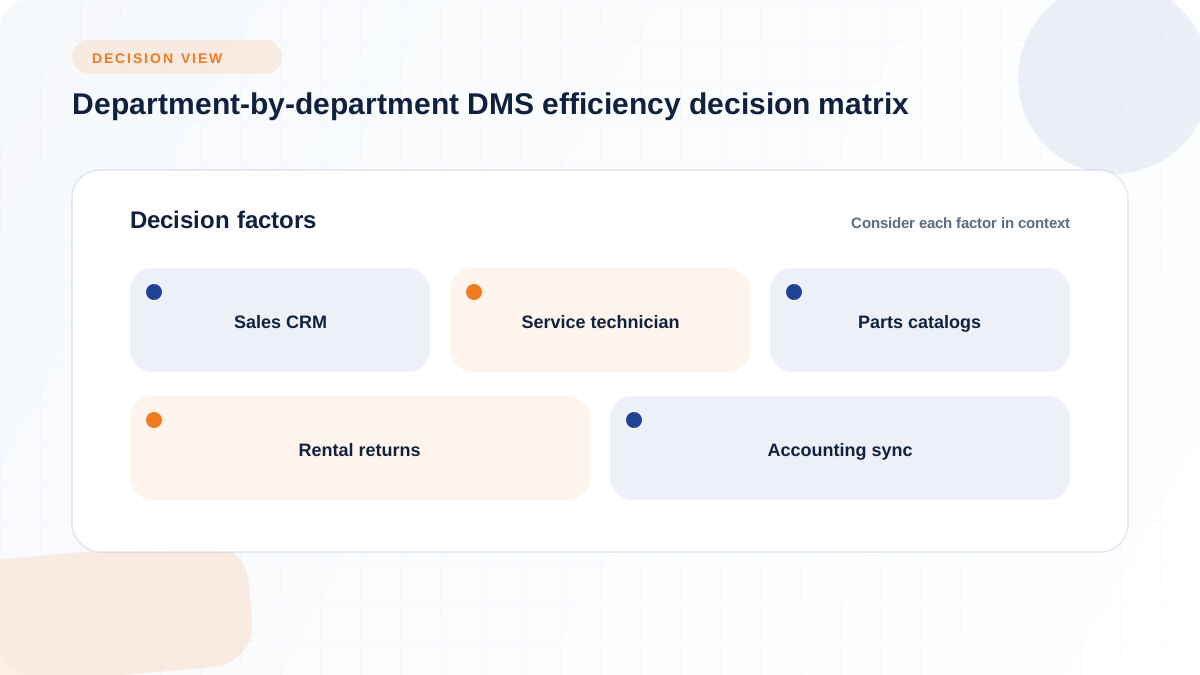
Turn each row into a scenario the vendor has to demonstrate live, rather than a feature they confirm verbally. Ask the sales rep to walk through an actual repair order, an actual rental return, or an actual parts reorder using data that resembles your dealership, and watch for the moment someone has to leave the workflow to check another system. If a vendor cannot produce that scenario on the spot, treat it as a signal that the workflow may exist on paper but has not been built into daily use. This is a more reliable evaluation method than counting how many modules appear on a pricing sheet.
The choice between a cloud-native DMS, a legacy on-premise system, and a modular stack of specialized tools is really a choice about where your operational risk sits, and each approach carries real tradeoffs rather than a clear universal winner. A DMS should incorporate a cloud-based solution and modern security practices such as strong encryption according to CDK Global's own guidance on choosing a DMS (CDK Global), which reflects a broader industry shift toward cloud delivery, but the platform type alone does not guarantee efficiency. Implementation quality and staff adoption still decide the outcome regardless of which architecture you choose.
Cloud-native platforms remove the burden of maintaining an on-site server, applying manual updates, and troubleshooting VPN access for remote or multi-location staff. Flyntlok, for example, is built on Google Cloud, runs in a standard browser without plugins or VPN, and ships a new release about every two weeks with nothing to install, according to Flyntlok's own description of its cloud architecture (Flyntlok, cloud-based dealer management system). For a multi-location dealership group, this kind of deployment model means a technician in one shop and a controller in another are working from the same live data without waiting on a batch sync. The tradeoff is that your dealership becomes dependent on the vendor's infrastructure and update cadence, so it is worth asking how updates are tested and rolled back if something breaks.
Legacy dealer management systems built years before cloud architecture became standard tend to trap data inside structures that make real-time access and modern integrations difficult to retrofit. Flyntlok's integrations overview describes this directly: today's dealerships run on multiple locations, mobile service, rentals, deeper parts inventories, and OEM integrations that legacy systems were not built to handle, and vendors trying to modernize an old codebase often end up maintaining two products at once, splitting development resources between the legacy system and a new one (Flyntlok integrations overview). If you are evaluating a legacy system's newer cloud layer, ask directly whether the underlying data architecture was rebuilt or simply given a web front end, because that distinction affects how well new integrations and reporting will actually work.
Not every workflow belongs inside the DMS, and forcing an advanced marketing tool, a specialized pricing engine, or a niche compliance system into a general-purpose module can slow down the team that relies on it daily. A best-of-breed approach can outperform a DMS's built-in equivalent when the standalone tool is more specialized and the integration between it and your DMS is solid enough that data does not need to be re-entered. The practical test is not whether a workflow is inside or outside the DMS, but whether the handoff between systems is automatic or manual. Flyntlok's approach reflects this reasoning on the integration side: rather than building every tool internally, Flyntlok connects to OEM catalogs, QuickBooks Online, and Sage Intacct through direct integrations (Flyntlok integrations overview) and offers an open API for other tools, which is one way to keep specialized tools without recreating the re-keying problem a DMS is supposed to solve.
Before accepting any vendor's ROI pitch, build your own calculation using categories tied to your actual workflows rather than an industry-wide percentage. The categories worth quantifying are the ones you can measure today: hours per week your staff spends re-keying data between systems, the cost of rework or comebacks tied to missed parts or scheduling errors, the time your accounting team spends on manual journal entries and month-end reconciliation, and the carrying cost of aging inventory that a better fill-rate visibility might reduce. Corpay's overview notes that most dealerships operate a patchwork of tools with meaningful manual work happening at the seams between systems, and that patchwork cost is exactly what a serious ROI estimate needs to isolate rather than assume away (Corpay). Build the estimate from your own numbers first, then ask the vendor to explain any assumptions behind their own projected savings.
Measure your current state before you sit through a single demo: track repair order cycle time, parts fill rate, and month-end close time for a few weeks using your existing tools, however manual that process is. When a vendor presents a projected efficiency gain, ask them to show the assumptions behind it and compare those assumptions against your baseline rather than against an industry average that may not reflect your dealership's size or vertical. Treat any specific percentage improvement a vendor quotes as illustrative unless they can point to a source-backed study or a documented customer result, and be equally cautious about applying any numbers from this article as universal benchmarks, since dealership operations vary too much by size, vertical, and current process maturity for a single figure to apply everywhere.
A DMS purchase does not guarantee an efficiency gain, because the biggest risks to that gain show up after the contract is signed, during data migration, staff training, and the first few months of daily use. A platform can have every feature you need and still fail to deliver if the rollout leaves half the team working around it instead of through it. Flyntlok describes its own implementation process for OPE dealers as connecting OEM integrations, syncing accounting, and migrating data, with most dealers fully operational within weeks and role-based training provided for counter staff, service teams, and management (Flyntlok, outdoor power equipment dealer software), which is the level of specificity worth demanding from any vendor's implementation plan, not just a promise that "onboarding is easy."
Plan the migration around the workflows most likely to break first: parts pricing data, open work orders, active rental contracts, and outstanding accounts receivable. Ask the vendor exactly how historical service history and customer records transfer, whether the transition happens all at once or in phases by department, and who on their team is responsible for fixing data issues discovered after go-live. A dealership managing an ownership transition, an acquisition, or a next-generation succession has less room for a bumpy migration, because operational disruption during that window compounds the existing uncertainty staff and customers are already navigating.
The most common failure mode is not a bad platform, it is a dealership that buys a DMS and then keeps critical workflows in spreadsheets because a department never fully switched over. If your service manager still tracks technician hours on a separate sheet, or your parts counter keeps a side list of special-order items outside the system, the DMS's reporting becomes unreliable because it is missing a piece of the real picture. This is worth testing directly during evaluation: ask current customers, or the vendor's reference calls, which departments took the longest to fully adopt the system and why, since that answer tells you more about real-world implementation risk than any feature demo.
A DMS that handles the standard repair order beautifully but breaks down on a special-order part, a goodwill repair, a partial delivery, or a cross-location transfer will push your team back toward manual workarounds exactly when the transaction matters most. Ask vendors to walk through their handling of exceptions specifically: what happens when a customer wants a partial refund on a returned rental, when an OEM warranty claim gets rejected and needs resubmission, or when a part has to be transferred between locations mid-repair. Flyntlok's electronic warranty submission with status and reimbursement tracking is one example of building an exception path directly into the workflow rather than leaving it to a phone call with the OEM (Flyntlok, outdoor power equipment dealer software), and the demo question to ask any vendor is whether their system handles that same class of exception, not just the ideal-case transaction.
A DMS evaluation focused on operational efficiency should center on specific workflow questions rather than a generic feature checklist, since two platforms can claim the same feature list while delivering very different real-world results. The questions below are organized by the workflows most likely to reveal whether a platform's efficiency claims hold up under your dealership's actual transaction volume:
Every question above should be followed by "show me," not just "tell me," since a live demonstration of the actual workflow is the only reliable way to confirm a vendor's claim.
As the owner or general manager, your questions should focus on visibility, consistency across locations, and readiness for a future ownership event rather than day-to-day mechanics:
Department leaders need answers that go deeper into daily mechanics, since they are the ones who will live inside the workflow every day:
Permissions, audit trails, and data retention are not just compliance checkboxes, they are operational risk controls that prevent rework and protect the accuracy of every report built on top of them. If any employee can edit a closed repair order or a posted accounting entry without a trace, your controller loses confidence in the numbers, and that erodes exactly the reporting reliability a DMS is supposed to deliver. CDK Global's own guidance on choosing a DMS notes that a platform should incorporate cloud-based security backed by strong encryption (CDK Global), and Flyntlok describes encryption in transit and at rest on Google Cloud infrastructure, automatic daily backups, and role-based access controls that define who sees what data and what actions they can take (Flyntlok, cloud-based dealer management system).
Practical evaluation questions matter more here than abstract security promises: ask how granular the role-based permissions are, whether every edit to a financial record creates an audit trail, how payment data is handled during point-of-sale transactions, and how the vendor manages data backups and retention. If your dealership needs to align with FTC Safeguards Rule expectations around customer financial data, treat that as a conversation for your own compliance counsel rather than a claim to accept at face value from a vendor's marketing page, and consult the FTC's own guidance on the Safeguards Rule directly (Federal Trade Commission) when evaluating specific requirements.
A dealership is usually ready to replace its DMS when several readiness signals show up together rather than in isolation. The clearest signals include a legacy system that can no longer support multi-location reporting or mobile service, an acquisition or merger that requires reconciling two different systems, a next-generation owner stepping in who expects modern tools rather than a system built around one person's tribal knowledge, and a growing reliance on side spreadsheets because departments no longer trust the DMS's own reports.
These signals compound during specific events. An ownership transition or acquisition, for example, often exposes exactly how much operational knowledge was living in one person's head rather than in the system, and Flyntlok's own founding narrative reflects this kind of frustration directly: the platform was built from scratch on Google Cloud because its founder, an equipment dealer himself, refused to accept that the most important software in his dealership should be the most outdated (Flyntlok integrations overview). If your dealership recognizes two or more of these readiness signals at once, that combination is a stronger signal to start evaluating replacement than any single complaint about an outdated interface.
Choose a DMS platform based on workflow fit, adoption likelihood, integration depth, and reporting reliability, not on which vendor lists the most features. A platform that connects sales, service, parts, rentals, and accounting into workflows your team will actually use every day delivers more real operational efficiency than one with a longer module list and weaker adoption. Build your own KPI baseline before you sit through a demo, test exception handling as rigorously as the ideal-case transaction, and hold every vendor claim, including any made on this page, to the standard of "show me the workflow," not just "tell me it works."