WATCH HERE:
Our Equip Expo AI Session is Now On-Demand!

July 22, 2026
For most dealerships, a cloud-based AI interaction system offers a faster path to handling customer calls, texts, and web leads, while an on-premise system fits situations where data control, local infrastructure, or a specific compliance requirement outweighs speed of deployment. The deciding factor is rarely "which technology is better" in the abstract. It is whether your dealership has the IT staffing, data sensitivity, and integration complexity that justify owning the infrastructure yourself. Cloud-based AI typically means faster rollout and easier scaling across locations, according to TDWI's comparison of cloud and on-premises AI deployment models (tdwi.org). On-premise AI tends to fit dealerships with strict data residency needs or predictable, high-volume workloads where infrastructure is already staffed and maintained. Hybrid deployment is a middle option worth evaluating when a dealership wants cloud-based AI capabilities but needs to keep certain data or fallback functions closer to systems it already owns.
An AI interaction system in a dealership context is software that handles or assists customer and staff conversations, not the back-office analytics or reporting tools that run quietly behind the DMS. It answers a call about parts availability, texts a customer back about a missed service appointment, or routes a web lead to the right salesperson. This is a narrower category than "AI for dealerships" broadly, and it is worth separating from things like demand forecasting or pricing analytics, which live in a different part of the platform.

Here is a short worked example to make the distinction concrete. Picture a single-location outdoor power equipment dealership on a Saturday evening after the counter has closed. A homeowner texts the dealership's number asking whether a specific Stihl chain is in stock and whether it can be picked up Monday morning. In a cloud-based interaction system, the message hits a hosted service that checks live inventory data, drafts a reply, and logs the exchange to the customer's record automatically, the kind of workflow Flyntlok describes with its native SMS, which logs directly to a customer profile from Work Orders, POS, and CRM rather than sitting in a separate messaging app (flyntlok.com/features/cloud-dealer-management-system). In an on-premise setup, that same lookup depends on whether the local server handling inventory sync is online and reachable outside business hours, since the infrastructure lives in the dealership's own environment rather than a vendor's cloud. The practical takeaway: the deployment model does not just change where computing happens, it changes what is realistically available to a customer at 7 p.m. on a Saturday.
Dealership AI interaction systems most commonly touch voice calls, web chat, SMS, and email, plus the specific moments those channels carry: a parts inquiry, a service appointment request, an after-hours missed call, or a follow-up nudge for a customer who abandoned a rental quote. Each channel has its own tolerance for delay. A web chat visitor may accept a two-second pause; a phone caller waiting on hold for a parts price will not. Whether that response is handled by a cloud-hosted service or a locally run one affects how consistently the system performs when volume spikes, such as the parts-counter and service-bay rush that comes with spring startup season for OPE dealers (flyntlok.com/features/equipment-dealer-accounting-software).
Beyond the customer-facing side, these systems typically need to read from and sometimes write to CRM records, DMS work orders, inventory counts, and occasionally accounting or OEM parts portals. A service scheduling AI has to see open technician slots in the DMS; a parts-inquiry AI has to see live stock counts across multiple brands, since an OPE dealer alone can be managing thousands of SKUs across brands like Stihl, Husqvarna, John Deere, and ECHO (flyntlok.com/features/equipment-dealer-ai). This is not a survey of every possible integration, just the point that the interaction layer is only as good as its connection to the systems of record behind it, and that connection is where deployment choice starts to matter operationally.
Cloud-based AI runs on infrastructure hosted and managed by a vendor or a major cloud provider, accessed by your dealership over the internet rather than housed on a server in your back office. TDWI describes cloud-based AI as using services and infrastructure provided by companies like Amazon (AWS), Microsoft (Azure), or Google Cloud, with pay-as-you-use pricing and no upfront hardware investment (tdwi.org). For a dealership, that means the vendor handles patching, capacity, and model updates, and your team accesses the system through a browser or an app rather than maintaining a physical box.
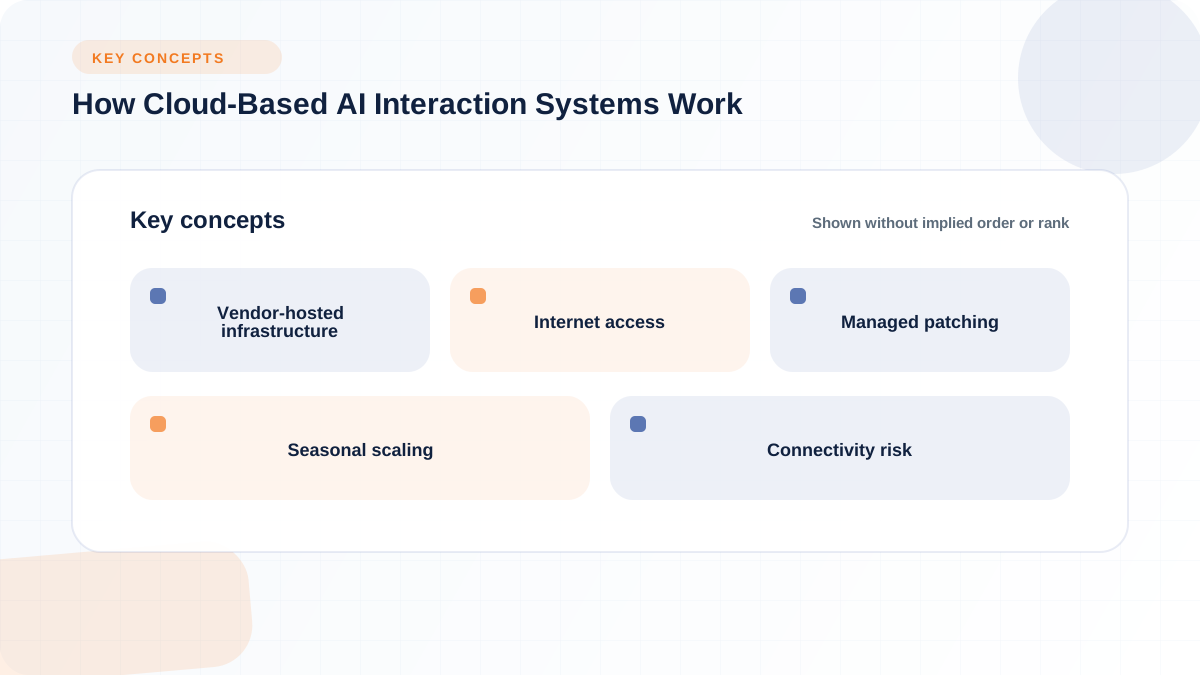
Cloud deployment tends to help when a dealership needs to get running quickly, scale across multiple locations without buying hardware for each one, or handle interaction volume that swings seasonally. TDWI notes that cloud-based AI typically makes sense when an organization has variable or unpredictable workloads, lacks internal AI infrastructure expertise, or prefers predictable operating expenses over capital investment (tdwi.org). A multi-location dealer group opening a new store, for example, does not need to provision a new server for that location's AI interaction system if the vendor is running it centrally in the cloud.
The tradeoff is that cloud-based systems depend on internet connectivity and a vendor's ongoing support posture. If a dealership's internet connection drops, a cloud-hosted phone or chat AI cannot reach its hosted logic, and any fallback behavior needs to be planned for in advance rather than assumed. There is also the practical matter of vendor lock-in, data processing boundaries (where is customer data actually processed and retained), and whether the vendor's role-based access controls match how your dealership actually assigns permissions across sales, service, and parts staff. None of this means cloud deployment is unsafe. It means the due diligence has to happen before signing, not after an outage.
On-premise AI runs on infrastructure your dealership or dealer group owns and controls, meaning your own servers, networking equipment, and the software layered on top of it. TDWI defines on-premises AI as running AI systems on infrastructure that an organization owns and maintains, which gives complete control over the AI environment but also complete responsibility for managing it (tdwi.org). SUSE frames this similarly, noting that an on-premise AI platform runs entirely within an organization's infrastructure, using its own servers, GPUs, and networking equipment, with data processed locally rather than sent to an external provider (suse.com).

On-premise deployment tends to help when a dealership has a specific reason to keep certain data or processing inside its own security perimeter. SUSE points out that on-premise AI lets an organization process sensitive data entirely within its own security boundary rather than sending it to a third party (suse.com), which can matter for dealerships juggling manufacturer data-sharing terms or particularly sensitive customer records. It can also fit predictable, high-volume workloads where the infrastructure is already staffed, since SUSE notes on-premise AI avoids per-prediction usage fees once the hardware is in place (suse.com).
The costs of that control are real. Pluralsight notes that on-premises approaches carry significant upfront investment in hardware and software, plus ongoing costs for power, cooling, staff, and maintenance (pluralsight.com). For a dealership, that translates into GPU capacity for any local AI processing, patching and security work for a network that was likely not designed with AI workloads in mind, and dependence on whatever IT support the dealership has, whether that is an internal hire or a managed service provider. Scaling to a second or third location means repeating much of that hardware investment rather than simply adding a subscription seat, and vendor support for a locally hosted stack can be slower and more complicated than support for a hosted service the vendor already monitors directly.
No single deployment model wins across every dealership factor, which is why it helps to look at the tradeoffs side by side rather than as a single yes-or-no choice. The table below lines up the factors that matter most for dealership operations, from implementation speed to exit complexity, across the three models discussed in this article.
Read this matrix as a starting point for questions to ask a vendor, not as a scorecard that produces an automatic answer. A dealer group with five locations and a lean IT team will likely weigh "IT staffing need" and "multi-location scaling" more heavily than a single large store with an in-house systems administrator.
The matrix above becomes more useful once it is applied to how your dealership is actually structured. The scenarios below are common patterns, not universal rules, and most dealerships will recognize themselves in more than one.
A single-location dealership without a dedicated IT hire is usually better matched to a managed cloud or vendor-supported deployment, simply because there is no internal team to patch servers, monitor GPU capacity, or troubleshoot a local outage at 6 a.m. before the shop opens. This is conditional on the dealership's data and connectivity situation. If internet service in the area is unreliable, that same dealership needs to plan for fallback routing regardless of which model it picks, a point addressed later in this article.
Dealer groups running several locations tend to lean toward cloud deployment because it simplifies centralized governance, reporting, and permission structures across stores that may otherwise run inconsistent local setups. A group can push the same CRM and DMS connection logic to every location rather than replicating server builds at each site, which also makes rollout control and staff permission consistency easier to manage centrally. The tradeoff worth flagging is that centralization can reduce local autonomy, so groups should decide in advance how much store-level customization they actually want to allow.
Dealerships with a busy service department, especially during seasonal surges, need to think carefully about how phone routing and scheduler sync behave under load. Pluralsight's framework notes that latency-sensitive workloads, like real-time inference, are often better suited to on-premises or hybrid environments (pluralsight.com), but that does not automatically mean on-premise is the right call for every service-heavy store. It means the dealership should test actual response times under peak call volume, not assume that either deployment model performs acceptably by default, and build a fallback workflow for when the AI cannot reach the scheduler in real time.
Some dealerships have a genuine reason to keep certain data close to home, whether that is a manufacturer data-sharing boundary, a legacy system that cannot easily connect outward, or a customer base with heightened sensitivity around records. In these cases, on-premise or hybrid deployment is worth evaluating, particularly if the dealership already has infrastructure and technical expertise in place, which TDWI lists as one of the conditions where on-premises AI can be the better fit (tdwi.org). This is a narrower case than it might sound. Most dealerships do not have unusual enough constraints to justify the added maintenance burden, but it is worth ruling out explicitly rather than assuming it away.
A vendor calling its product "cloud-based" or "on-premise" tells you less than asking how it actually connects to the systems your dealership already runs every day. The DMS, CRM, inventory records, phone system, service scheduler, and any OEM portals your dealership depends on are where an AI interaction system either earns its keep or creates duplicate work. Flyntlok's own integration list illustrates the range involved for equipment dealers: OEM connections for parts ordering and catalog sync, accounting sync with QuickBooks Online and Sage Intacct, and an open API for tools not already on the list (flyntlok.com/integrations/overview). Whatever vendor you evaluate, the hosting label matters less than whether these connections are built, tested, and maintained.
Before signing with any vendor, ask exactly what the AI system can read and what it can write. Can it see live lead status, work orders, parts availability, and appointment slots, or only a cached snapshot that updates on a delay? Does it log its interactions back to the same customer record your team already uses, or does it create a separate log that staff have to reconcile manually? Flyntlok's CRM, for example, built-in CRM centralizes customer data across sales, service, and parts specifically so follow-ups and insights come from one shared record rather than several disconnected ones (flyntlok.com/features/equipment-dealer-crm-features). Whatever system you choose, confirm the same principle applies: one system of record, not several partial ones.
The handoff moment, when an AI conversation needs to become a human one, is where interaction systems most often break down in practice. Ask how the system escalates to a staff member, whether it preserves the full transcript for that handoff, and whether it risks creating duplicate follow-up if both the AI and a salesperson reach out to the same lead. Native SMS built directly into a DMS workflow, logged automatically against a customer profile from Work Orders, POS, and CRM, is a different experience than a bolt-on messaging tool that requires manual copy-paste into the CRM afterward (flyntlok.com/features/cloud-dealer-management-system). The deployment model matters less here than whether the handoff logic was actually designed around dealership workflows.
Cost comparisons between cloud and on-premise AI often get reduced to "subscription versus hardware," but a fair dealership-level comparison needs to name every category involved rather than pricing them out, since actual figures vary by vendor and scope. TDWI notes that cloud AI costs typically include pay-as-you-use pricing with no upfront hardware investment, while on-premises costs include significant upfront investment plus ongoing power, cooling, and maintenance expenses (tdwi.org). For a dealership evaluating vendors, the categories worth listing out before comparing quotes include:
Flyntlok uses per-user pricing, while its built-in CRM and native SMS can reduce the need for separate CRM licensing or an additional integration project. Current pricing is available directly from Flyntlok. When comparing cloud and on-premise AI interaction systems, model software, infrastructure, implementation, support, and usage costs against the dealership's actual staffing and volume.
Neither cloud nor on-premise deployment automatically satisfies a dealership's security or compliance needs; both require specific answers from the vendor rather than an assumption based on hosting location. SUSE's framing of on-premise control, keeping data inside a defined security perimeter (suse.com), is a real advantage in some cases, but it only holds if the dealership's own network and patching practices are actually maintained to a comparable standard. Before signing a contract, dealership buyers should get clear answers on:
These questions apply whether the vendor's system is cloud-hosted, on-premise, or hybrid. The label on the deployment model is a starting point for the conversation, not a substitute for it.
Every deployment model fails eventually, whether from an internet outage, a DMS hiccup, or a phone system going down during a busy afternoon. The useful question is not whether failure is possible, but what happens to your dealership's customer interactions when it occurs, and whether that behavior was planned for or improvised on the spot.
If a cloud-based AI system loses its connection to your DMS or the internet goes down entirely, the practical question is whether the system has a fallback: does it queue messages for later, route calls to a voicemail or a designated staff line, or simply go silent until connectivity returns? A well-planned system uses cached context to keep basic responses functioning and routes anything requiring live data, like current parts stock, to a human until the connection is restored. On-premise systems face a parallel risk if the local server or network segment handling AI logic goes down, and the same question applies: what is the fallback, and who is responsible for reconciling any missed interactions once systems are back online.
AI systems will occasionally misstate something, whether a price, an appointment slot, or a warranty detail, and no deployment model eliminates that risk entirely. What matters is whether the vendor has a clear process for reviewing flagged transcripts, correcting the customer record, and escalating repeat issues to a human before they compound. Ask any vendor, cloud or on-premise, how they monitor for these errors and who owns the correction workflow once one is identified. A dealership evaluating vendors should treat "how do you catch mistakes" as seriously as "how fast is your response time."
Once an AI interaction system is live, the deployment model matters less than whether it is actually improving the dealership metrics that mattered before the system existed. Rather than chasing vendor-provided benchmarks, dealerships are better served tracking their own baseline and comparing it over time across a defined set of categories:
None of these metrics are unique to a cloud or on-premise system. They are simply the practical evidence that the deployment choice, whichever one you made, is delivering on its intended job.
The right choice depends on your dealership's IT staffing, data sensitivity, integration complexity, uptime tolerance, and how many locations you need to support consistently. Cloud deployment tends to suit dealerships that need to move quickly and scale across locations without new hardware at each site, while on-premise deployment fits dealerships with a specific data control need and the staffing to support it, and hybrid deployment is worth the added complexity only when a genuine mix of those needs exists. What matters more than the label is whether the vendor's actual architecture connects cleanly to your DMS, CRM, inventory, and phone systems, the way Flyntlok's cloud-native platform was built specifically around equipment dealer workflows like parts catalogs, service work orders, and rental billing rather than adapted from unrelated software (flyntlok.com/integrations/overview). Whichever model you choose, ground the decision in your dealership's actual operating conditions rather than in whichever term sounds more modern.