WATCH HERE:
Our Equip Expo AI Session is Now On-Demand!
July 27, 2026
The right accounting software for a dealership depends on how complex your operations actually are, not on which product has the most features listed on a pricing page. A single-location independent dealer with simple inventory can often run well on general accounting software, while a multi-location dealership handling sales, service, parts, and rentals usually needs accounting tied directly to a dealer management system (DMS). This accounting software for dealership guide walks through the categories, the decision points, and the practical steps that turn a software search into a workable rollout.
Dealership accounting is not the same job as bookkeeping for a typical small business. A dealership's ledger has to track inventory that moves in and out at different valuations, floor plan financing balances that accrue interest daily, and revenue that comes from at least two or three distinct departments operating on different rhythms. Sales, parts, and service move at different speeds and use different documents, and rental adds a fourth layer of contracts and utilization tracking. Any accounting platform you choose has to reflect that structure, or your team ends up doing the reconciliation work by hand outside the software.
This guide is built for the dealer principal, owner, or controller who has outgrown a spreadsheet-and-QuickBooks setup, or who inherited a legacy system during an ownership transition and is deciding whether to replace it. It covers the difference between standalone accounting platforms and DMS-connected accounting, a decision matrix by dealership type, a feature checklist tied to real workflows, and a cost and implementation framework you can bring into a vendor conversation.
Before comparing products, it helps to separate what any accounting system must do from what a dealership specifically needs it to do. The first list is generic. The second is where most software choices actually get decided, and where a poor fit shows up first in month-end close.
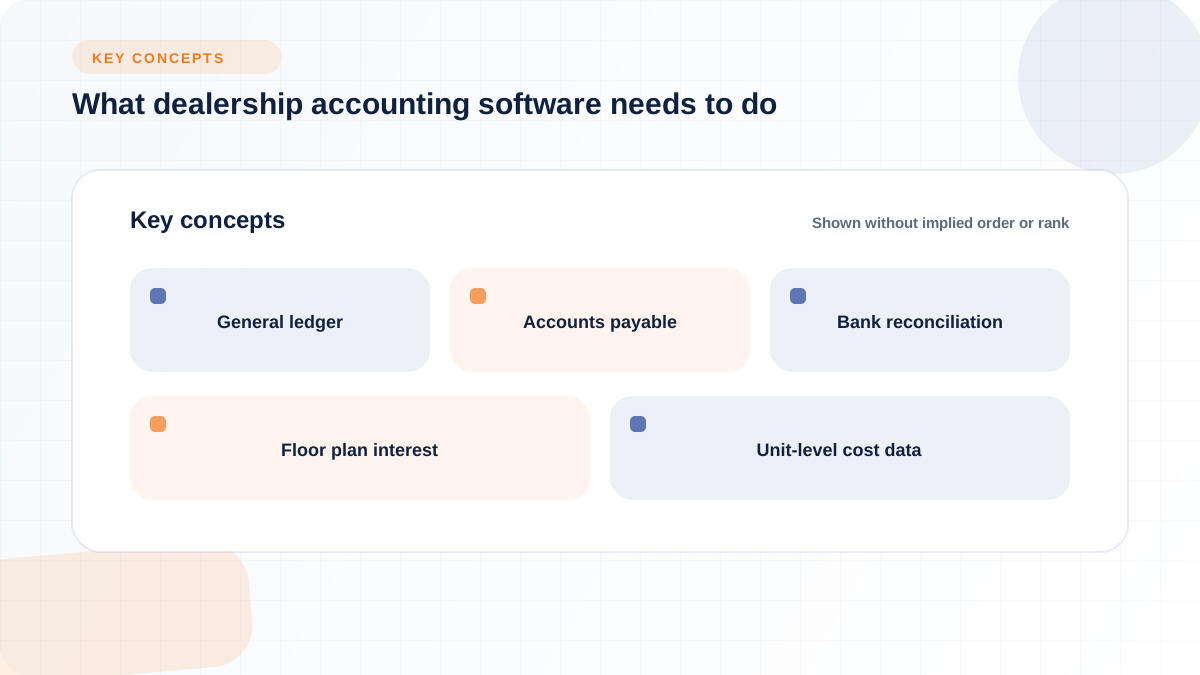
Every accounting platform, whether it is a general small-business tool or one built into a DMS, needs to handle the same base set of functions. These are the non-negotiable building blocks regardless of dealership size or vertical:
QuickBooks Online, for example, positions itself around automating manual bookkeeping tasks and generating reports for decision-making, according to Intuit's 2024 dealer-focused marketing. Xero describes similar ground: expense claims, bank feeds, and accountant collaboration, all handled online, per Xero's car dealer page. These are legitimate core functions. The question for a dealership is whether that base layer is enough on its own, or whether it needs to sit underneath something built for dealership-specific workflows.
A dealership's accounting requirements diverge from a typical small business the moment inventory enters the picture. A vehicle or piece of equipment is not a simple SKU with a fixed cost; its book value changes as recon or service work is added, its financing accrues interest while it sits on the lot, and its eventual sale or rental has to be tied back to that specific unit for profitability reporting to mean anything.
Consider a straightforward illustration. A dealer acquires a used skid steer loader for $28,000. Over the next three weeks, the shop puts $1,400 into recon labor and parts before the unit is ready for the floor. The unit sits on floor plan financing accruing interest daily; even a modest rate adds real dollars over 45 days on the lot. It then sells for $34,500, with a $150 documentation fee and applicable sales tax handled separately. Before the dealer can calculate true profit on that unit, the accounting system needs to net the acquisition cost, the recon cost, the accrued floor plan interest, and the payoff amount against the sale price, not just record a single "vehicle sold" transaction. If any one of those inputs sits in a separate spreadsheet instead of the accounting system, the reported gross profit on that unit will be wrong until someone manually reconciles it.
That is the practical difference between generic bookkeeping and dealership accounting: it is not about having more features, it is about whether the system can hold unit-level cost data, department segmentation, and financing activity in the same place where the general ledger lives.
Dealerships generally choose from a handful of software categories, and the labels get used loosely enough that it is worth defining them plainly. A general accounting tool, such as QuickBooks Online or Xero, is built for broad small-business use and treats a dealership like any other company with inventory and payroll. A standalone accounting platform with more configuration depth, such as Sage Intacct, adds stronger multi-entity and departmental reporting but still needs data fed into it from wherever sales, service, and parts activity actually happens. An ERP system extends that idea further across a whole business. Expense management tools sit alongside any of these, handling reimbursements and card spend rather than the full ledger.
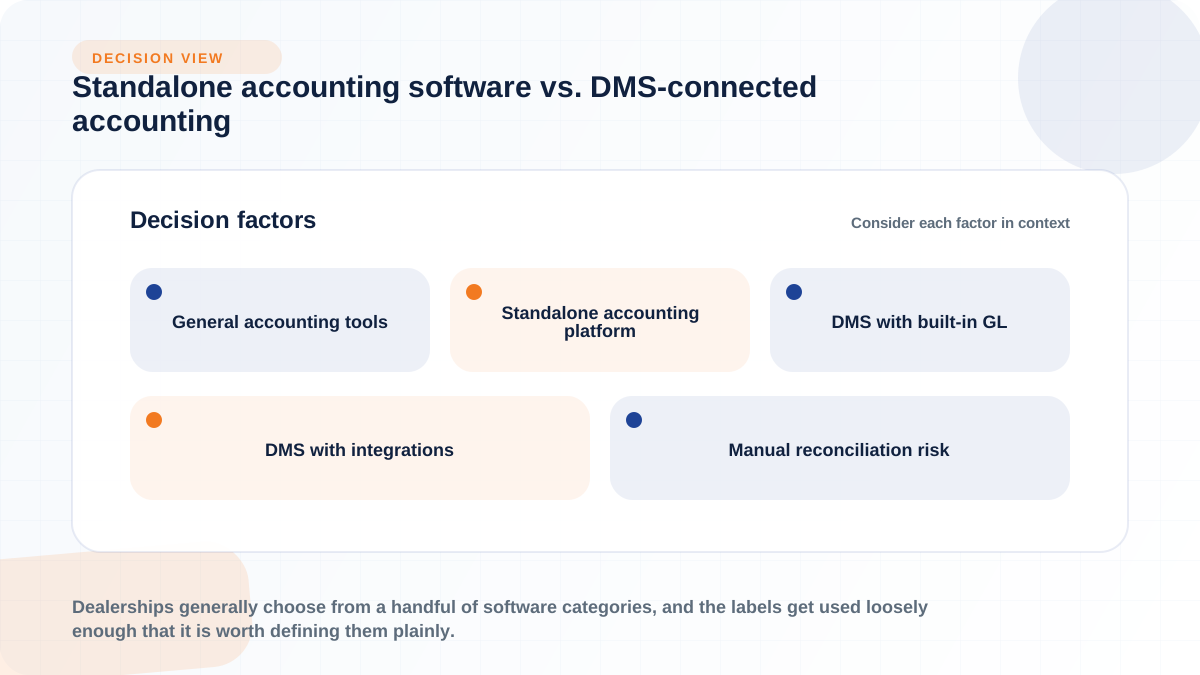
A DMS changes the equation because it is built around the operational side of the dealership first: inventory, deals, work orders, and rentals. Some DMS platforms include a built-in general ledger. Others, including Flyntlok, deliberately do not build their own GL and instead maintain real-time integration with QuickBooks Online and Sage Intacct, syncing sales, service, parts, and rental activity into the books automatically, according to Flyntlok's accounting integrations page. Neither approach is automatically better. A DMS with built-in accounting can simplify vendor management but may limit reporting flexibility; a DMS that integrates with a dedicated accounting platform keeps the ledger in a tool your CPA already knows, but depends on the integration staying accurate.
A smaller or simpler dealership can run adequately on general accounting software if the underlying process discipline is strong. This usually means a well-designed chart of accounts, consistent use of classes or locations for department tracking, a manual but reliable process for updating unit costs as recon work happens, and someone who reconciles inventory against the books on a fixed schedule. Reddit's r/Accounting community, in a 2022 discussion, notes that Xero can be "a good option for small dealerships that are looking for a simple and affordable accounting solution," while also cautioning that a dealership bringing in a lot of inventory is often better served by a dedicated inventory management system or DMS layered on top.
Dealr.cloud's review of dealership accounting software makes a similar point from the other direction: QuickBooks Online is described as suitable for very small dealerships, but as requiring additional tools and manual work once an independent dealer is running 50 or more vehicles or operating multiple locations, per dealr.cloud's January 2026 guide. The threshold is not a hard rule, but it is a useful signal. If your team is already exporting data to spreadsheets to answer basic profitability questions, general accounting software has likely reached its practical ceiling for your operation.
Operational complexity is the trigger, not dealership size alone. A dealership running service, parts, and rentals alongside sales, or operating more than one location, accumulates transaction volume and department interdependence that a general ledger alone cannot represent well. Every additional disconnected tool, whether it is a separate rental spreadsheet or a standalone parts system, adds a manual reconciliation step at month-end.
This is the segment where DMS-connected accounting tends to earn its complexity. Flyntlok, as an example, is built as a cloud DMS that connects sales, service, parts, and rental workflows to accounting rather than treating accounting as an afterthought bolted onto operations. According to Flyntlok's integrations overview, transactions entered once, such as a counter sale or a service work order, update inventory, post to the books, and bill the customer without re-entry, with real-time or automatic sync into QuickBooks Online or Sage Intacct. The platform was built from scratch on Google Cloud by its founder, an equipment dealer, on the premise that a dealership's most important software should not be its most outdated system, according to Flyntlok's cloud DMS page. For a dealer weighing this route, the details worth checking are covered on Flyntlok's equipment dealer accounting software page and the integrations overview, which lay out exactly what syncs and how.
Different dealership models carry genuinely different accounting requirements, and a matrix is more useful than a single product recommendation because it forces the comparison down to workflow fit. The table below maps common dealership types to the features that matter most, the integrations worth prioritizing, the software category that tends to fit, and the rollout complexity to expect.

Treat this matrix as a starting point rather than a verdict. Your dealership might sit between rows, particularly if you are a franchise dealer with only one location, or an independent dealer that also runs a growing rental fleet. The right way to use it is to identify which row describes most of your current operation, then check whether any single factor, such as multi-entity reporting or lender-driven floor plan reporting, pushes you toward the more complex category regardless of size. Final selection should still involve your controller or CPA, since they will be the ones pulling reports out of whatever system you choose.
Vendor comparisons tend to list features in generic terms: "inventory management," "reporting," "integrations." Those labels do not tell you whether a system actually fits your workflow. The following breakdown ties each feature area to the specific dealership decision it should influence before you sit through a demo.
Inventory accounting is the area where general tools most often fall short. You need the system to track acquisition cost, recon or repair cost additions, and any inventory adjustments against each individual unit, then roll that up into a gross profit figure per vehicle or piece of equipment. If your current setup requires someone to manually total recon invoices in a spreadsheet before they can tell you what a unit actually made, that is a sign the accounting layer is not doing dealership-specific inventory accounting, it is doing generic bookkeeping with inventory bolted on.
Not every dealership carries floor plan debt, but for those that do, the accounting system needs to track the outstanding balance per unit, accrue interest correctly, record curtailment payments, and reflect the payoff at time of sale. Lenders often want reporting that matches their own records, so the system should make it straightforward to reconcile your floor plan ledger against a lender statement without a separate manual worksheet. This is one of the areas competitor guides on generic accounting platforms rarely address in depth, since floor plan financing is specific to inventory-heavy dealerships rather than typical small businesses.
A dealership with sales, service, parts, and rental departments needs to see performance broken out by department, not just as one blended number. The same applies to each location if you run more than one. This segmentation matters as much for an equipment dealer tracking parts, service, and rental revenue separately as it does for a car dealer separating new, used, and F&I. Ask any vendor directly whether department and location reporting is a native structure in the chart of accounts, or whether it requires manual tagging after the fact.
Internal controls are easy to overlook during a software evaluation because they rarely show up on a feature list, but they matter every time someone reviews the books or an auditor asks a question. The system should support:
Flyntlok's cloud DMS page describes role-based access controls that define exactly who can see specific data and take specific actions, along with encryption and automatic backups on Google Cloud infrastructure. Whether or not you evaluate Flyntlok specifically, this is the category of control to confirm with any vendor before you sign.
Your outside CPA or bookkeeper needs to get in and out of the system efficiently, whether that means direct login access, exported reports, or a shared accounting platform they already use for other clients. Ask what access model the vendor supports and whether standard reports (trial balance, general ledger detail, department P&L) export in a format your accountant can work with directly. This is worth raising before you commit to a category, not after, since some DMS-native ledgers are harder for an outside accountant to navigate than a standalone platform like QuickBooks Online or Sage Intacct that they may already know.
Following one unit from intake to profitability reporting shows exactly where accounting software earns or loses its value, and it builds on the skid steer example introduced earlier. Assume the $28,000 acquisition, the $1,400 recon spend, floor plan financing at daily accrual, and a $34,500 sale price with a $150 doc fee.
At intake, the unit is entered into inventory at its acquisition cost, and the floor plan draw is recorded against it. As recon work happens in the shop, each labor hour and part used gets added to the unit's cost basis rather than posted as a generic shop expense, so the running cost of the unit stays current. While the unit sits on the lot, floor plan interest accrues daily against the outstanding balance; the longer it sits, the more that interest erodes the eventual margin. At sale, the system needs to record the sale price, the doc fee, applicable sales tax, and the floor plan payoff in the same transaction, then calculate gross profit as sale price minus total cost basis minus accrued interest. Only at that point does the dealer see a real per-unit profitability number rather than an estimate.
In a general accounting tool without dealership-specific structure, several of these steps depend on manual entry. Recon costs might get coded to a general shop expense account instead of being tied to the specific unit. Floor plan interest might be calculated outside the system and posted as a lump adjustment at month-end rather than accrued daily. Unit IDs used in the DMS or inventory spreadsheet might not match the customer or invoice reference used in the accounting system, which makes it harder to trace a transaction back to its source when something looks off. None of this makes general accounting software unusable, but it does mean the accuracy of unit-level profitability depends entirely on someone maintaining that discipline every week.
Where the DMS and accounting platform are connected, the same recon labor hour, the same parts pull, and the same sale transaction only need to be entered once, at the point where the work actually happens. Flyntlok's equipment dealer accounting page describes this as real-time visibility across sales, service, parts, and rentals feeding directly into QuickBooks Online or Sage Intacct rather than requiring a second manual entry into the books. That reduces the number of places an error can be introduced, though it does not eliminate the need for someone to review postings, confirm tax mapping, and catch exceptions. Automation reduces re-keying; it does not replace a controller's monthly review.
Deciding what should sync between systems is as important as deciding which accounting platform to buy, because a disconnected integration can undo the benefit of even a well-chosen accounting tool. At minimum, sales transactions, service work orders, parts movement, rental billing, payment processing, payroll, and bank activity all need a defined path into the general ledger, whether that path runs through a DMS or through manual entry.
Some integrations post transactions to the accounting system as they happen; others batch updates on a schedule, whether hourly, daily, or at month-end. Flyntlok's Sage Intacct integration, which launched in August 2023 according to Flyntlok's integration documentation, maintains a two-way sync of reference data, transactions, and account balances, and the sync can run automatically or be triggered manually so a controller can review before data posts. Real-time sync gives you current numbers whenever you check, which matters most for dealerships with high transaction volume or multiple locations. Batch sync can still work for a lower-volume dealership, but the tradeoff is that any reporting pulled between batch cycles is out of date, and errors compound if nobody notices until the next batch runs.
Even a well-configured integration can drift out of sync over time, and it helps to know the specific failure patterns to check for during setup and periodically afterward:
Catching these early, ideally during integration testing before go-live rather than during a live month-end close, is one of the more overlooked steps in a software rollout.
No accounting software, however well built, compensates for a chart of accounts that does not match how your dealership actually operates. The software choice matters, but the configuration decisions made during setup determine whether the reporting coming out of it is actually useful to you and your CPA.
Most dealerships need reporting segmented by at least sales, service, and parts, with rental and F&I added where those departments exist, and by location if you run more than one. Whether this segmentation is built through classes, locations, or a dedicated departmental structure depends on the accounting platform, but the underlying need is the same: you should be able to pull a profit and loss for each department without manually filtering a blended report. There is no single universal structure that fits every dealership, since a heavy equipment dealer with a large rental fleet has different segmentation needs than a used car lot with no service department.
Two opposite mistakes show up repeatedly during chart of accounts design. A chart with too few accounts blends departments together and makes it impossible to see which part of the business is actually profitable. A chart with too many accounts becomes inconsistent within a few months, because staff either guess at coding or leave transactions in a catch-all account rather than learning an overly granular structure. Other recurring mistakes include:
Software cost is rarely just the subscription fee, and treating it that way is one of the more common planning mistakes dealerships make. A realistic cost conversation covers several categories, and a realistic timeline accounts for the disruption a rollout causes even when it goes well.
Ask any vendor to break down pricing across these categories rather than accepting a single headline number:
Pricing structures vary by vendor. Flyntlok uses per-user pricing, with current pricing available by contacting the company directly. Ask each vendor which pricing model applies and what implementation, module, support, and integration costs are included before comparing headline prices.
A rollout tends to go more smoothly when it follows a defined sequence rather than trying to move everything at once. A workable order looks like this:
1. Clean up existing data, including outstanding balances and duplicate customer or vendor records
2. Review and finalize the chart of accounts and department structure before migration, not after
3. Establish accurate opening balances for inventory, AP, AR, and cash accounts
4. Import inventory records, including current recon and cost data for open units
5. Configure and test integrations with your DMS, payment processor, and bank feeds
6. Set user permissions and approval workflows
7. Train staff by role, since the parts counter, service writer, and controller each need different training
8. Run a parallel period where old and new systems both operate before full cutover
9. Conduct a formal go-live review to confirm reports match expectations
Flyntlok's heavy equipment solutions page notes that implementation timelines vary depending on location count, rental fleet size, and data complexity, with the company's team handling OEM integration setup, accounting sync, and data migration while the dealership's team focuses on validating data and attending training. Whatever platform you choose, ask the vendor to walk through this same sequence specifically for your dealership rather than accepting a generic timeline.
Software evaluation should include a direct look at compliance and controls, since these are the areas where a gap only becomes visible during an audit or a lender review, when it is too late to fix. Use this checklist during vendor demos rather than assuming a feature exists because it was mentioned in a sales conversation:
None of these items are unique to one software category, but the ease of producing them varies a great deal between a disconnected spreadsheet-and-tool setup and a system where operational and financial data already live together.
A demo is more useful when you walk in with specific questions rather than letting the vendor set the agenda. The following two lists split questions by what they reveal: workflow fit and implementation reality.
The strongest accounting software choice is the one that matches your dealership's actual operating complexity, not the one with the longest feature list. A single-location dealer with disciplined processes may do perfectly well on a general accounting platform with a carefully designed chart of accounts. A dealership running sales, service, parts, and rentals across more than one location is more likely to need accounting connected directly to its DMS, where unit costs, department activity, and financing balances update in one place instead of several.
Work through the decision matrix, the feature checklist, and the vendor questions in this guide before you commit to a category, and involve your controller or CPA in that process rather than deciding on software alone. If you operate an equipment dealership and are evaluating whether a DMS-connected accounting workflow fits your operation, Flyntlok's accounting integrations page lays out the specific QuickBooks Online and Sage Intacct sync details worth checking against your own requirements.
What is the difference between dealership accounting software and a dealer management system? Accounting software manages the general ledger, AP, AR, and financial statements. A dealer management system manages the operational side of the dealership, such as sales deals, service work orders, parts inventory, and rentals, and either includes its own accounting module or integrates with a dedicated accounting platform like QuickBooks Online or Sage Intacct.
Is QuickBooks or Xero enough for a small dealership? It can be, if the chart of accounts, department classes, and reconciliation discipline are strong. Dealr.cloud's review notes QuickBooks Online fits very small dealerships but tends to require additional tools once a dealer is running 50 or more vehicles or multiple locations, and practitioners on Reddit's r/Accounting make a similar point about Xero and inventory-heavy operations.
When should a dealership move from standalone accounting software to a DMS-connected workflow? The trigger is usually operational complexity rather than a fixed size threshold: multiple departments (service, parts, rental) operating alongside sales, more than one location, or manual reconciliation between disconnected tools becoming a recurring month-end burden.
What features are non-negotiable in dealership accounting software? A general ledger, AP/AR, bank reconciliation, unit-level cost tracking, department segmentation, and role-based permissions with an audit trail are the baseline requirements regardless of dealership size.
How should a dealership evaluate accounting software for parts, service, sales, and rental workflows? Check whether each department's transactions post to the ledger without manual re-entry, whether department-level profit and loss reporting is native rather than manually filtered, and whether rental or service activity updates inventory and accounting at the same time.
How does dealership accounting software track floor plan financing and interest? The system should track the outstanding balance per unit, accrue interest daily or on the financing agreement's schedule, record curtailment payments, and reflect the payoff amount at time of sale so it nets correctly against the unit's cost basis.
What should a dealership include in its chart of accounts before implementing new software? Department segmentation (sales, service, parts, rental, F&I where relevant), location coding if you have more than one location, and a consistent structure for unit-level cost accounts, reviewed and finalized before data migration rather than adjusted afterward.
How do accounting software choices affect month-end close for dealerships? A system that ties unit costs, department activity, and financing balances together at the point of transaction shortens close because less manual reconciliation is needed. A system that relies on separate spreadsheets for inventory or floor plan tracking extends close time and increases the risk of errors carrying forward.
What integrations matter most for dealership accounting software? Bank feeds, payment processors, payroll, your DMS or inventory system, and where applicable, OEM systems and floor plan lender reporting. Sage Intacct and QuickBooks Online are common accounting-side integration targets for DMS platforms, according to Flyntlok's integrations overview.
How should a dealership migrate from spreadsheets or legacy accounting software? Clean up existing data first, finalize the chart of accounts before migrating, establish accurate opening balances, import inventory with current cost data, test integrations before go-live, and run a parallel period before fully cutting over.
What internal controls should dealership accounting software support? Role-based permissions separating who can post entries from who can approve them, an audit trail logging every change, approval workflows for large adjustments, and document attachment linking deal or unit records to the corresponding ledger entry.
Who should be involved in choosing dealership accounting software? The dealer principal or owner should lead the decision, but the controller, CPA, office manager, and operations lead should validate requirements, since each of them will depend on the reporting and workflow accuracy the system produces.