NEW!
Meet Flyntlok at Equip Expo 2026:
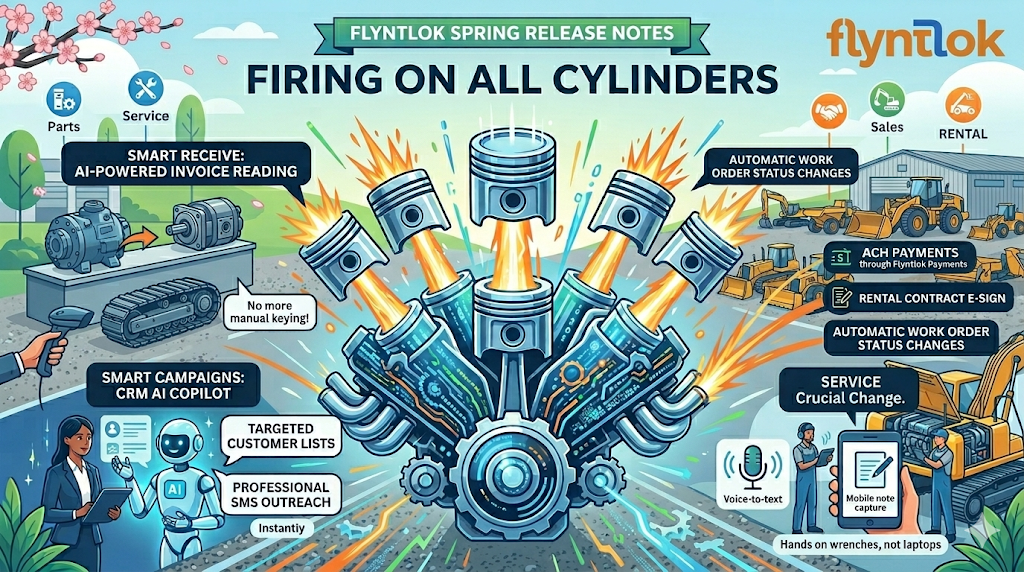
The Flyntlok team is firing on all cylinders this spring. Our investment in AI is paying off in ways you can feel across the platform. Smart Receive goes live for all customers, bringing AI-powered invoice reading to every parts counter — no more manual keying of costs, quantities, and fees. Smart Campaigns opens to a wider beta, giving your CRM team an AI copilot that builds targeted customer lists and drafts professional SMS outreach in seconds. And we're kicking off a brand-new project to streamline how technician notes get captured, so your service team can keep hands on wrenches instead of laptops. Add in ACH payments through Flyntlok Payments, rental contract e-sign for initials, and automatic work order status changes when parts are ordered, and this release touches every corner of your dealership. Let's get into it!
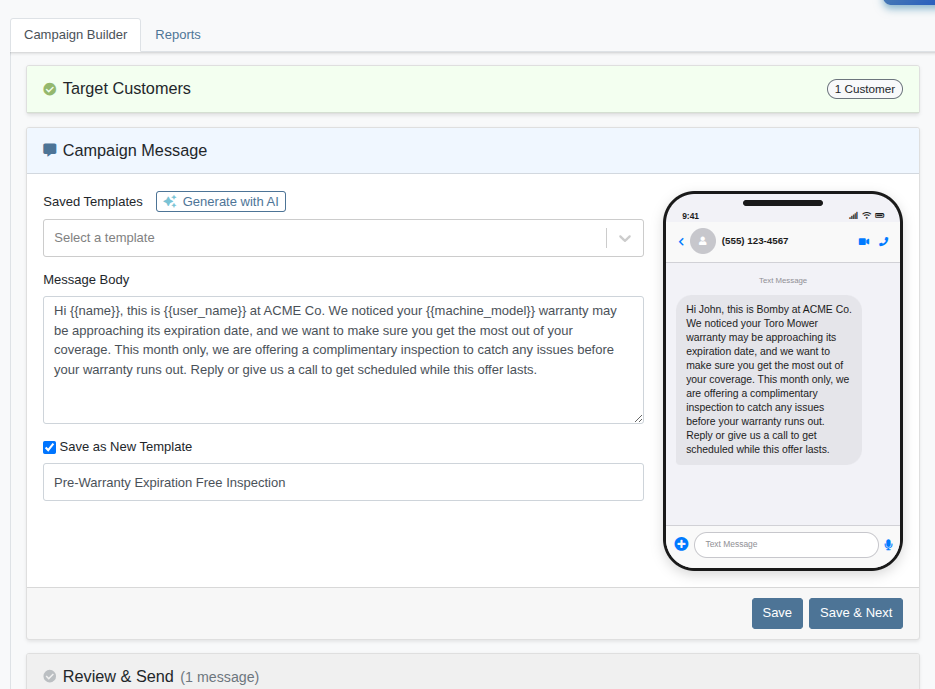
You may have seen Smart Campaigns mentioned in our last release notes as an upcoming feature — we're happy to share that it's now ready for a wider audience! Smart Campaigns is Flyntlok's AI-powered customer outreach tool, built to make targeted SMS marketing faster and smarter. Instead of manually building customer lists and crafting messages, you describe who you want to reach and what you want to say — and Flyntlok does the heavy lifting.
Using AI-powered customer search, you can target customers by equipment owned, service history, warranty status, location, and more — all in plain English. From there, Smart Campaigns can generate professional SMS templates from a short description, review your messages for typos and tone, and even auto-respond to customer replies with a friendly hand-off message while creating scored Leads for your team to follow up on. Whether you're promoting a seasonal service, following up on warranty expirations, or reconnecting with customers who haven't visited in a while, Smart Campaigns gets your message to the right people with minimal setup. Please see our Smart Campaign Guide for a detailed walk-through.
To sign up for the beta, please file a Support Ticket and let us know who on your team should be enabled and whether you'd like us to reach out to schedule a personal demo. As with all of our AI-powered features, your feedback is critical — thumbs up/thumbs down buttons and a feedback form are built directly into the tool, and we'll use your input to continue refining the experience.
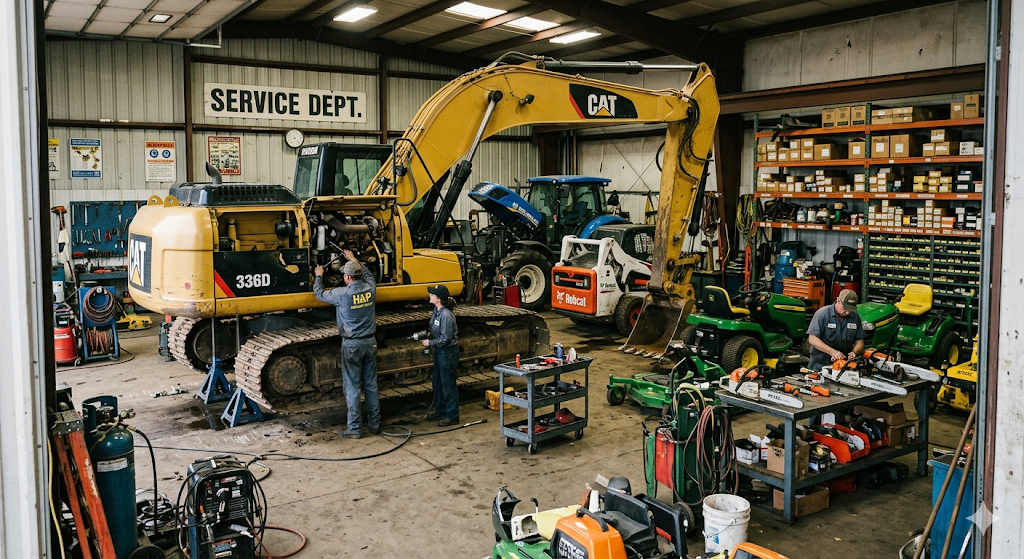
We're building something new to help technicians spend less time typing and more time turning wrenches. The goal: streamline how technician notes are captured so the information your team needs gets into the system without slowing anyone down. We're in the early stages and want to get it right — so we're looking for a small group of service managers, technicians, and service writers to help shape this feature from the ground up. If you'd like a seat at the table, drop us a Support Ticket and we'll be in touch.
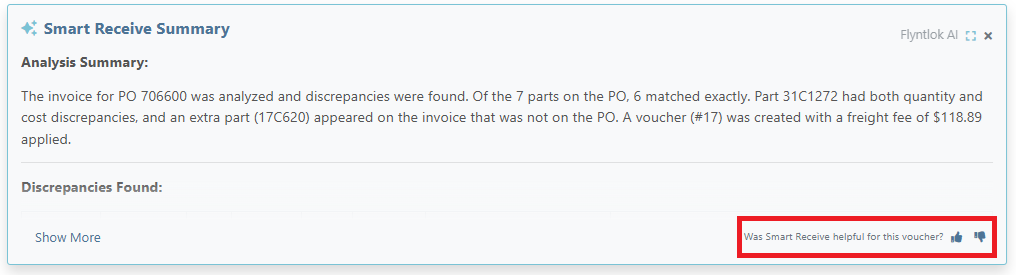
Smart Receive is Flyntlok's AI-enhanced receiving tool built to streamline your parts receiving process. By uploading a vendor invoice, Smart Receive automatically extracts key data, flags discrepancies, and applies costs — so you spend less time keying in data and more time focusing on getting parts where they need to be to drive revenue.
We had an amazing response to the open beta announced last release and have taken on several more rounds of feedback. Huge thanks go out to all of the dealership owners, managers and parts department teams that have tried out the feature and helped us continue to evolve!
We are rolling out Smart Receive to all Flyntlok customers with this latest release. You will see the button below appear on all submitted purchase orders. As a reminder, the tool will capture invoice number, date, due date, item costs and quantities, freight and tax fees–and highlight any discrepancies relative to the original order. A detailed walk-through is available in this guide.

We are continuing to refine this new feature, so please continue to let us know how it’s working for you via the thumbs up/thumbs down buttons in the app.
Opportunity
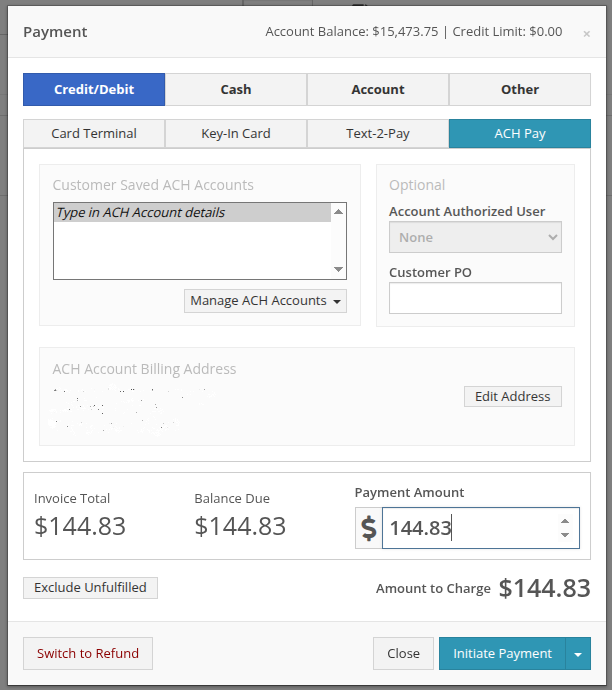
Many Flyntlok dealerships leveraging Gravity wanted the ability to transact via ACH directly in the platform to reduce the burden of tracking such payments manually.
Solution
Flyntlok has now enabled support for direct ACH payments within the platform. Please connect with your Gravity contact to configure your account and file a support ticket to enable on Flyntlok.
Opportunity
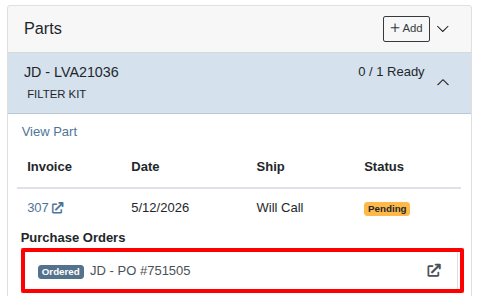
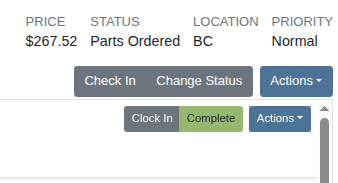
Managers found it cumbersome to change work order statuses manually when ordering parts for jobs. Given we already had work order status automation, they requested an additional ability to change work order status when all requested parts are ordered. This enhancement offers a more reliable view of job progress on work orders.
Solution
We have updated the work order status automation system to recognize when all requested parts have been ordered and advance the status based on your configured rules. You can reach out to your consultant to enable this new enhancement.


Opportunity
Rental contracts currently support electronic signatures for each dealership as part of the signing process. However, in some regions, it is required that customers also acknowledge specific terms or disclosures by providing their initials alongside custom statements within the contract. Previously, this acknowledgment process could not be completed electronically, creating additional manual steps and reducing flexibility for customers with more detailed compliance requirements.
Solution
We enhanced the rental contract signing experience to support the electronic capture of both signatures and initials. Customers can now enable this feature through the Rental Contract Settings page and configure a custom acknowledgment statement that will appear next to the required initials field.


Complaint: Salespeople reported that changing a Part’s bin location from an Invoice would not produce a corresponding record on the Part.
Correction: Added logs when the bin location changes.
Complaint: When viewing the service scheduler in the monthly view, work orders scheduled for completion during a single day were not displaying updated background colors.
Correction: Fixed. Updating the display to properly display those events.
Complaint: Users reported that editing a machine’s cost could unintentionally update related Sales Project invoice revenue lines, resulting in unexpected accounting changes.
Correction: Fixed. Updating machine costs will no longer modify Sales Project invoice revenue lines unintentionally.
Complaint: Users reported that traceability information was not visible on archived Sales Orders, making it difficult to review historical inventory tracking details.
Correction: Fixed. Traceability information now displays correctly on archived Sales Orders.
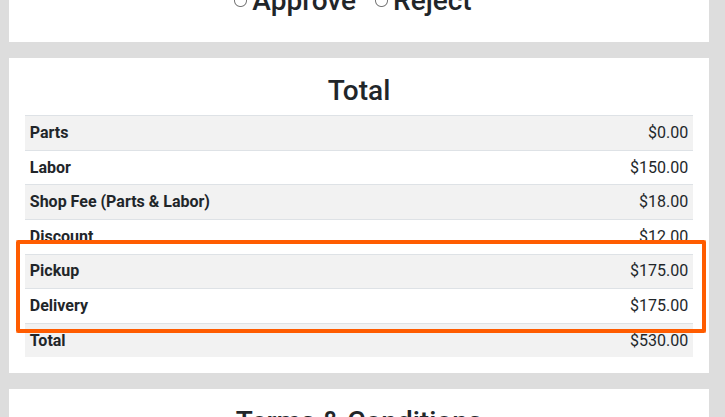
Complaint: Users reported that pickup and delivery charges were not included in the subtotals shown on the Estimate signature page, resulting in confusing pricing visibility for customers. These charges were only visible at the top of the page.
Correction: Pickup and delivery charges are now included in the subtotals displayed on the customer-facing Estimate signature page.
Complaint: Sales managers using Zapier to create Leads from their marketing website noted that sometimes a Lead would be created with an improperly formatted phone number. This resulted in a bug that would cause SMS messages to show an empty conversation within the Lead's conversation view.
Correction: Fixed. Phone numbers are now validated and fixed if possible when a Lead is created from a Zapier workflow.
Complaint: Salespeople reported that sometimes they were unable to edit a Lead, and were shown a non-descriptive error message.
Correction: Fixed an issue that caused Leads to be "stuck" when it was created from a Zapier integration and contained long or improperly formatted email addresses.
Complaint: Parts managers using the Bobcat OPC integration reported that no parts data was being pushed to their Bobcat OPC portal.
Correction: This is a known issue related to Bobcat's own major system updates that started in late April. Bobcat suggests reconnecting the integration or filing a support ticket directly with them to handle issues on a per-dealer basis.
Over the next two releases, you’ll see:
We are always incorporating your feedback into the product and this is especially important for new functionality. Please drop us a support ticket if you’re interested in becoming an early adopter for any of these upcoming releases. Thank you for all of the discussions, feedback and suggestions that shape Flyntlok day in and day out!






