NEW:
Save Technician Time and Drive More Service Revenue with Voice-to-Text, AI-Powered Tech Notes
Check out the latest updates to the Flyntlok Equipment Dealer Management System.
We want to make renting equipment easier for you! We have added a new page to research machines and create rental contracts. You can access this page under the "New" section of the left navigation.You can filter available machines based on customer requirements. Then, select the machines and attachments to add to the rental contract. The selected equipment will be moved to the Selected Machines section. Once all equipment has been selected, clicking the continue button will let you move forward with quoting or reserving the contract.
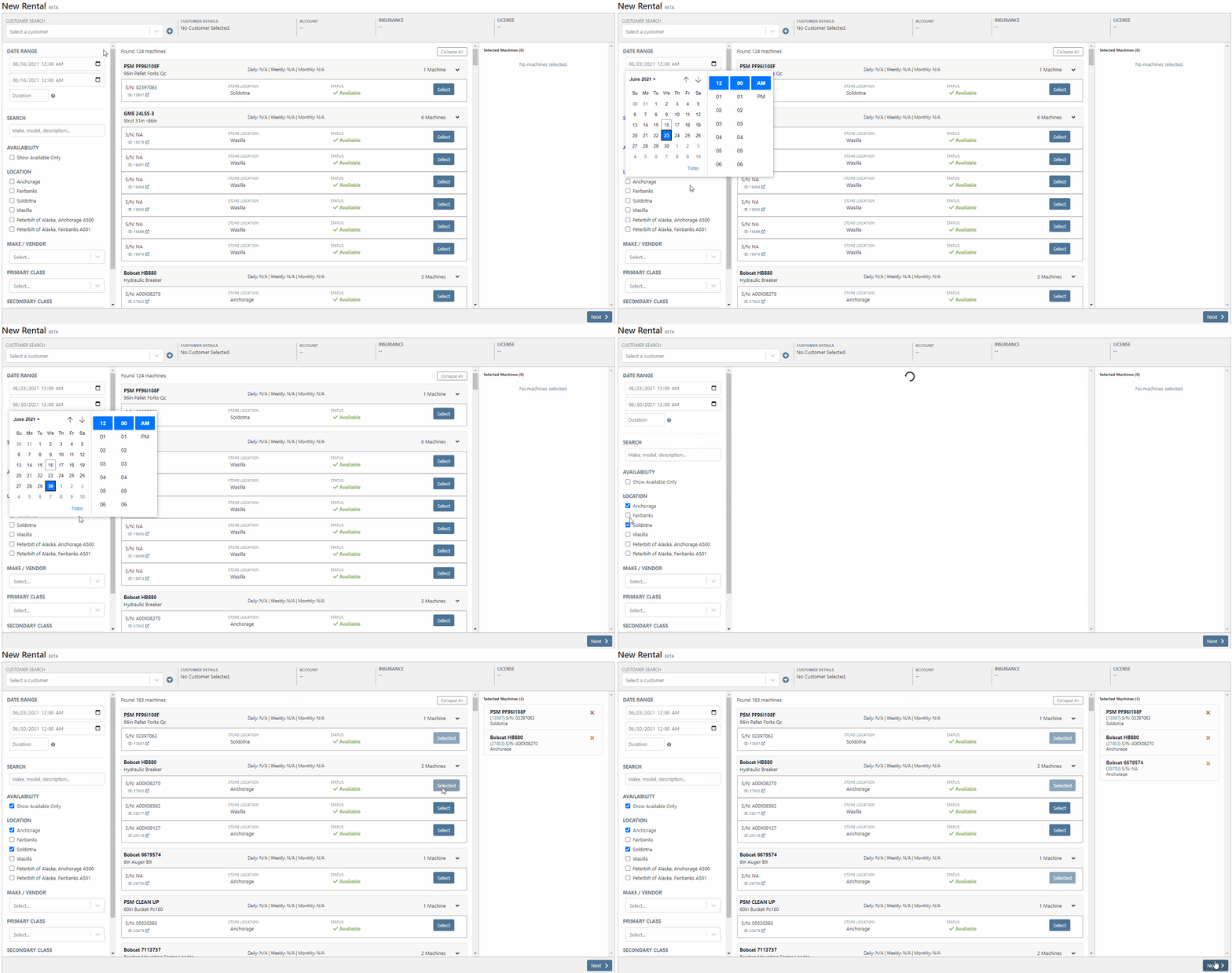
The Filter bar makes it easy to find a machine that meets your customer's requirements.

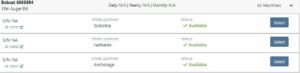
Machines that pass your filters will appear in the Machine section.Easily see all of your machines and select the equipment that works best. You can select as many machines and attachments as needed. Selected equipment will be added to the Selected Machines section.
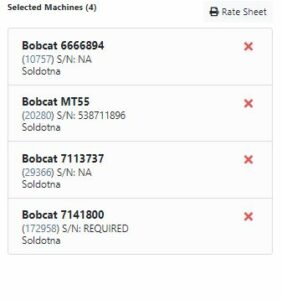
The Selected Machines bar allows you to add multiple machines to a single rental contact. The Selected Machines bar allows you to edit the rental contract. You can see the equipment you have already added, delete machines, and view the machine's rate sheet. When everything is perfect, click continue at the bottom of the page to finalize the rental contract.
While we beta this new form, our existing form for rental creation will remain in place, so you can still you that one if you would like.We're very interested in your feedback on the new page, so please let us know any suggestions by submitting a support ticket.
We have changed our Work Order Dashboard! Participating customers only; coming soon to everyone. This update to the work order dashboard comes with a tabbed layout giving more space to focus on the center point on the work order - jobs.
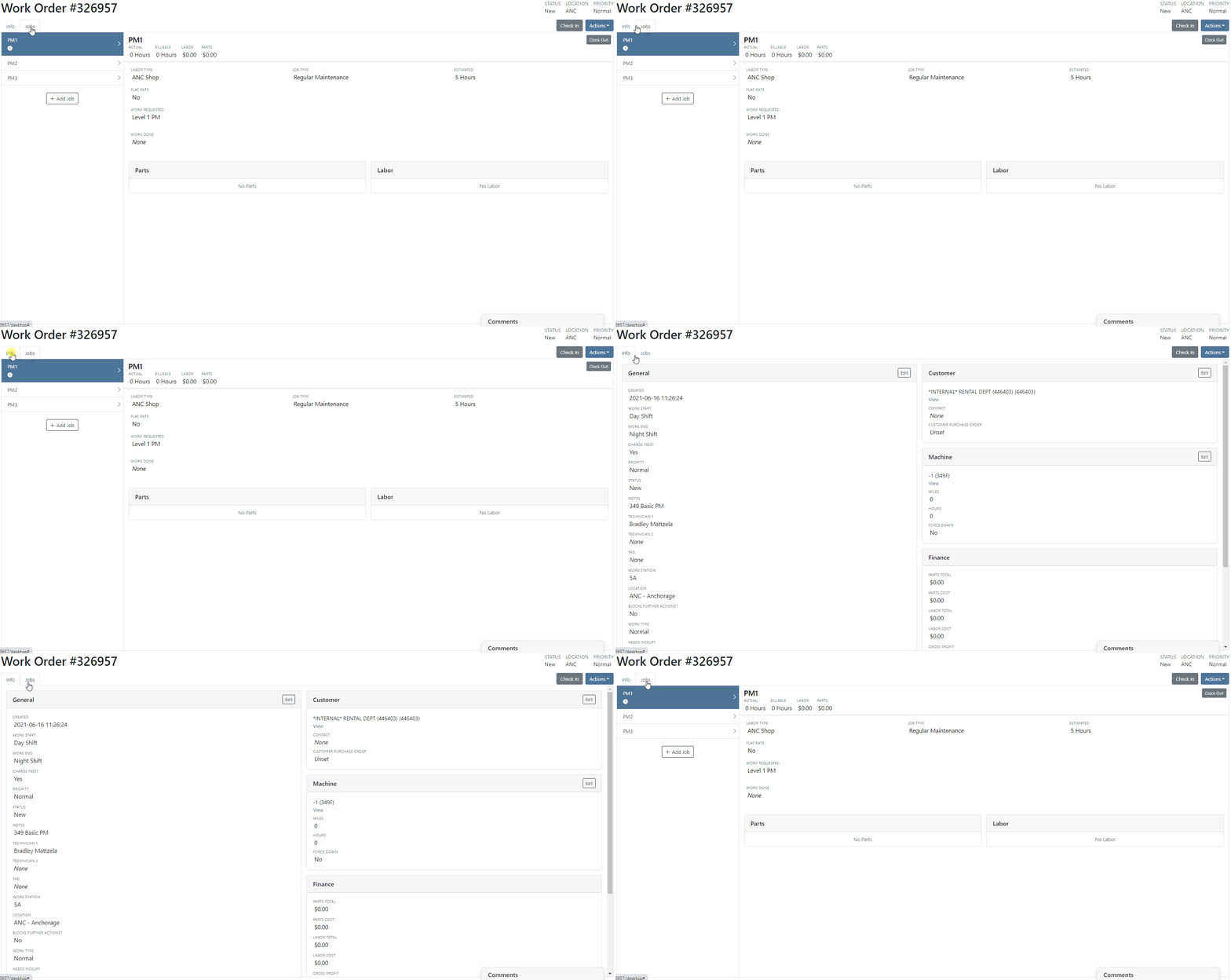
Jobs Tab:We crafted the Jobs tab to show everything a technician would need to perform work. We scaled down the dashboard to the essential information, removing clutter.Info Tab:We designed the Info tab to meet the needs of a service manager or parts associate. The Info tab shows customer and machine information essential to your job.
We will be rapidly expanding the functionality on this page to include the following features:
Open beta should begin 06/30/2021. If you are interested in participating, please reach out to consulting@flyntlok.com and we can ensure you are included.
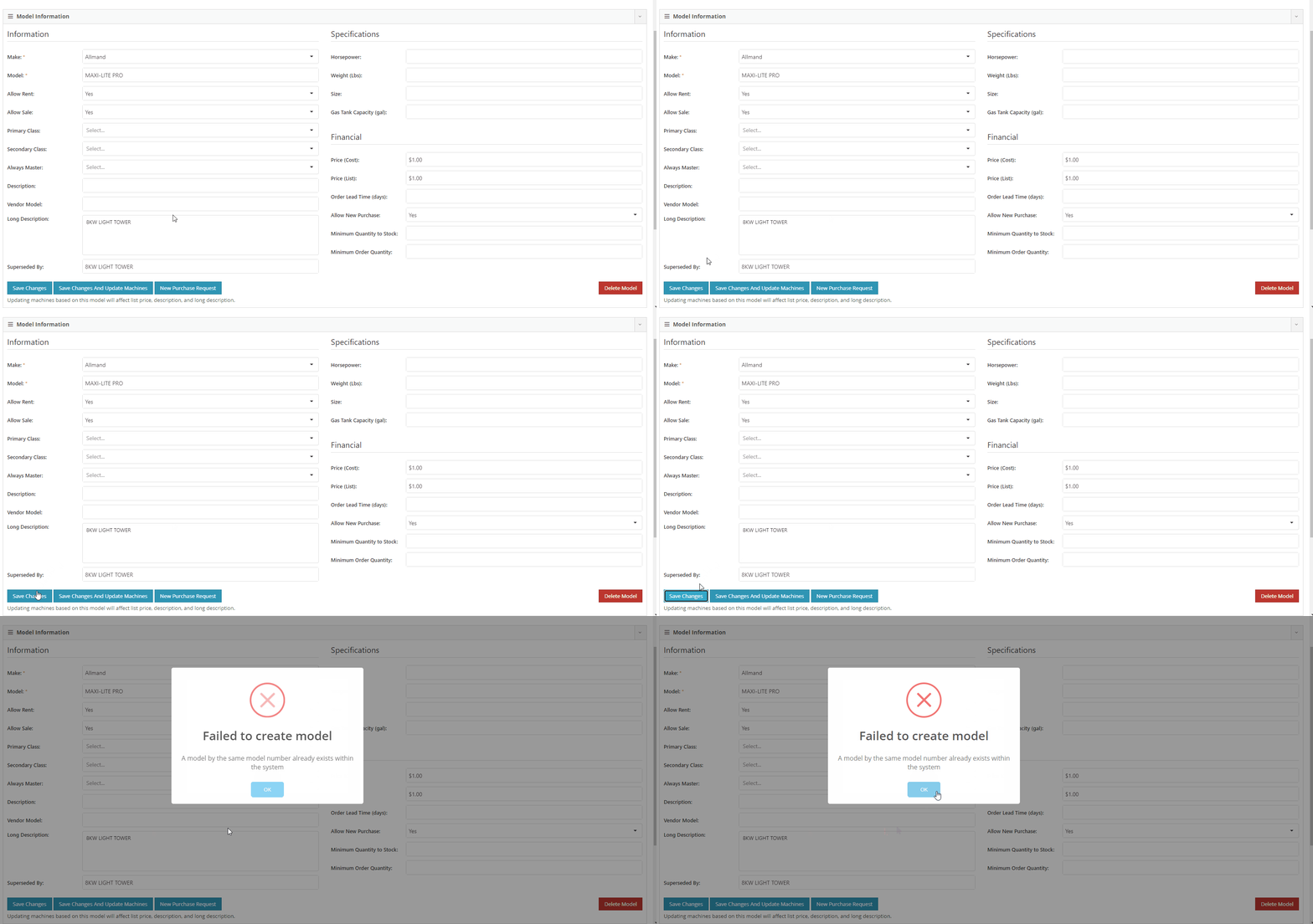
If you try to create a duplicate machine model, we will alert you!If you already have model duplicates and want to clean them up. A company admin can go to Wrench -> Flyntlok -> Widgets and use the Merge Model Widget.
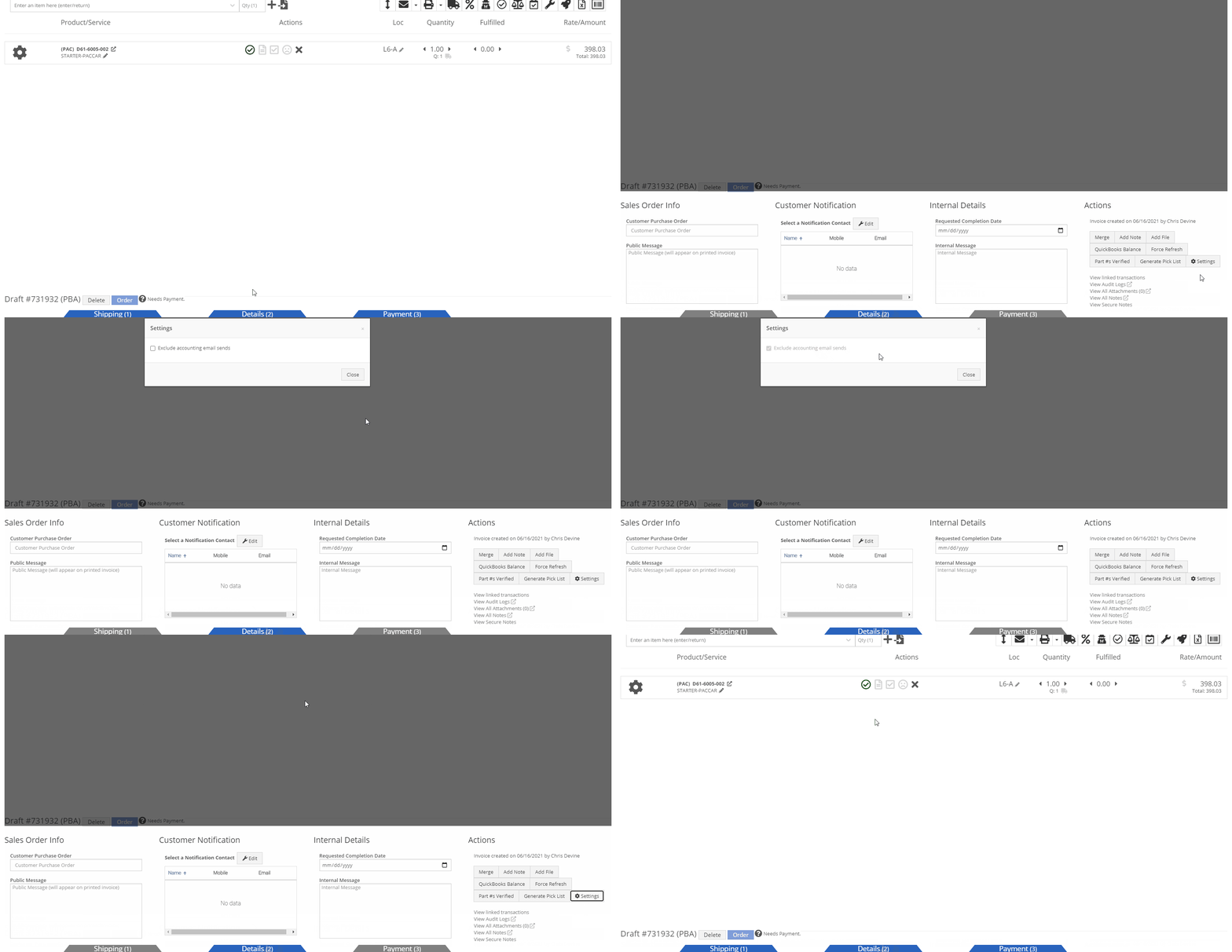
It is easy to disable emailing on a case-by-case basis. After reversing a sales order we recommend using this feature. This will prevent your customers from receiving multiple emails for the same transaction.
Moving forward, the Bond Loyalty/fleet accounts options will only be available for locations of your dealership that support Paccar. This continues our trend of decluttering; only showing the information you want to see.
You can now set a default primary/secondary class for models. This is done at the company level. To set this data, head to the Wrench -> Flyntlok -> Flyntlok Details. Under the model primary photo, you can set these defaults.
We allow you to set primary photos for a model in Flyntlok. This is the default for any machines created of this model. However, if you updated this photo, we weren't correctly updating the settings to make the new photo the primary photo. That has been fixed!
Learn More at Flyntlok Dealer Management System
Check out our Flyntlok YouTube channel for more highlights of the application!






