



Lorem ipsum dolor sit amet, consectetur adipiscing elit. Suspendisse varius enim in eros elementum tristique. Duis cursus, mi quis viverra ornare, eros dolor interdum nulla, ut commodo diam libero vitae erat. Aenean faucibus nibh et justo cursus id rutrum lorem imperdiet. Nunc ut sem vitae risus tristique posuere.
Required
- "Parts Catalog Admin" access in Bobcat Parts Catalog
- Integrations Settings access in Flyntlok
DMS Integration in Bobcat Parts Catalog
Log in to your Bobcat account and go to Parts Catalog. If your account has access, you should see a "Settings" link at the top navigation bar. Then click on the "DMS Integration" link on the left sidebar.
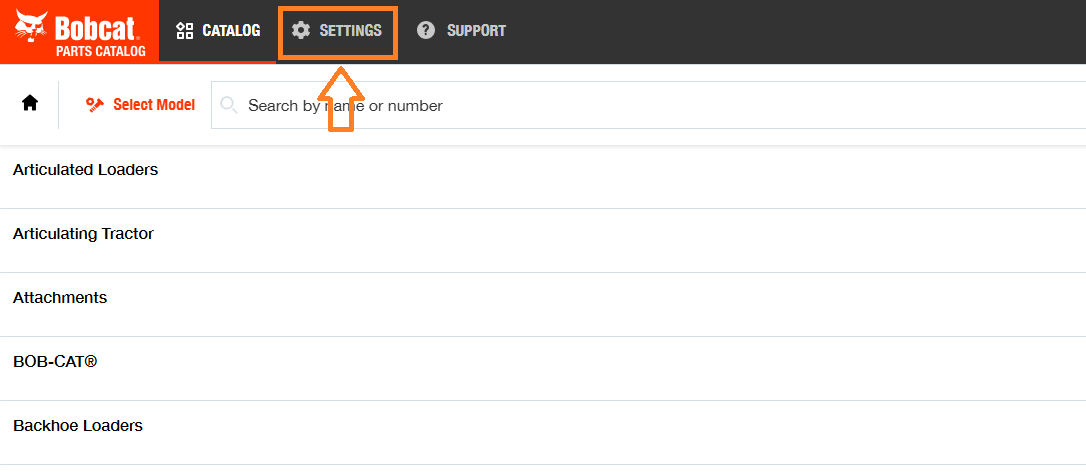
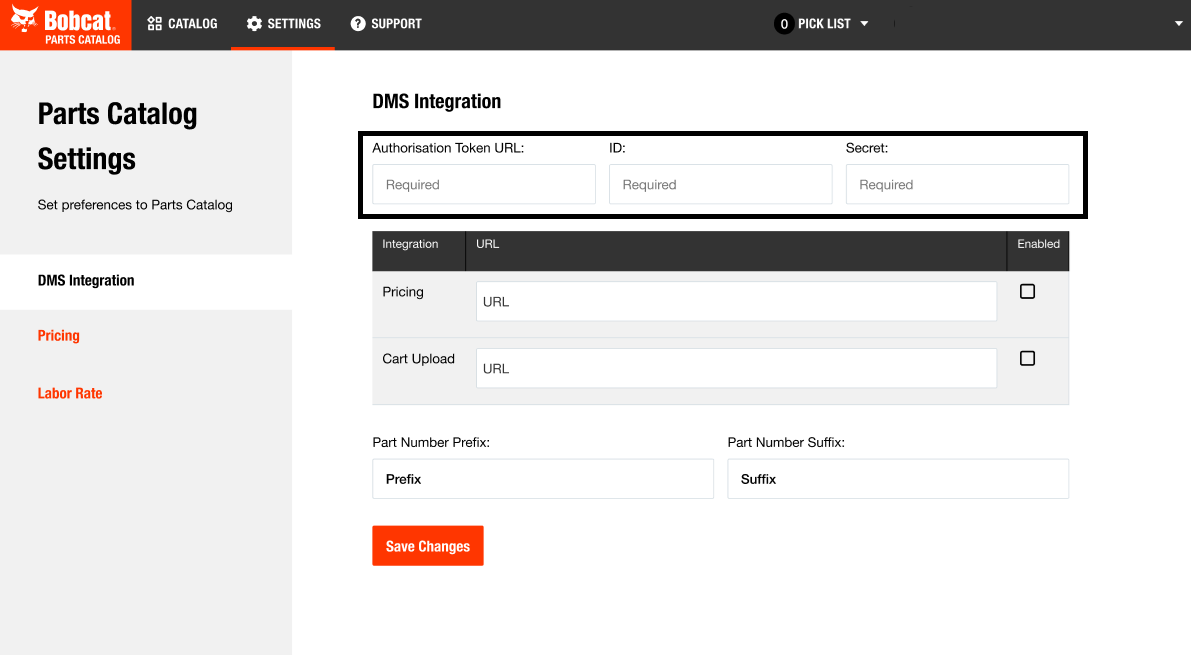
Feature URLsPricing URL - If you wish to use the Parts Availability feature which provides QOH and Pricing data, enable this and enter this into the "URL" field:https://flyntlok.com/webhooks/bobcat-opc/parts-availabilityCart Upload URL: If you wish to use the Cart Upload feature which allows you to export a Pick List directly to Flyntlok, enable this and enter this into the "URL" field:https://flyntlok.com/webhooks/bobcat-opc/pick-listAuthorizationYou should see several required inputs near the top of the DMS Integration section. In the next steps, you will use Flyntlok to generate the data to set those fields.
Bobcat Parts Catalog Settings in Flyntlok
In Flyntlok, access the Bobcat Parts Catalog Settings page. You can access it through the top-right Wrench Icon > Flyntlok > Integrations, then click on "View Bobcat Parts Catalog Settings".Or access this link directly if you are already logged in to Flyntlok: https://flyntlok.com/rc/integrations/bobcat-opc
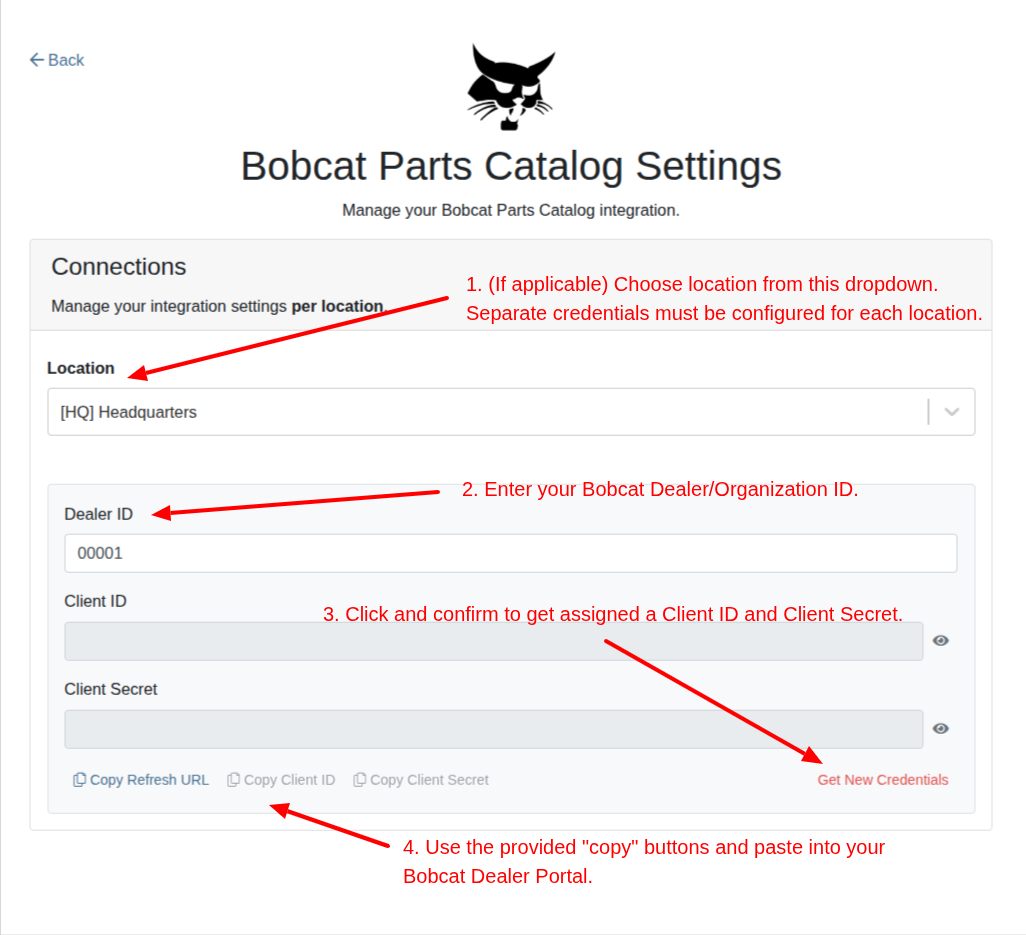
- Copy Refresh URL into Bobcat Settings "Authorisation Token URL" field.
- Copy Client ID into Bobcat Settings "ID" field.
- Copy Client Secret into Bobcat Settings "Secret" field.



.svg)
.svg)
.svg)


