NEW:
Save Technician Time and Drive More Service Revenue with Voice-to-Text, AI-Powered Tech Notes
Check out the latest updates to the Flyntlok Equipment Dealer Management System.
We have added a simple way to create estimates in the work order system. The first step is to create a work order with all of the parts and estimated labor. Then, switch to the Estimates Tab and click Create Estimate.
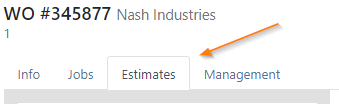
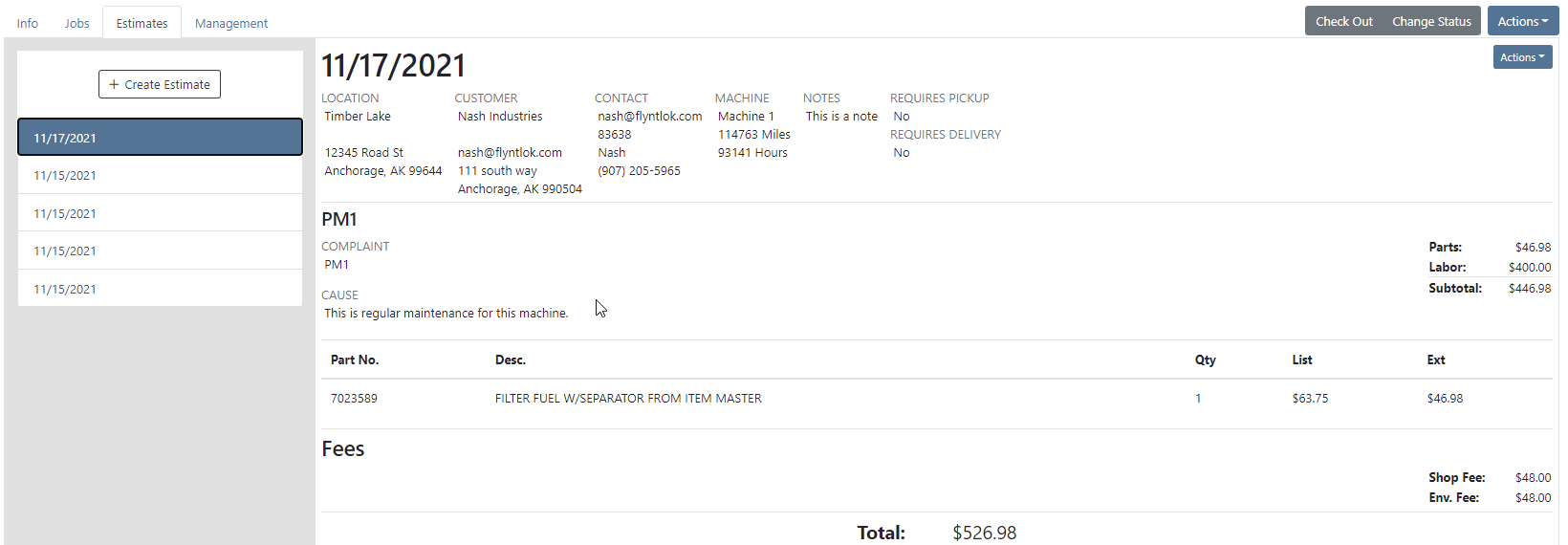
You can create as many estimates as you need. Each estimate is a snapshot of the work order and cannot be edited. If an adjustment is needed, adjust the work order, then create a new estimate. To send this information to the customer click Actions ->Send Request
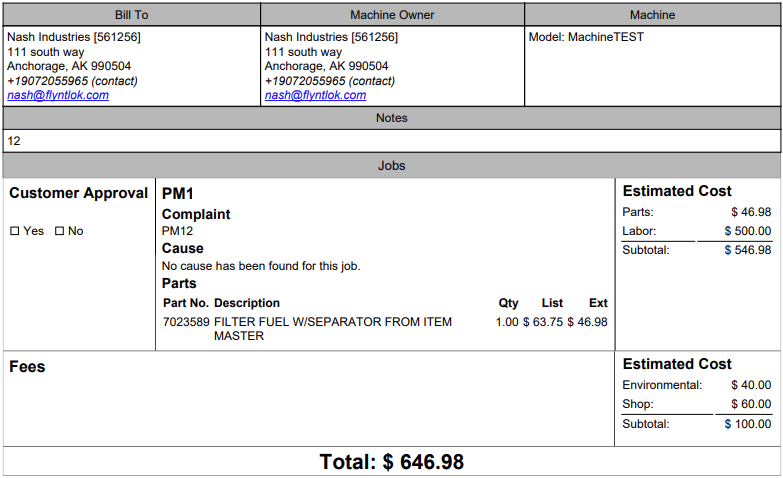
Here is what the PDF looks like!
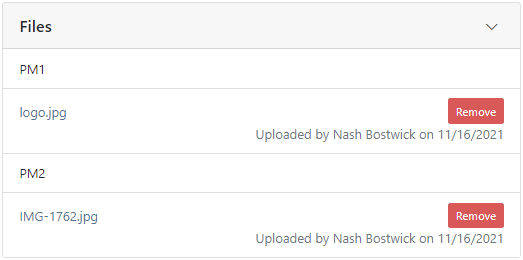
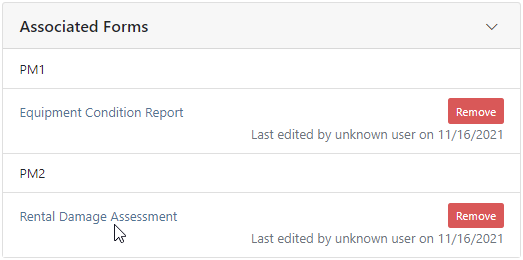
We have a section on the Info Tab for Files and Forms. Both the Files and Associated Forms section will show all files and forms that are on the work order, organize by job.
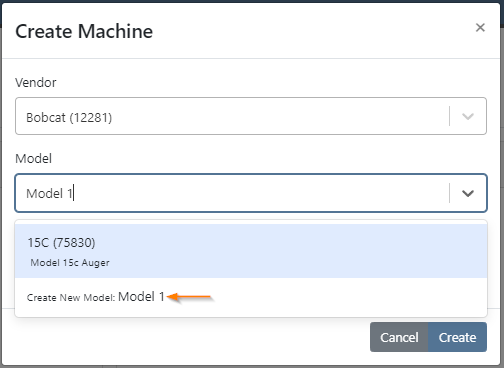
Previously, you had to leave the work order to create a new model. We have added the ability to create a new model from the info tab of a work order.
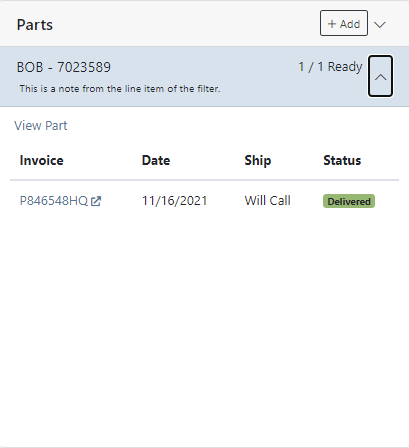
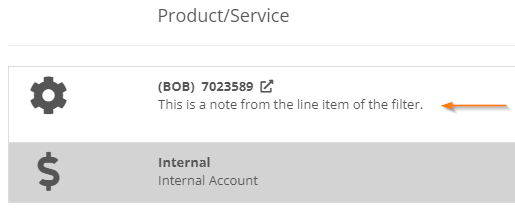
Line item description on sales orders are important, and should be shown on the work order. The subheading of the parts section will be the line description on the sales order. Instead of the description from the item dashboard.
If a job has labor or parts it cannot be deleted. To delete the job you must move the parts and labor to a different job.
We have added a caution sign to rental contract lines with accounting problems. Helping you to identify configuration issues before they happen. In this case, the contract will not bill because it is missing the rental income field. Caution signs will not stop your rental department from checking out a line! Accounting settings should be set on the vendor dashboard or the machine/item dashboard.

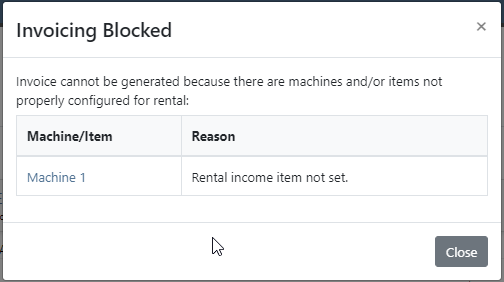
If you overlook the caution sign and click Create Interim Invoice, you will get another popup to help identify the problem.
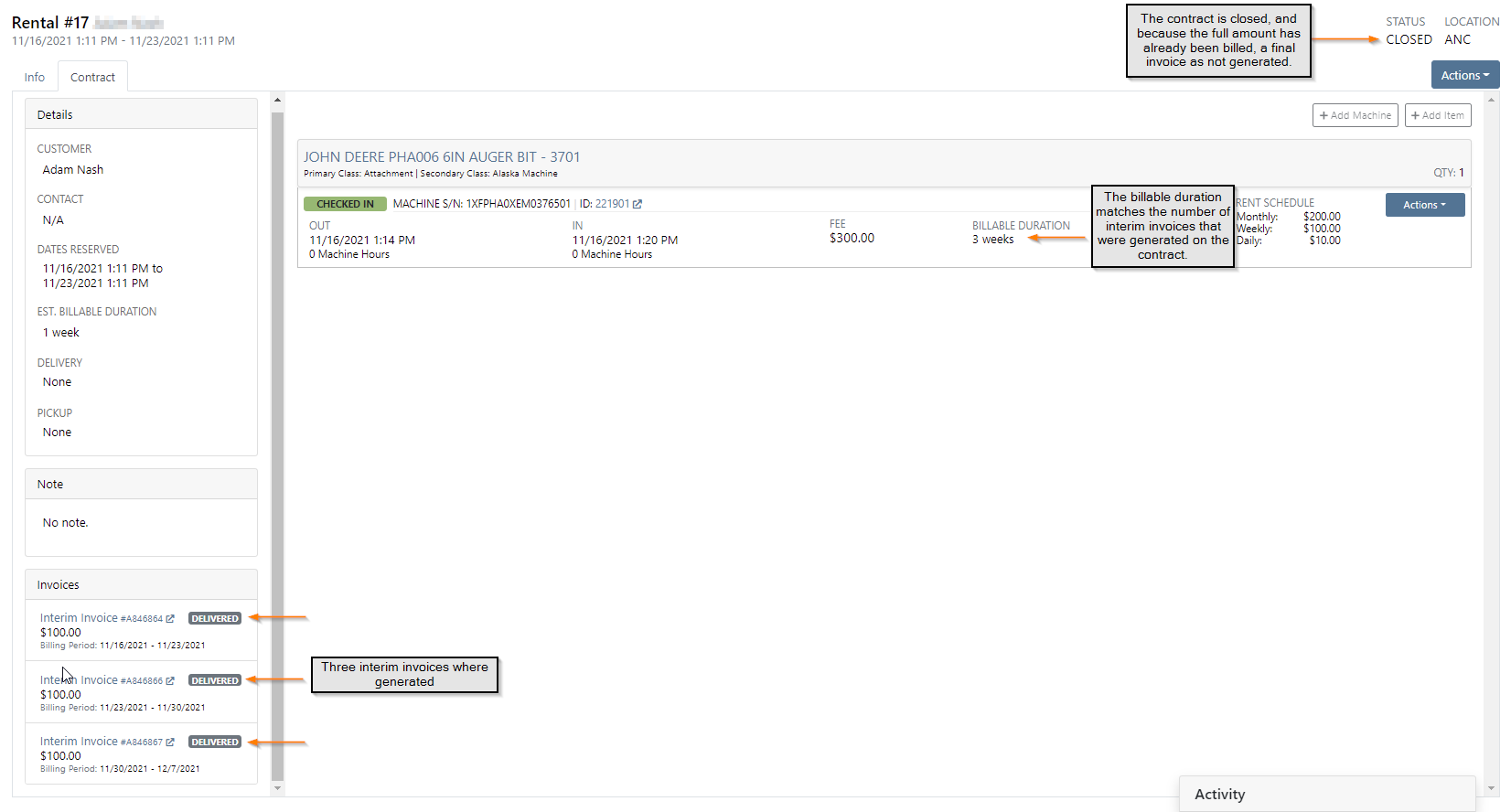
If you close a rental contract, and no further billing is needed, we will not generate a final invoice. Be sure to check that your line item billing duration matches what has already been billed.
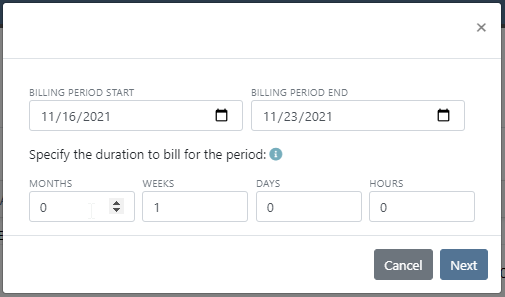
Rental Invoicing has been made into a two step process to improve transparency. When you click Create Interim Invoice you see the first modal. Here, you will set the Billing Period and Billable Duration that will show on each line of the next screen.
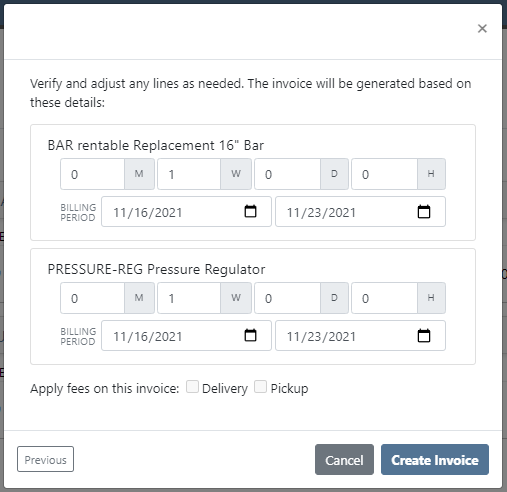
On the second screen, you can adjust each line as needed. Now you will know exactly what information will be on the invoice. The information on this screen shouldn't need to be edited unless an item on the contract was checked in early! Also, you can specify which contract you apply the delivery/pickup fee to.
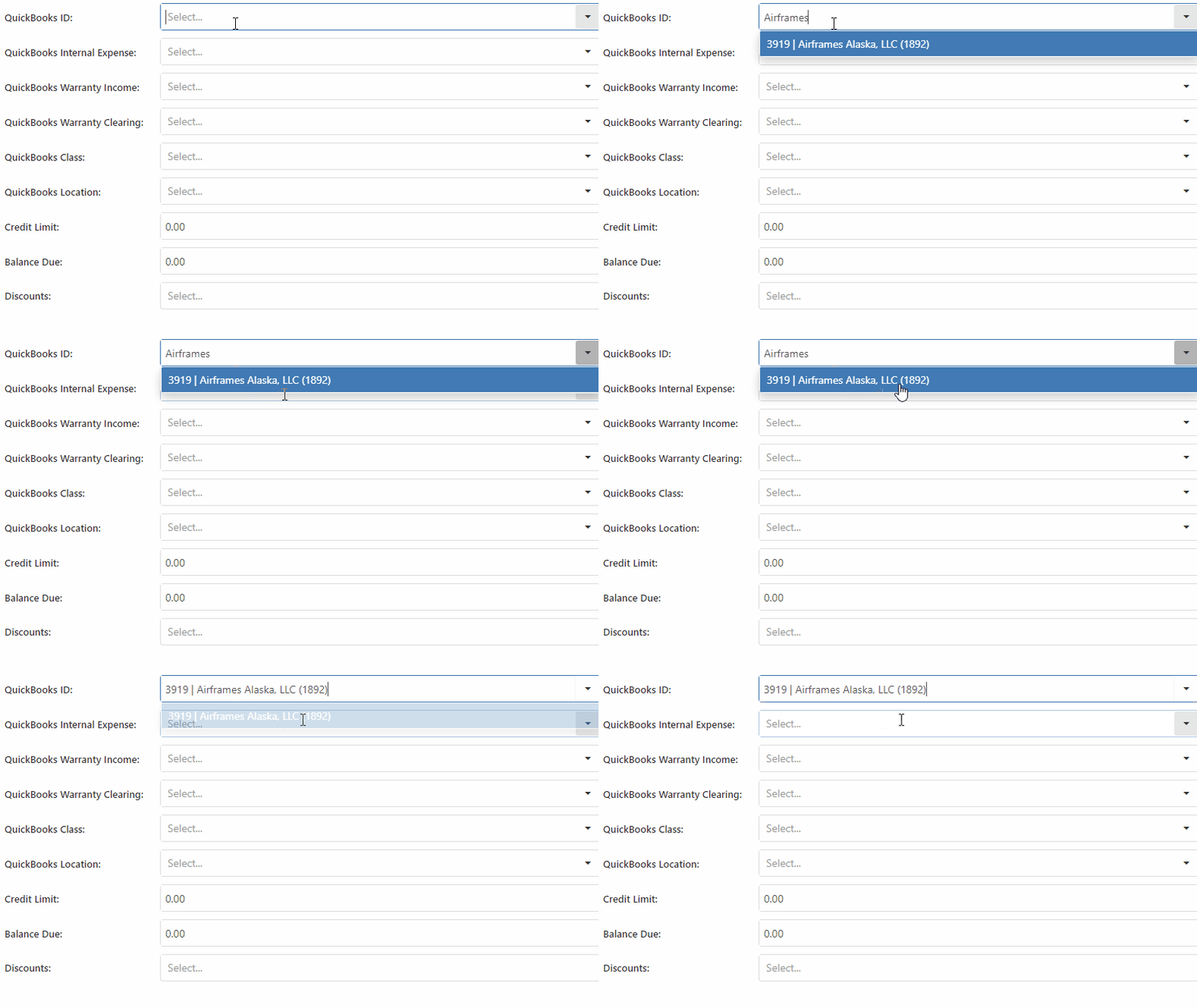
If you have a large amount of QuickBooks customers, you may have noticed a long load time when linking them from the customer dashboard. We have made it much faster and easier. Just type the first 4 letters and we will search for a match!
We added the bulk item label printing option to receiving vouchers. This button will only print labels for the items that were received on the voucher.
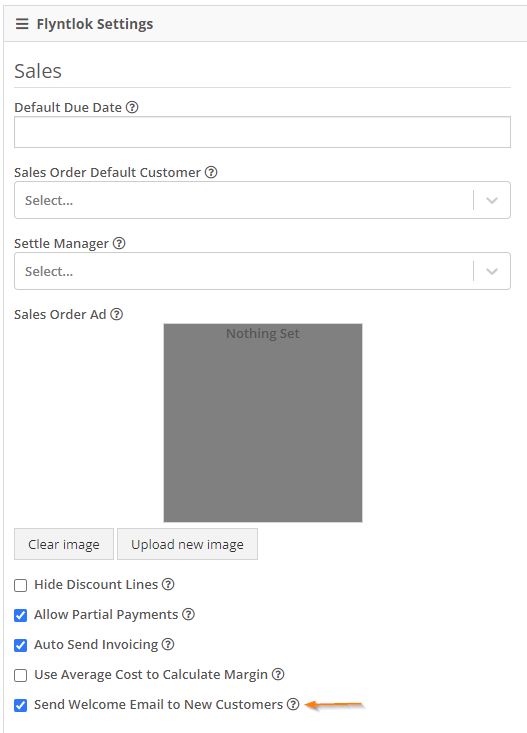
When new customers are added to Flyntlok, you can send them a welcome email! Check the Send Welcome Email to New Customers box in Flyntlok details and be sure to add a Contact Email to the customer profile. This will only apply to newly added customers.
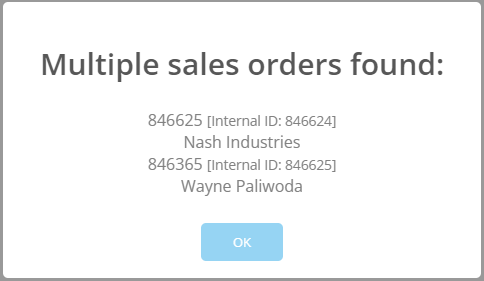
To offer custom sales order ID's, there had to be a small number of sales orders with overlapping ID's. If you search for an id that was duplicated, a modal will display both sales orders. This modal will appear less and less as these sales orders are closed out. Below, I searched S846625.
For a short period of time, Text2Pay was not recording the time that payments were received. We are now recording the time when a customer pays using the Text2Pay link!
We introduced a tax item searcher on the tax editor. Also, instead of using the item internal id, you can use the item number. This searcher will only find items with Tax in the item number.

Editing custom machine ID's now requires special user permissions. This will prevent unauthorized people from accidentally changing the machine ID. If you see a greyed out box, you do not have permission!You have permission!

You do not have permission!

November 3rd, 2021 Release Notes
Learn More at Flyntlok Dealer Management System
Check out our Flyntlok YouTube channel for more highlights of the application!






